
Most home offices don’t need color on every page. They need it for the invoice with a logo, the sales chart in a monthly report, the flyer for a weekend event, and plain black text the rest of the time. That’s the job Brother all-in-one color laser printers are built for: crisp documents, color when it matters, and scanning, copying, and faxing from the same machine. If you’re still comparing brands, our guide to the best all-in-one laser printers for home use covers the wider field.
This guide compares three Brother models, from a compact home-office printer to a business machine built for a shared workspace. We look at print speed, duplex scanning, document feeder capacity, fax, paper handling, connectivity, toner and drum costs, and where each model falls short. One thing to know up front: two of these printers use an LED “digital color” engine rather than a laser. The output and the toner are the same kind; we explain the difference further down.
Best Brother All-in-One Color Laser Printers
The MFC-L3720CDW is the budget way into Brother color, with fax and a touchscreen included. The MFC-L3780CDW prints much faster and scans both sides of a page in one pass, which makes it the best fit for most home offices. The MFC-L8930CDW is a true business color laser with an 80-sheet document feeder and room to grow to 1,340 sheets of paper.
Our Top Picks
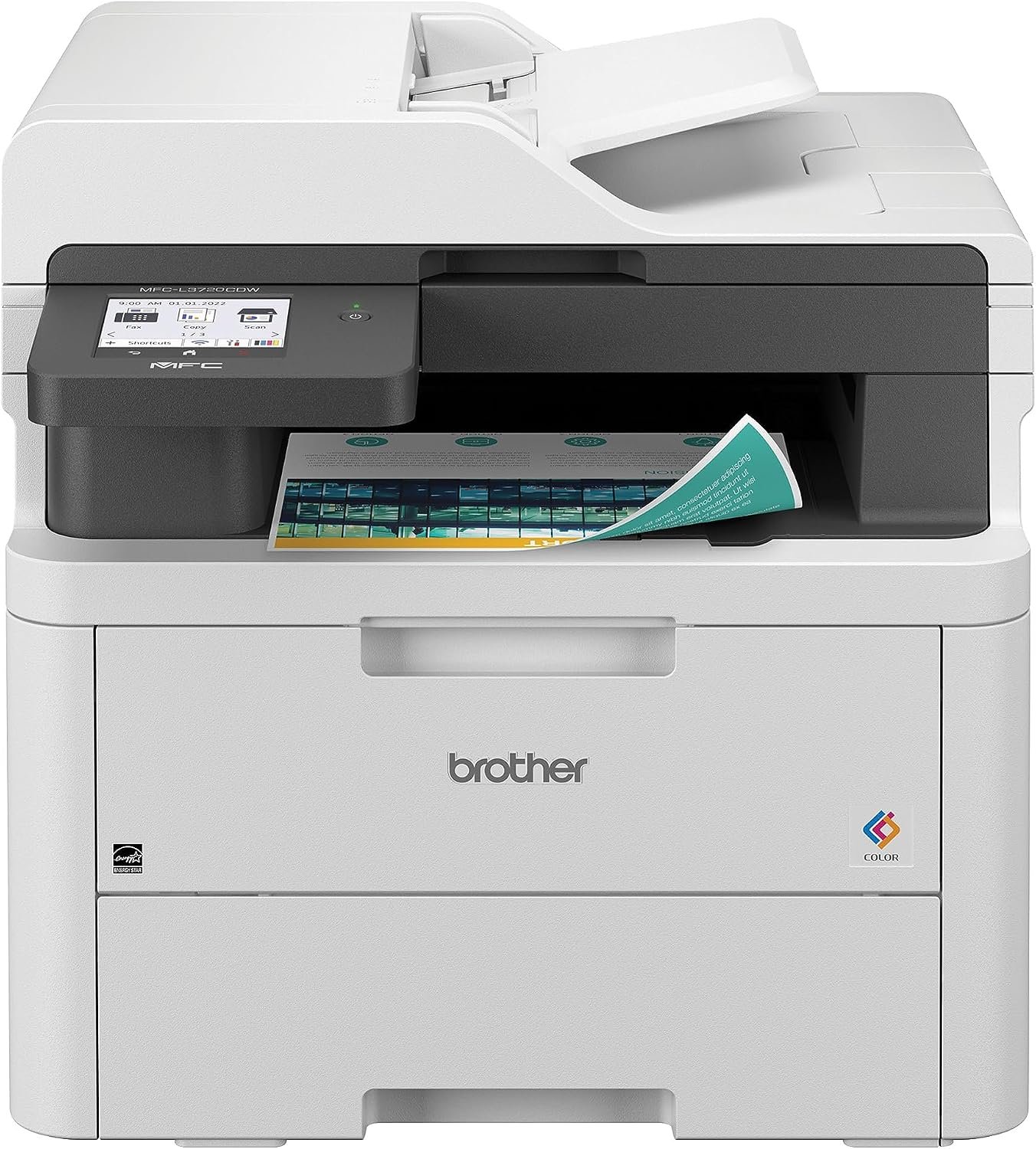
Brother MFC-L3720CDW Color All-in-One Printer Review
Quick Verdict: The Brother MFC-L3720CDW puts color printing, scanning, copying, and fax into one machine, with a 3.5-inch touchscreen and a 50-page document feeder. It suits home offices and freelancers who print color now and then and still send the occasional fax. The trade-offs are speed and scanning: it tops out at 19 ppm, and it can’t scan both sides of a page automatically.
- Prints, scans, copies, and faxes in color.
- 3.5-inch color touchscreen is easy to navigate.
- Automatic duplex printing saves paper.
- 50-page ADF handles multipage copying and scanning.
- Scans at up to 29 ppm black / 22 ppm color.
- Dual-band Wi-Fi, Wi-Fi Direct, and USB connectivity.
- Works with Apple AirPrint, Mopria, and Brother Mobile Connect.
- Rated for up to 3,000 pages a month.
- 19 ppm is slow next to the other two picks.
- No automatic duplex scanning.
- First page can take up to 15 seconds.
- Heavy for a home printer at 44 lbs.
- Drum, belt, and waste toner box are replaced separately.
- Not designed for photo printing.
The MFC-L3720CDW covers the whole home-office routine without asking for much desk space. You can print a color invoice, copy a signed contract through the 50-page document feeder, and fax it back from the same machine. The 3.5-inch color touchscreen makes that easier than it sounds, with clear menus instead of a row of cryptic buttons.
The scanner is quicker than the print engine, at up to 29 ppm in black and 22 ppm in color, so copies don’t stall waiting for the scan. For toner, the TN229XL cartridges raise the yield to 3,000 black pages and 2,300 pages per color, roughly double the standard cartridges.
This is the printer for home offices, freelancers, and small businesses that want color documents and fax in one box without stepping up to a business-class machine. Brother recommends up to 3,000 pages a month, which comfortably covers invoices, reports, forms, and handouts.
If you print long documents often, the extra 12 pages per minute on the MFC-L3780CDW will be noticeable. The same goes for scanning: if double-sided paperwork is a regular task, the L3780CDW captures both sides in a single pass, which this model can’t do.
| Printer Type | Wireless Digital Color All-in-One |
|---|---|
| Functions | Print, Scan, Copy, Fax |
| Printing Technology | Digital Color LED (Laser-Quality Output) |
| Print Speed | Up to 19 ppm Black / 19 ppm Color |
| First Page Out | Less than 15 Seconds (Black and Color) |
| Print Resolution | Up to 2400 × 600 dpi Class |
| Automatic Duplex Printing | Yes |
| Scanner Type | Color Flatbed and Automatic Document Feeder |
| Automatic Document Feeder | 50 Pages |
| Automatic Duplex Scanning | No |
| Scan Speed | Up to 29 ppm Black / 22 ppm Color |
| Optical Scan Resolution | Up to 1200 × 1200 dpi (Glass) / 600 × 600 dpi (ADF) |
| Copy Speed | Up to 19 cpm Black / 19 cpm Color |
| Input Paper Capacity | 250-Sheet Tray plus Single-Sheet Manual Feed Slot |
| Output Paper Capacity | 150 Sheets |
| Fax | Yes, 33.6 Kbps |
| Connectivity | Dual-Band Wi-Fi, Wi-Fi Direct, Hi-Speed USB 2.0 |
| Mobile Printing | Apple AirPrint, Mopria, Brother Mobile Connect |
| Display | 3.5-Inch Color Touchscreen |
| Memory | 512 MB |
| Recommended Monthly Print Volume | Up to 3,000 Pages |
| Maximum Monthly Duty Cycle | Up to 40,000 Pages |
| Standard Toner | TN229: Approx. 1,500 Pages Black / 1,200 Pages per Color |
| High-Yield Toner | TN229XL: Approx. 3,000 Pages Black / 2,300 Pages per Color |
| Value High-Yield Toner | TN229V: Approx. 3,300 Pages Black / 2,530 Pages per Color |
| Drum Unit | DR229CL, Approx. 20,000 Pages |
| Belt Unit / Waste Toner Box | BU229CL, Approx. 50,000 Pages / WT229CL, Approx. 50,000 Pages |
| Dimensions (W × D × H) | 17.5 × 16.1 × 15.8 Inches |
| Weight | Approx. 44 lbs |
| Warranty | 1-Year Limited Warranty |
The MFC-L3720CDW uses Brother’s digital color LED engine. Like a laser, it fuses toner onto the page, so text and graphics look the way you’d expect from a color laser printer.
Toner yields are Brother’s estimates under ISO/IEC 19798 testing. Real page counts depend on how much of each page is covered, especially with color graphics. The printer ships with starter cartridges rated for about 1,000 pages each, so plan on buying replacements early if you print a lot.
The drum, belt, and waste toner box are separate parts with their own lifespans. Include them when you estimate long-term running costs.
For complete specifications, visit the official Brother MFC-L3720CDW product page.
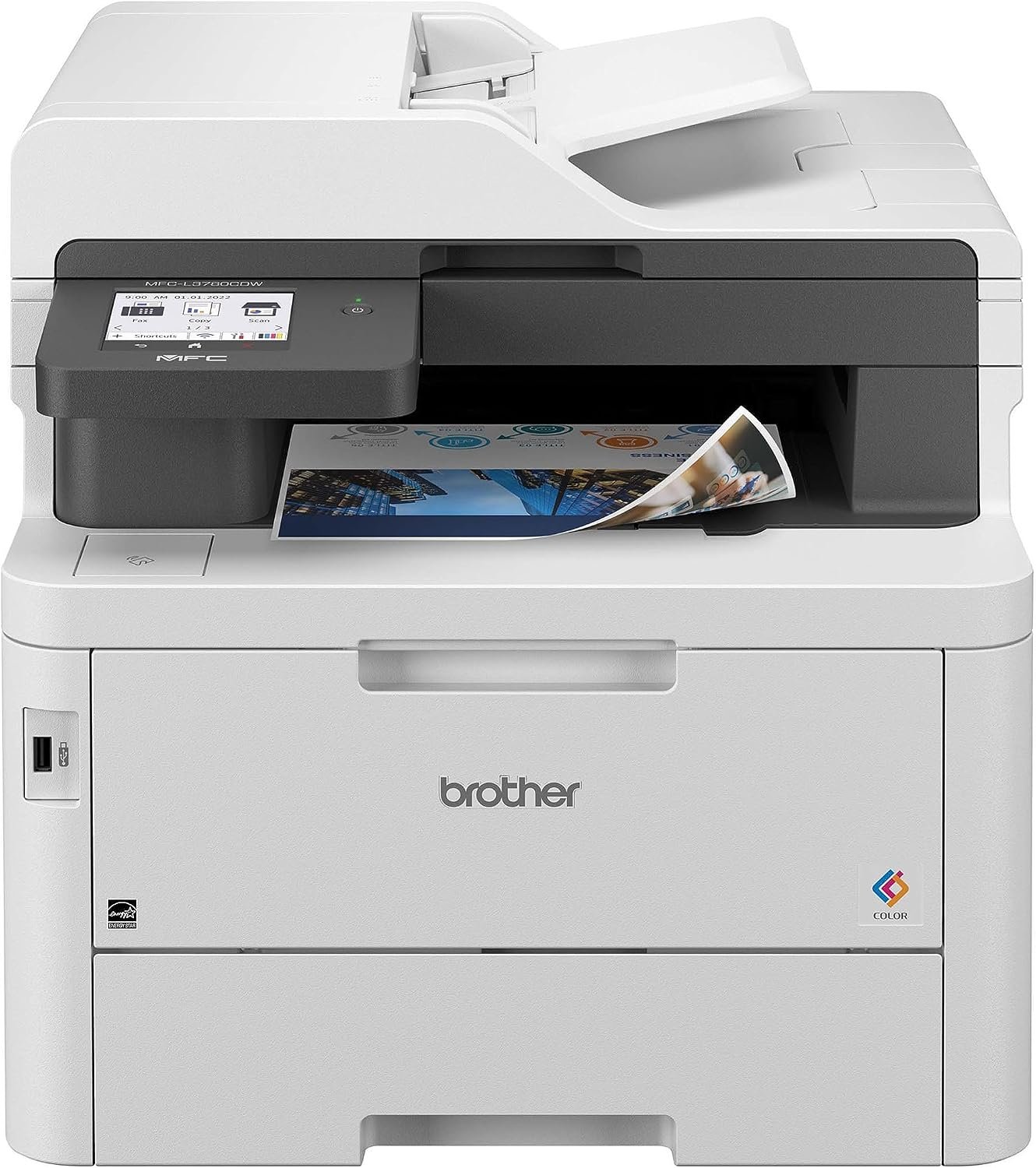
Brother MFC-L3780CDW Color All-in-One Printer Review
Quick Verdict: The Brother MFC-L3780CDW prints color and black pages at up to 31 ppm, scans both sides of a document in one pass, and accepts super high-yield TN229XXL toner. For most home offices and small teams, it hits the best balance in Brother’s color lineup. Just be ready for its weight, 47.8 lbs, and a multipurpose tray that holds only 30 sheets.
- Prints color and black at up to 31 ppm.
- Single-pass duplex scanning at up to 58 ipm black / 34 ipm color.
- 50-page ADF for multipage copy, scan, and fax jobs.
- 250-sheet tray plus a 30-sheet multipurpose tray.
- Optional lower tray doubles input capacity to 500 sheets.
- Gigabit Ethernet, dual-band Wi-Fi, and USB connectivity.
- TN229XXL toner yields about 4,500 black / 4,000 color pages.
- Rated for up to 4,000 pages a month.
- Heavy at 47.8 lbs.
- 30-sheet multipurpose tray is small.
- The extra paper tray is sold separately.
- Not suited to photo printing.
- Drum, belt, and waste toner box add to running costs.
Single-pass duplex scanning is what separates this model from the L3720CDW. Drop a stack of double-sided contracts into the 50-page feeder and the scanner reads both sides as each sheet passes, at up to 58 images per minute in black. You don’t flip the stack and feed it through a second time.
Printing is quicker too. At 31 ppm, it’s 12 pages a minute faster than the L3720CDW, which adds up on long reports. It also accepts TN229XXL super high-yield toner, rated for about 4,500 black pages and 4,000 pages per color, so cartridge changes come around less often. Consumer Reports named it the Best Color Laser All-in-One for 2026, and PCMag gave it 4.5 out of 5.
Pick the MFC-L3780CDW if you print color regularly and scan a lot of double-sided paperwork. It works well for home offices, real estate and insurance agents, bookkeepers, and small teams of a few people. Brother recommends up to 4,000 pages a month.
Measure the space first. At 47.8 lbs, this isn’t a printer you’ll move often. If several people will share it all day, or you scan large batches every morning, the MFC-L8930CDW has a bigger feeder and much more paper capacity.
| Printer Type | Wireless Digital Color All-in-One |
|---|---|
| Functions | Print, Scan, Copy, Fax |
| Printing Technology | Digital Color LED (Laser-Quality Output) |
| Print Speed | Up to 31 ppm Black / 31 ppm Color |
| First Page Out | Less than 12.5 Seconds (Black and Color) |
| Print Resolution | Up to 2400 × 600 dpi Class |
| Automatic Duplex Printing | Yes |
| Scanner Type | Color Flatbed and Automatic Document Feeder |
| Automatic Document Feeder | 50 Pages |
| Automatic Duplex Scanning | Yes, Single-Pass |
| Scan Speed (Simplex) | Up to 29 ppm Black / 22 ppm Color |
| Scan Speed (Duplex) | Up to 58 ipm Black / 34 ipm Color |
| Copy Speed | Up to 31 cpm |
| Automatic Duplex Copying | Yes (from the ADF) |
| Input Paper Capacity | 250-Sheet Tray plus 30-Sheet Multipurpose Tray |
| Optional Paper Tray | 250-Sheet Lower Tray (LT310CL), up to 500 Sheets Total |
| Output Paper Capacity | 150 Sheets |
| Fax | Yes, with Automatic Duplex Sending |
| Connectivity | Dual-Band Wi-Fi, Gigabit Ethernet, Hi-Speed USB 2.0, USB Host |
| Mobile Printing | Apple AirPrint, Mopria, Brother Mobile Connect |
| Display | 3.5-Inch Color Touchscreen |
| Security | Integrated NFC Card Reader |
| Recommended Monthly Print Volume | Up to 4,000 Pages |
| Maximum Monthly Duty Cycle | Up to 50,000 Pages |
| Standard Toner | TN229: Approx. 1,500 Pages Black / 1,200 Pages per Color |
| High-Yield Toner | TN229XL: Approx. 3,000 Pages Black / 2,300 Pages per Color |
| Super High-Yield Toner | TN229XXL: Approx. 4,500 Pages Black / 4,000 Pages per Color |
| Drum Unit | DR229CL, Approx. 20,000 Pages |
| Belt Unit | BU229CL, Approx. 50,000 Pages |
| Dimensions (W × D × H) | 18.2 × 16.1 × 15.8 Inches |
| Weight | Approx. 47.8 lbs |
| Warranty | 1-Year Limited Warranty |
Like the L3720CDW, this model uses Brother’s digital color LED engine and standard color toner. It handles business documents, charts, and logos well. In Digital Trends’ testing, photos weren’t its strength, and pages came out with a slight curl.
Toner yields are Brother’s ISO/IEC 19798 estimates; heavy color coverage lowers real-world page counts. The TN229V value cartridge is also available, rated at about 3,300 black and 2,530 color pages.
The NFC reader lets offices set up card-based sign-in for printing. It’s a security feature, not a way to print from your phone.
For complete specifications, visit the official Brother MFC-L3780CDW product page.
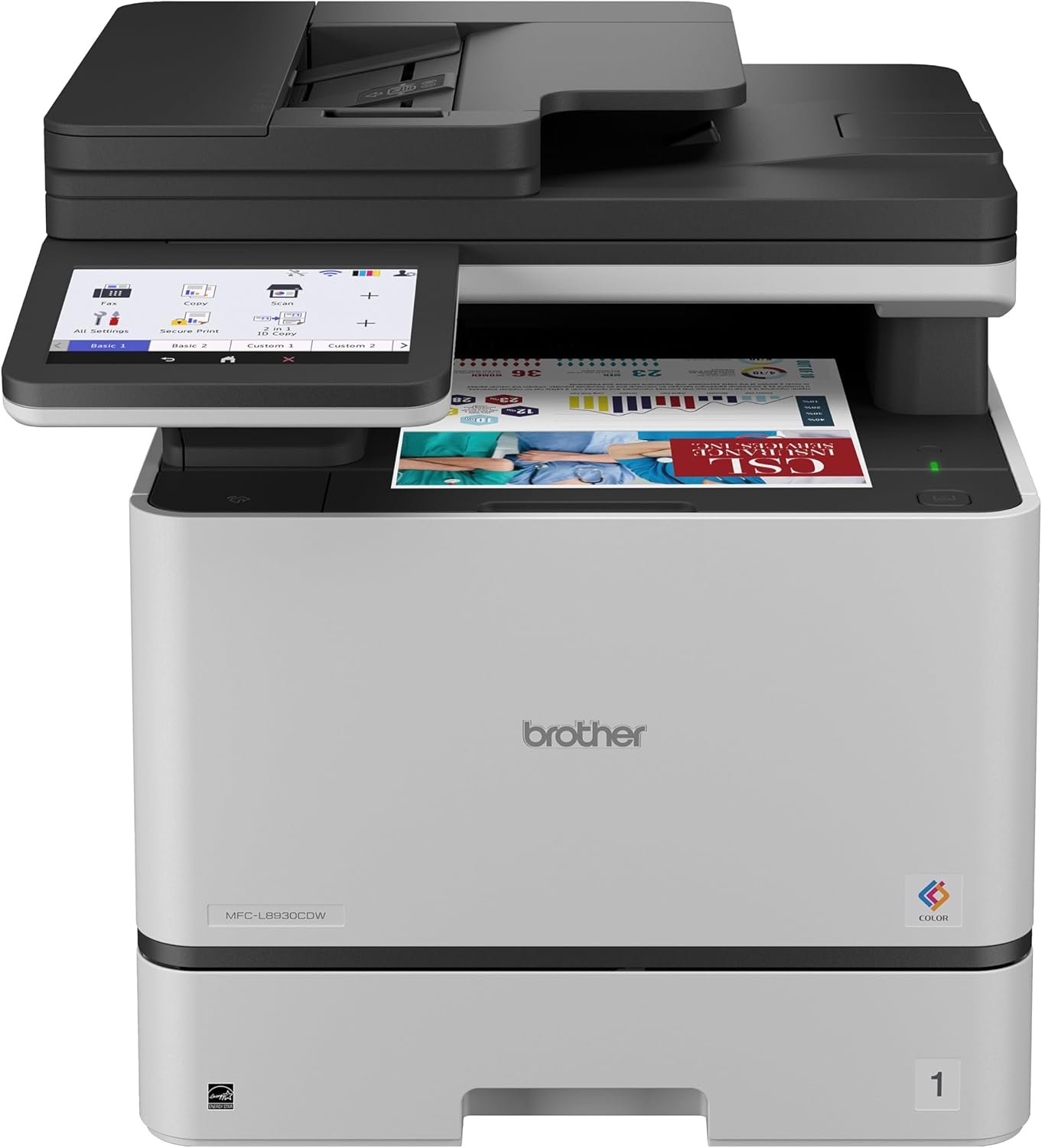
Brother MFC-L8930CDW Business Color Laser All-in-One Review
Quick Verdict: The Brother MFC-L8930CDW is a true business color laser, with output up to 33 ppm, an 80-sheet document feeder, duplex scanning at up to 104 ipm, and a 7-inch touchscreen. Optional trays take it to 1,340 sheets, enough for a team sharing one machine all day. It’s also the heaviest and biggest printer here, and more than a typical home office needs.
- Prints at up to 33 ppm.
- 80-sheet ADF handles large scan and copy jobs.
- Duplex scanning at up to 104 ipm black / 72 ipm color.
- 7-inch color touchscreen.
- 250-sheet tray plus a 50-sheet multipurpose tray.
- Optional trays expand capacity to 1,340 sheets.
- Gigabit Ethernet, dual-band Wi-Fi, and front USB port.
- TN635XXL toner yields about 7,500 black / 6,500 color pages.
- Rated for up to 6,500 pages a month.
- Heaviest of the three at 58.4 lbs.
- Large footprint for a home office.
- First page takes up to 9.9 seconds.
- Extra paper trays are sold separately.
- In-box color toner is rated for only 1,800 pages per color.
- Not designed for photo printing.
Scanning is where the L8930CDW pulls away. The 80-sheet ADF takes a thick stack, and duplex scanning runs at up to 104 images per minute in black, nearly twice the rate of the L3780CDW. An office that digitizes invoices, case files, or patient forms every morning will feel that difference daily.
The 7-inch touchscreen helps when several people use the same machine, because shortcuts and scan destinations are easy to find. Paper handling grows with the office, from 300 sheets standard to 1,340 with the optional trays. The TN635XXL cartridges, rated for about 7,500 black and 6,500 color pages, keep toner changes infrequent.
The MFC-L8930CDW is built for workgroups, administrative offices, clinics, and small businesses where several people share one printer and scanning is a daily job. Brother recommends up to 6,500 pages a month.
For one or two people working from home, it’s more printer than you need. The MFC-L3780CDW offers single-pass duplex scanning and fast color output in a smaller, lighter package. For more machines built for shared workspaces, browse our best office printers.
| Printer Type | Business Color Laser All-in-One |
|---|---|
| Functions | Print, Scan, Copy, Fax |
| Printing Technology | Color Laser |
| Print Speed | Up to 33 ppm |
| First Page Out | 9.9 Seconds Maximum |
| Print Resolution | Up to 2400 × 600 dpi Class |
| Automatic Duplex Printing | Yes |
| Scanner Type | Color Flatbed (Legal-Size Glass) and Automatic Document Feeder |
| Automatic Document Feeder | 80 Sheets |
| Automatic Duplex Scanning | Yes |
| Scan Speed (Simplex) | Up to 52 ipm Black / 36 ipm Color |
| Scan Speed (Duplex) | Up to 104 ipm Black / 72 ipm Color |
| Standard Paper Capacity | 300 Sheets (250-Sheet Tray plus 50-Sheet Multipurpose Tray) |
| Optional Paper Trays | LT-350CL (250 Sheets) and LT-360CL (520 Sheets) |
| Maximum Input Capacity | Up to 1,340 Sheets |
| Output Paper Capacity | 150 Sheets |
| Connectivity | Gigabit Ethernet, Dual-Band Wi-Fi, Wi-Fi Direct, Hi-Speed USB 2.0, Front USB Host |
| Mobile Printing | Apple AirPrint, Mopria, Brother Mobile Connect |
| Display | 7-Inch Color Touchscreen |
| Recommended Monthly Print Volume | Up to 6,500 Pages |
| Maximum Monthly Duty Cycle | Up to 70,000 Pages |
| Standard Toner (In Box) | TN635: Approx. 3,000 Pages Black / 1,800 Pages per Color |
| Super High-Yield Toner | TN635XXL: Approx. 7,500 Pages Black / 6,500 Pages per Color |
| Drum Unit | DR635CL, Approx. 30,000 Pages |
| Belt Unit / Waste Toner Box | BU635CL, Approx. 50,000 Pages / WT229CL, Approx. 50,000 Pages |
| Dimensions (W × D × H) | 17.9 × 19.9 × 18.1 Inches |
| Weight | Approx. 58.4 lbs |
| Warranty | 1-Year Limited Warranty |
The front USB port lets you print from a flash drive and scan straight to one, which is handy for staff who don’t want to install drivers on a shared machine.
Toner yields are Brother’s ISO/IEC 19798 estimates. The cartridges that come in the box are standard-yield, so offices with steady color printing should budget for TN635XXL replacements sooner rather than later.
Check the printer’s dimensions with any optional trays added, and leave room around it for loading paper and replacing toner.
For complete specifications, visit the official Brother MFC-L8930CDW product page.
How to Choose the Best Brother All-in-One Color Laser Printer
Start with three questions: how much color you print, how much you scan, and how many people will share the machine. A home office that prints the odd color chart has very different needs from a front desk scanning patient forms all morning. Answer those and the right model is usually obvious.
How Much Color Do You Really Print?
Color laser printers are at their best with business documents: invoices with a logo, presentation handouts, charts, labels, and flyers. Toner sits on the surface of the paper, so text stays sharp and colors stay bold on plain office paper.
Photos are a different job. If you want glossy family prints or high-detail images, an inkjet photo printer such as the Epson ET-8550 will do better, and our best photo printers section has more options. Use a Brother color all-in-one for documents with color in them, not as a replacement for a photo printer.
LED vs. Laser: What Brother’s “Digital Color” Means
The MFC-L3720CDW and MFC-L3780CDW use an LED print engine, which Brother markets as “digital color” with laser-quality output. A laser printer uses a laser beam and moving mirrors to draw the image on the drum. An LED printer uses a fixed array of tiny lights to do the same thing.
From your side, the result is the same: toner, a drum, a fuser, and sharp documents. LED engines have fewer moving parts, which helps keep the printer compact. The MFC-L8930CDW is a true color laser, built for higher volumes.
Match Monthly Volume to the Printer
Brother recommends up to 3,000 pages a month for the L3720CDW, 4,000 for the L3780CDW, and 6,500 for the L8930CDW.
Go by those recommended figures, not the maximum duty cycle. The duty cycle (40,000, 50,000, and 70,000 pages) is a ceiling the printer can handle, not a pace it’s built to keep up every month.
What to Look for in a Brother Color All-in-One
List the features you’ll use every week before comparing models. A bigger feeder or a larger touchscreen pays off in a shared office, but adds little to a printer that runs a few times a week.
- Print Speed: 19, 31, or 33 ppm. Faster output matters most for long documents and shared printers.
- Duplex Scanning: Decide whether you need both sides of a page captured automatically.
- ADF Capacity: 50 sheets suits most home offices; 80 sheets suits daily batch scanning.
- Fax: All three models include fax.
- Paper Capacity: Check standard tray size and whether you can add trays later.
- Connectivity: Confirm Wi-Fi, Ethernet, USB, and mobile printing support.
- Display: A larger touchscreen helps when several people use the printer.
- Toner and Drum: Compare yields and remember that drums and belts are replaced separately.
- Size and Weight: These printers weigh between 44 and 58.4 lbs.
Duplex Printing vs. Duplex Scanning
All three printers offer automatic duplex printing, so they print on both sides of the page without your help. Scanning is where they differ.
The MFC-L3720CDW scans multipage stacks through its feeder, but only one side at a time. The MFC-L3780CDW uses single-pass duplex scanning, reading both sides of each sheet as it goes through. The MFC-L8930CDW also scans both sides automatically, at up to 104 images per minute in black.
If double-sided contracts, receipts, or forms land on your desk every week, duplex scanning will save you more time than a few extra pages per minute of printing.
Toner, Drum, Belt, and Waste Box Costs
A color laser uses four toner cartridges: black, cyan, magenta, and yellow. Brother also separates the drum unit from the toner, and color models add a belt unit and a waste toner box. Each part has its own lifespan, so long-term costs involve more than toner alone. A worn drum is also a common cause of faded or streaky pages; our guide on how to fix printer streaks walks through the usual fixes.
The L3720CDW and L3780CDW share TN229 toner. Standard cartridges are rated for about 1,500 black and 1,200 color pages; TN229XL raises that to 3,000 and 2,300. Only the L3780CDW accepts TN229XXL, at about 4,500 black and 4,000 color pages. The L8930CDW uses TN635 toner, with TN635XXL rated for about 7,500 black and 6,500 color pages.
To estimate cost per page, divide a cartridge’s price by its rated yield. A $100 cartridge rated for 4,000 pages works out to 2.5 cents a page. Do this for each color you use often, then add a share of the drum and belt cost.
Speed and Paper Capacity
At 19 ppm, the L3720CDW is fine for short documents. The L3780CDW’s 31 ppm and the L8930CDW’s 33 ppm make a real difference once reports run past a few pages or several people send jobs at once.
Paper capacity follows the same pattern. The L3720CDW holds 250 sheets plus a single-sheet manual slot. The L3780CDW holds 250 plus 30 in its multipurpose tray, with an optional tray taking it to 500. The L8930CDW starts at 300 sheets and grows to 1,340.
Wireless, Ethernet, and Mobile Printing
All three printers support dual-band Wi-Fi and USB, and they work with Apple AirPrint, Mopria, and the Brother Mobile Connect app for printing and scanning from phones and tablets.
The L3780CDW and L8930CDW add Gigabit Ethernet, which is the steadier choice when a printer sits on an office network and serves several people. Both also have a USB host port for printing from and scanning to a flash drive.
Using Third-Party Toner in Brother Printers
Brother printers have generally worked with compatible and remanufactured toner, which is one reason they’re popular with cost-conscious buyers. In early 2025, some users and repair advocates reported that firmware updates caused problems with third-party cartridges, including color registration issues on some color models.
Brother publicly denied that its firmware blocks third-party ink or toner, and said its printers don’t intentionally degrade print quality based on the cartridge used. It also said it can only guarantee print quality with Brother Genuine supplies. If you plan to buy third-party toner, choose a seller with a clear compatibility guarantee and return policy.
Size, Weight, and Workspace
None of these printers is small. The L3720CDW weighs about 44 lbs, the L3780CDW about 47.8 lbs, and the L8930CDW about 58.4 lbs. Plan on a sturdy surface, and on two people to unbox the larger models.
Leave room in front for the paper tray and above for the scanner lid, and check the depth if you add optional trays. All three models come with a 1-year limited warranty.
Brother All-in-One Color Laser Printers Comparison
Speed, duplex scanning, and paper capacity are what separate these three printers. The L3720CDW covers the basics, the L3780CDW adds speed and single-pass duplex scanning, and the L8930CDW scales up for shared offices. If you’re weighing other brands too, compare these with our picks for the best HP color laser all-in-one printers.
| Features | Brother MFC-L3720CDW | Brother MFC-L3780CDW | Brother MFC-L8930CDW |
|---|---|---|---|
| Best For | Budget Color | Home Office | Busy Offices |
| Print Engine | Digital Color LED | Digital Color LED | Color Laser |
| Print Speed | 19 ppm | 31 ppm | 33 ppm |
| Automatic Duplex Printing | Yes | Yes | Yes |
| Automatic Duplex Scanning | No | Yes (Single-Pass) | Yes |
| Automatic Document Feeder | 50 Pages | 50 Pages | 80 Sheets |
| Standard Paper Input | 250 Sheets + Manual Slot | 250 + 30 Sheets | 250 + 50 Sheets |
| Maximum Paper Input | 250 Sheets | 500 Sheets | 1,340 Sheets |
| Fax | Yes | Yes | Yes |
| Display | 3.5-Inch Touchscreen | 3.5-Inch Touchscreen | 7-Inch Touchscreen |
| Recommended Monthly Volume | Up to 3,000 Pages | Up to 4,000 Pages | Up to 6,500 Pages |
| Highest-Yield Toner | TN229V | TN229XXL | TN635XXL |
| Read Review | See Details | See Details | See Details |
Print speeds are Brother’s rated maximums for one-sided printing on US Letter paper. Toner yields are approximate and follow ISO/IEC 19798 testing.
Final Verdict: Which Brother All-in-One Color Laser Printer Should You Buy?
For most home offices, the Brother MFC-L3780CDW is the one to get. It prints color quickly at 31 ppm, scans both sides of a page in a single pass, connects over Gigabit Ethernet, and takes super high-yield toner, all without the size of a full business machine.
If you want color and fax at the lowest cost of entry and can live with slower printing, the Brother MFC-L3720CDW covers the essentials. It’s a sensible pick for freelancers and home offices with modest workloads.
The Brother MFC-L8930CDW earns its place in shared offices, where the 80-sheet feeder, 104 ipm duplex scanning, and up to 1,340 sheets of paper keep a team moving. Whichever model you choose, match it to how much you print and scan each month, and check current toner availability before you buy. And if you rarely need color at all, a black-and-white model costs less to run; see our picks for the best HP monochrome laser all-in-one printers.
Frequently Asked Questions About Brother All-in-One Color Laser Printers
Here are answers to the questions buyers ask most about Brother color all-in-ones, from model differences and toner life to duplex scanning and third-party cartridges.