
Before you compare spec sheets, look at what actually comes off your printer. A home office that runs on invoices, contracts, shipping labels, and business reports needs something different from a household that prints the odd school assignment and a tax form or two. Black-and-white laser printers handle text-heavy pages well, so the real differences come down to the extras: automatic duplex printing, a document feeder, and how many pages a toner cartridge lasts.
This guide compares three HP LaserJet all-in-ones to help you find the best HP monochrome laser all-in-one printer for the way you work. We look at print speed, scanning and copying, paper handling, wireless connectivity, toner costs, and where each model falls short. The aim is simple: a printer that covers your regular jobs without charging you for features you’ll rarely touch.
Best HP Monochrome Laser All-in-One Printers
Each of these LaserJets suits a different kind of office. The M235sdw is the compact, low-cost pick for everyday household printing. Step up to the 3101sdw and you get faster output and a bigger paper tray. The 4101fdw adds automatic duplex scanning, fax, and the stamina for heavier workloads, but HP has discontinued it, so whether you can still find one is part of the decision.
Our Top Picks
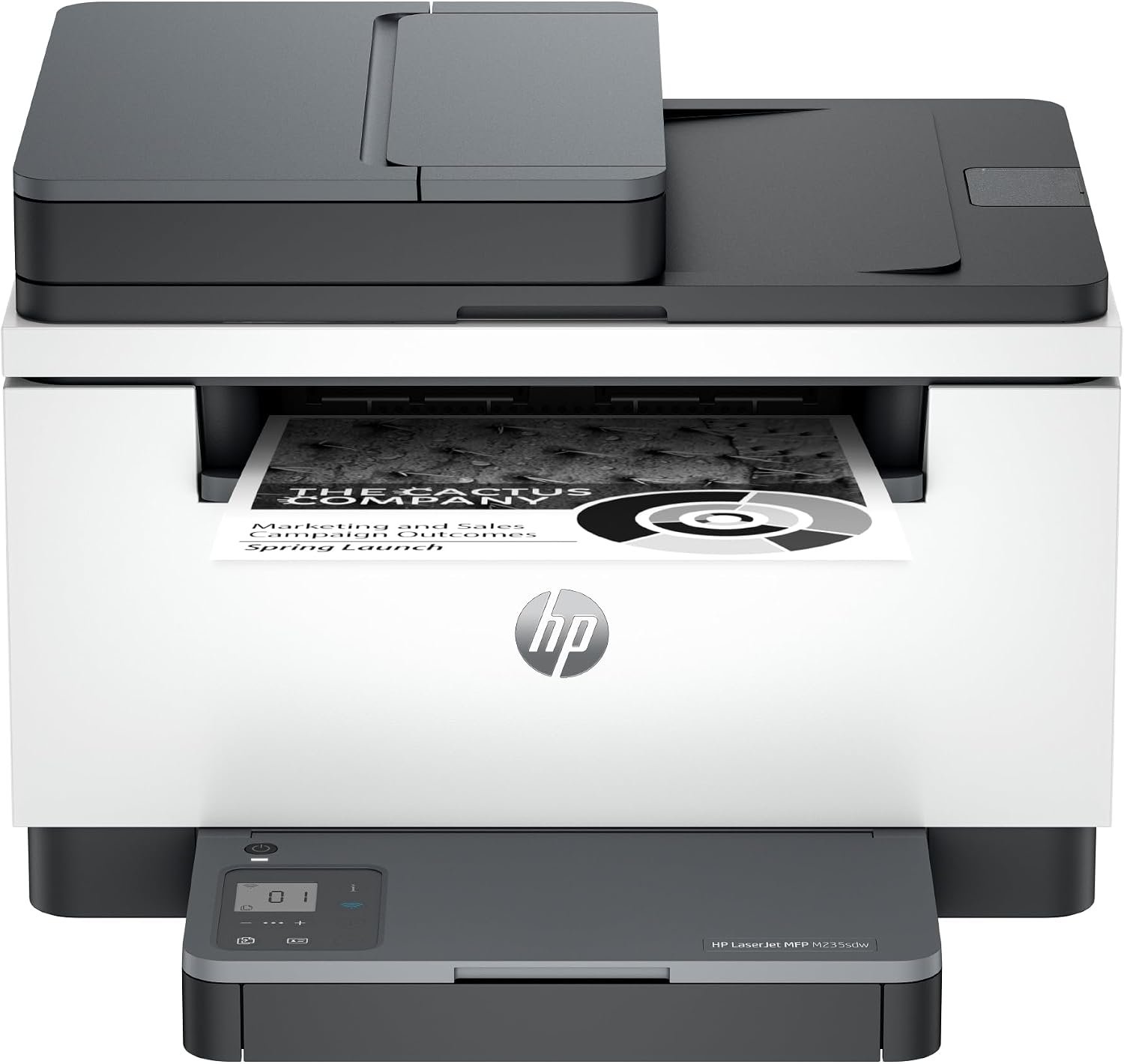
HP LaserJet MFP M235sdw All-in-One Printer Review
Quick Verdict: The HP LaserJet MFP M235sdw packs 28 ppm black-and-white printing, automatic duplex printing, and a 40-sheet document feeder into a compact multifunction body. It’s a good fit for households and small home offices working through invoices, assignments, and everyday paperwork. Larger offices will hit its limits quickly, though: the paper tray holds just 150 sheets, and the feeder can’t scan both sides of a page on its own.
- Prints black-and-white pages at up to 28 ppm (US Letter).
- Automatic duplex printing cuts paper use.
- 40-sheet ADF handles multipage scanning and copying.
- First page out in as little as 6.9 seconds.
- Compact enough for small desks and tight workspaces.
- Dual-band Wi-Fi, Ethernet, and USB connectivity.
- Works with Apple AirPrint, Mopria, and HP mobile printing.
- HP 134X high-yield toner is rated for up to 2,400 pages.
- Black-and-white printing only.
- 150-sheet input tray needs frequent refilling on bigger jobs.
- The ADF can’t scan both sides automatically.
- No built-in fax.
- Basic 1.6-inch icon LCD rather than a touchscreen.
- HP dynamic security can block cartridges with non-HP chips.
- Not built for offices that regularly print and scan in large batches.
Two features stand out on a budget printer like this: automatic duplex printing and a 40-sheet document feeder. Double-sided printing means reports, assignments, and longer documents use half the sheets. The ADF means a ten-page contract goes in as one stack instead of ten separate trips to the scanner glass.
Everyday paperwork moves along at a rated 28 ppm, with the first page out in as little as 6.9 seconds. The footprint suits a cramped home office, and with dual-band Wi-Fi, Ethernet, and USB, sharing it around the house is easy. If you print regularly, buy the HP 134X high-yield cartridge instead of the standard 134A. It holds more than twice as many pages.
The M235sdw is built for students, families, freelancers, and home-office users whose printing is mostly black-and-white text: invoices, forms, shipping paperwork, school assignments, and the occasional multipage scan. HP recommends 200 to 2,000 pages a month.
If your print jobs tend to run longer, the HP 3101sdw is faster and adds a 250-sheet tray and a 50-sheet ADF. Offices that scan a lot of double-sided contracts, or still rely on fax, will be better off with the HP 4101fdw, provided you can find one, since it’s been discontinued. Pick the M235sdw when a small footprint and the essentials matter more than paper capacity.
| Printer Type | Wireless Monochrome Laser All-in-One |
|---|---|
| Functions | Print, Scan, Copy |
| Printing Technology | Monochrome Laser |
| Print Speed (US Letter) | Up to 28 ppm Black |
| Print Speed (A4) | Up to 27 ppm Black |
| First Page Out | As Fast as 6.9 Seconds (Black) |
| Print Resolution | Up to 600 × 600 dpi |
| Automatic Duplex Printing | Yes |
| Duplex Print Speed | Up to 19 Images per Minute (US Letter) |
| Scanner Type | Color Flatbed and Automatic Document Feeder |
| Automatic Document Feeder | 40 Sheets |
| Automatic Duplex Scanning | No |
| Optical Scan Resolution | Up to 600 dpi |
| ADF Scan Speed | Up to 20 ppm Black / 11 ppm Color (US Letter) |
| Maximum Flatbed Scan Size | 8.5 × 11.7 Inches |
| Maximum ADF Scan Size | 8.5 × 14 Inches (Legal) |
| Scan File Formats | PDF, JPEG, TIFF, BMP, PNG |
| Copy Speed | Up to 14 cpm Black (US Letter) |
| Maximum Copies | Up to 99 Copies |
| Input Paper Capacity | 150 Sheets |
| Output Paper Capacity | 100 Sheets |
| Supported Paper Sizes | Letter, Legal, Executive, A4, A5, A6, Envelopes, and Selected Custom Sizes |
| Connectivity | Dual-Band Wi-Fi (2.4/5 GHz), Wi-Fi Direct, Ethernet (10/100), Hi-Speed USB 2.0 |
| Mobile Printing | HP App, Apple AirPrint, Mopria |
| Display | 1.6-Inch Icon LCD with Guided Buttons |
| Number of Toner Cartridges | 1 Black Cartridge |
| Standard Toner (US) | HP 134A (W1340A), Approx. 1,100 Pages |
| High-Yield Toner (US) | HP 134X (W1340X), Approx. 2,400 Pages |
| Recommended Monthly Print Volume | 200–2,000 Pages |
| Maximum Monthly Duty Cycle | Up to 20,000 Pages |
| Recommended Monthly Scan Volume | 150–1,500 Pages |
| Fax | No Built-In Fax |
| Security | Dynamic Security Enabled |
| Dimensions (W × D × H) | 16.46 × 12.13 × 11.59 Inches |
| Maximum Dimensions | 16.46 × 18.41 × 17.83 Inches |
| Weight | Approx. 20.95 lbs (9.5 kg) |
| Warranty | 1-Year Limited Warranty (US) |
The 134A and 134X yields are HP’s estimates from standardized testing. Your real page count will depend on coverage, print settings, and usage. The printer takes a single black cartridge, and cartridge codes can differ between regional versions.
Dynamic security may block cartridges with non-HP chips or electronic circuitry, and that can change after a firmware update. Cartridges built on reused original HP chips may still work. Check toner prices and compatibility before you buy.
One distinction is worth knowing: the M235sdw prints both sides automatically, but it won’t scan both sides automatically. Its scanner does capture color originals, even though everything it prints comes out in black and white.
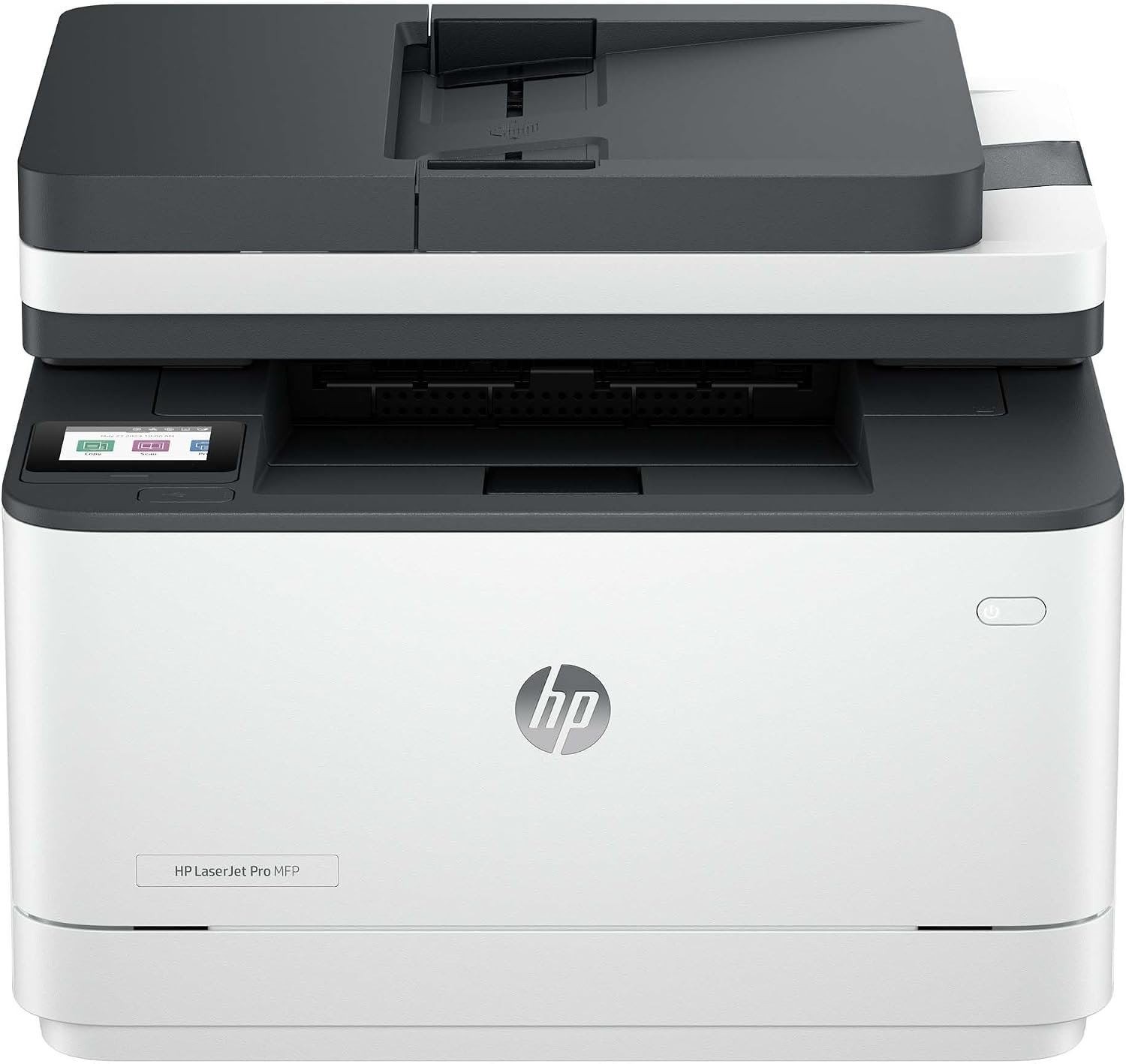
HP LaserJet Pro MFP 3101sdw All-in-One Printer Review
Quick Verdict: The HP LaserJet Pro MFP 3101sdw delivers 35 ppm black-and-white printing, automatic duplex printing, a 250-sheet paper tray, and a 50-sheet document feeder. It suits home offices that regularly print invoices, reports, and business paperwork. However, it lacks automatic duplex scanning and fax functionality, limiting its usefulness for more demanding document-handling tasks.
- Prints black-and-white documents at up to 35 ppm (US Letter).
- First-page-out time as fast as 6.6 seconds.
- Automatic duplex printing for double-sided reports and documents.
- 50-sheet ADF supports multipage scanning and copying.
- 250-sheet input tray reduces frequent paper refilling.
- 2.7-inch color touchscreen for printer controls and shortcuts.
- Dual-band Wi-Fi, Ethernet, and USB connectivity.
- HP 138X high-yield toner offers approximately 4,000 pages.
- HP Wolf Pro Security provides additional network protection.
- Prints only in black and white.
- No automatic duplex scanning through the document feeder.
- No built-in fax functionality.
- Higher purchase price than the compact HP M235sdw.
- Single 250-sheet paper tray without optional tray expansion.
- HP dynamic security may restrict third-party toner compatibility.
- 50-sheet ADF may require reloading for larger scanning jobs.
- Does not offer the advanced document handling of the HP 4101fdw.
The HP 3101sdw offers a useful combination of printing speed and paper capacity for regular home-office work. Its 35 ppm output is suitable for longer reports, invoices, and document batches, while the 250-sheet tray holds considerably more paper than the M235sdw’s 150-sheet input. Automatic duplex printing also removes the need to turn pages manually when preparing double-sided documents.
The 50-sheet ADF makes scanning and copying multipage paperwork more convenient, although double-sided originals require manual handling. Another advantage is the HP 138X high-yield toner, rated for approximately 4,000 pages. This can reduce replacement frequency for offices printing regularly. The 2.7-inch touchscreen, Ethernet, and dual-band Wi-Fi make the printer convenient for shared office use.
The HP LaserJet Pro MFP 3101sdw is suitable for remote workers, accountants, freelancers, and small businesses that regularly print black-and-white invoices, contracts, forms, and reports. Its larger paper tray and faster printing are particularly useful when several people share one printer. HP recommends a monthly printing volume of 350 to 2,500 pages.
If you mainly print occasional documents and want to spend less upfront, the HP M235sdw may be sufficient. However, if your work frequently involves scanning double-sided contracts or requires fax, the HP 4101fdw provides additional document-handling features, subject to stock availability. The 3101sdw is a sensible middle option when printing speed and paper capacity matter more than advanced scanning or fax.
| Printer Type | Wireless Monochrome Laser All-in-One |
|---|---|
| Functions | Print, Scan, Copy |
| Printing Technology | Monochrome Laser |
| Print Speed (US Letter) | Up to 35 ppm Black |
| Print Speed (A4) | Up to 33 ppm Black |
| First Page Out | As Fast as 6.6 Seconds (Black) |
| Print Resolution | Up to 1200 × 1200 dpi |
| Automatic Duplex Printing | Yes |
| Scanner Type | Color Flatbed and Automatic Document Feeder |
| Automatic Document Feeder | 50 Sheets |
| Automatic Duplex Scanning | No |
| Optical Scan Resolution | Up to 1200 dpi Flatbed / 300 dpi ADF |
| ADF Scan Speed (US Letter) | Up to 20 ppm Black / 9 ppm Color |
| Maximum ADF Scan Size | 8.5 × 14 Inches (Legal) |
| Recommended Monthly Scan Volume | 150–1,500 Pages |
| Scan File Formats | JPG, TIFF, XPS, PDF, PDF/A |
| Copy Speed | Up to 35 cpm Black (US Letter) |
| Input Paper Capacity | 250 Sheets |
| Output Paper Capacity | 150 Sheets |
| Supported Paper Sizes | Letter, Legal, Executive, A4, A5, A6, Envelopes, and Selected Custom Sizes |
| Connectivity | Dual-Band Wi-Fi (2.4/5 GHz), Wi-Fi Direct, Ethernet (10/100 Mbps), Hi-Speed USB 2.0 |
| Mobile Printing | HP App, Apple AirPrint, Mopria |
| Display | 2.7-Inch Color Touchscreen |
| Memory | 512 MB |
| Number of Toner Cartridges | 1 Black Cartridge |
| Standard Toner (US) | HP 138A (W1380A), Approx. 1,500 Pages |
| High-Yield Toner (US) | HP 138X (W1380X), Approx. 4,000 Pages |
| Included Toner Yield | Approx. 1,000 Pages |
| Recommended Monthly Print Volume | 350–2,500 Pages |
| Maximum Monthly Duty Cycle | Up to 50,000 Pages |
| Fax | No Built-In Fax |
| Security | HP Wolf Pro Security; Dynamic Security Enabled |
| Dimensions (W × D × H) | 16.5 × 15.7 × 12.3 Inches |
| Maximum Dimensions | 16.8 × 29.9 × 18.7 Inches |
| Weight | Approx. 23.1 lbs (10.5 kg) |
| Warranty | 1-Year Limited Warranty (US) |
HP 138A and 138X toner yields are manufacturer estimates based on standardized testing. Actual page counts depend on document coverage, printing conditions, and usage. The printer includes an introductory toner cartridge with a lower rated yield than full replacements.
HP dynamic security may block toner cartridges using non-HP chips or electronic circuitry, including after firmware updates. Cartridges with reused original HP chips may remain compatible. Confirm toner compatibility before purchasing replacement supplies.
The HP 3101sdw supports automatic duplex printing but not automatic duplex scanning. Its scanner can capture color originals, although the printer produces black-and-white output only.
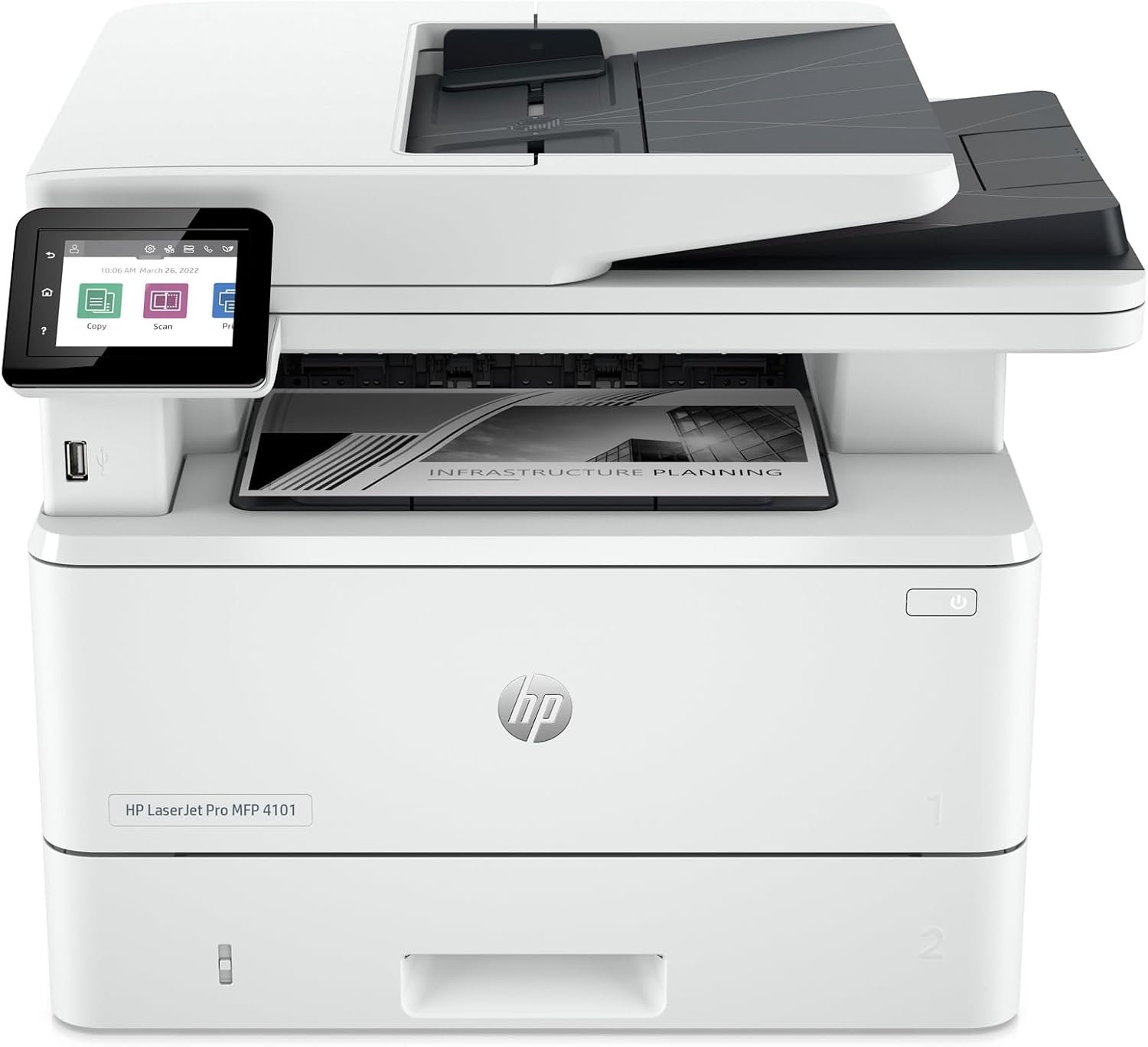
HP LaserJet Pro MFP 4101fdw All-in-One Printer Review
Quick Verdict: The HP LaserJet Pro MFP 4101fdw brings 42 ppm black-and-white printing, single-pass duplex scanning, fax, and 350 sheets of standard paper capacity. It’s made for busy offices that push contracts, reports, and large document batches through every day. The catch is availability. HP has discontinued it in the US, so check stock, warranty coverage, and replacement supplies before you commit.
- Prints black-and-white pages at up to 42 ppm (US Letter).
- First page out in as little as 6.1 seconds.
- Single-pass duplex scanning captures both sides automatically.
- 50-sheet ADF handles multipage scanning and copying.
- 350-sheet standard capacity means fewer refills.
- Optional 550-sheet tray raises input capacity to 900 sheets.
- Automatic duplex printing and built-in fax.
- HP 148X high-yield toner is rated for roughly 9,500 pages.
- Dual-band Wi-Fi, Gigabit Ethernet, and USB connectivity.
- 2.7-inch color touchscreen and HP Wolf Pro Security.
- Discontinued by HP in the US, so new stock is hard to count on.
- Warranty and condition need careful checking with third-party sellers.
- Costs more upfront than entry-level HP monochrome printers.
- Black-and-white printing only.
- The optional 550-sheet tray is sold separately.
- Genuine HP 148X toner is a substantial upfront expense.
- HP dynamic security may block cartridges with non-HP chips.
- Bigger and heavier than the M235sdw and 3101sdw.
Next to the 3101sdw, the 4101fdw wins in two places that matter: it prints faster, and it scans smarter. At 42 ppm, long reports, contracts, and business records don’t leave anyone waiting at the output tray. The 350-sheet standard capacity includes a 100-sheet multipurpose tray, so you can run a different paper type without emptying the main cassette.
Single-pass duplex scanning is what double-sided paperwork really calls for. Drop up to 50 sheets into the ADF and it reads both sides in one pass, with no flipping the stack and feeding it through again when you’re digitizing contracts or admin files. The toner goes further, too. HP rates the 148X high-yield cartridge for roughly 9,500 pages, which means fewer replacements in an office that prints every day.
This is the printer for small businesses, administrative offices, accounting firms, and workgroups that print and scan paperwork in volume. Fast output, a duplex ADF, fax, and expandable paper capacity all pay off when several people share one machine. HP recommends 750 to 4,000 pages a month.
The problem is that HP no longer sells it in the US. Consider it only if a reputable seller has stock and clearly states the condition, return terms, and warranty coverage. If your volume is lighter and you don’t need duplex scanning or fax, the HP 3101sdw is probably the more practical buy. And if you want a higher-volume model that’s still supported, compare newer alternatives before you order.
| Printer Type | Wireless Monochrome Laser All-in-One |
|---|---|
| Functions | Print, Scan, Copy, Fax |
| Printing Technology | Monochrome Laser |
| Print Speed (US Letter) | Up to 42 ppm Black |
| Print Speed (A4) | Up to 40 ppm Black |
| First Page Out | As Fast as 6.1 Seconds (Black, Ready) |
| Print Resolution | Up to 1200 × 1200 dpi |
| Automatic Duplex Printing | Yes |
| Scanner Type | Color Flatbed and Automatic Document Feeder |
| Automatic Document Feeder | 50 Sheets |
| Automatic Duplex Scanning | Yes, Single-Pass Duplex ADF |
| Optical Scan Resolution | Up to 1200 × 1200 dpi |
| ADF Scan Speed (US Letter) | Up to 31 ppm Black / 21 ppm Color |
| Duplex ADF Scan Speed | Up to 49 ipm Black / 36 ipm Color (US Letter) |
| Maximum ADF Scan Size | 8.5 × 14 Inches (Legal) |
| Scan File Formats | PDF, JPG, TIFF |
| Scan Destinations | Email, USB, Network Folder, Computer |
| Copy Speed | Up to 42 cpm Black (US Letter) |
| Automatic Duplex Copying | Yes |
| Main Paper Tray | 250 Sheets |
| Multipurpose Tray | 100 Sheets |
| Standard Paper Capacity | 350 Sheets Total |
| Optional Paper Tray | 550 Sheets |
| Maximum Input Capacity | 900 Sheets with Optional Tray |
| Output Paper Capacity | 150 Sheets |
| Supported Paper Sizes | Letter, Legal, A4, Executive, Envelopes, Labels, and Selected Custom Sizes |
| Connectivity | Dual-Band Wi-Fi, Wi-Fi Direct, Gigabit Ethernet, Hi-Speed USB 2.0 |
| Mobile Printing | HP App, Apple AirPrint, Mopria |
| Display | 2.7-Inch Color Touchscreen |
| Memory | 512 MB |
| Fax | Built-In Analog Fax |
| Number of Toner Cartridges | 1 Black Cartridge |
| Standard Toner (US) | HP 148A (W1480A), Approx. 2,900 Pages |
| High-Yield Toner (US) | HP 148X (W1480X), Approx. 9,500 Pages |
| Recommended Monthly Print Volume | 750–4,000 Pages |
| Maximum Monthly Duty Cycle | Up to 80,000 Pages |
| Recommended Monthly Scan Volume | 750–4,000 Pages |
| Security | HP Wolf Pro Security; Dynamic Security Enabled |
| Dimensions (W × D × H) | 16.54 × 15.35 × 12.72 Inches |
| Maximum Dimensions | 16.93 × 25 × 12.8 Inches |
| Weight | Approx. 27.78 lbs (12.6 kg) |
| US Product Status | Discontinued by HP |
| Original Warranty | 1-Year Limited Warranty; Coverage Depends on Seller, Region, and Product Condition |
The 148A and 148X yields are HP’s estimates from standardized testing, and real page counts depend on coverage, print settings, and usage. Confirm that replacement cartridges are available, and what they cost, before you buy.
Like the M235sdw, the 4101fdw uses dynamic security, which may block cartridges with non-HP chips or electronic circuitry. Cartridges with reused original HP chips may still work, though a firmware update can change that.
Discontinued doesn’t mean gone. The 4101fdw still turns up in third-party listings, so find out whether a unit is new, refurbished, or used, and confirm the warranty, return terms, and toner availability before ordering.
How to Choose the Best HP Monochrome Laser All-in-One Printer
Three questions narrow the field: how often you print, what you print, and how much scanning your work involves. A compact printer comfortably handles school assignments and the occasional invoice. A busy home office is another matter. It will want faster output, a bigger tray, and a feeder that scans without supervision. Weigh those features against toner costs, and the right fit for your workload and budget usually becomes clear.
Start With Your Printing Needs and Monthly Volume
Estimate how many pages you print in a typical month, and what’s on them. Monochrome lasers are at their best with black-and-white invoices, contracts, shipping documents, school assignments, and business reports. If you regularly need color charts or photos, you want a color printer instead.
Each model here is aimed at a different range. HP recommends 200 to 2,000 pages a month for the HP M235sdw, 350 to 2,500 for the HP 3101sdw, and 750 to 4,000 for the HP 4101fdw.
Go by the recommended monthly volume, not the maximum duty cycle. The duty cycle is the upper limit the printer can handle, not a pace it’s meant to keep up month after month.
What to Look for in a Home Monochrome Laser Printer
Work out which features you’ll actually use before you start comparing prices. A faster engine or a more capable document feeder earns its keep in a working office. On a printer that gets switched on twice a month, it’s money spent on nothing.
- Printing Volume: Estimate your average monthly page count and how often you print.
- Print Speed: Compare pages per minute and first-page-out time for the documents you print most.
- Toner Costs: Check replacement cartridge prices, page yields, and high-yield options.
- Duplex Printing: Automatic two-sided printing saves you flipping pages by hand.
- Scanning and Copying: Check ADF capacity and whether it supports duplex scanning for multipage documents.
- Paper Capacity: Choose a tray big enough for your regular workload.
- Connectivity: Confirm Wi-Fi, Ethernet, USB, and mobile printing support.
- Printer Size: Check dimensions, weight, and the space you have.
- Warranty and Supplies: Verify toner availability, cartridge compatibility, and service coverage.
Compare Toner Costs and Cartridge Yields
A monochrome laser needs just one black cartridge, where a color laser needs four. That doesn’t make running costs equal across models, though. Replacement prices still vary considerably.
In the US, the HP M235sdw takes HP 134A and 134X toner, the HP 3101sdw takes HP 138A and 138X, and the HP 4101fdw takes HP 148A and 148X. The high-yield versions are rated for roughly 2,400, 4,000, and 9,500 pages, respectively.
Cost per page is easy to work out: divide the cartridge price by its rated yield. A $100 cartridge rated for 4,000 pages comes to 2.5 cents a page, before paper and other costs.
High-yield toner costs more upfront but needs replacing less often. Treat the yield figures as estimates, since actual results depend on coverage, print settings, and usage.
Understand Duplex Printing and Duplex Scanning
Automatic duplex printing means the printer handles both sides of the sheet itself, with no turning the paper over by hand. All three HP models here can do it, which helps with reports, contracts, and longer documents.
Duplex scanning is a separate feature, and the two are easy to confuse. An automatic document feeder (ADF) lets you scan a stack of pages without laying each one on the glass, but not every ADF can read both sides.
The HP M235sdw and 3101sdw both scan multipage documents through their feeders, but one side at a time. The HP 4101fdw adds single-pass duplex scanning, capturing both sides of compatible documents automatically.
If you regularly scan double-sided invoices, contracts, or records, that feature will save you more time than a few extra pages per minute.
Match Print Speed and Paper Capacity to Your Needs
Print speed is measured in pages per minute (ppm). On US Letter paper, the HP M235sdw tops out at 28 ppm, the HP 3101sdw at 35 ppm, and the HP 4101fdw at 42 ppm.
For short documents and the odd form, you probably won’t notice the gap, and it isn’t worth paying extra for. Speed starts to matter when several people share one printer or when long reports are routine.
Tray size deserves just as much attention. The M235sdw holds 150 sheets, the 3101sdw holds 250, and the 4101fdw takes 350 as standard, with an optional 550-sheet tray on top of that.
More capacity means fewer trips to reload paper. Look at speed and tray size together rather than choosing on the ppm figure alone.
Check Wireless Connectivity and Device Compatibility
If several computers or phones will share the printer, check its networking before you buy. Wireless is convenient in a home office, but when several people use a printer throughout the day, a wired connection is often the better choice.
Wi-Fi lets compatible devices print without a cable, Ethernet puts the printer on your network over a wire, and USB connects it directly to a single computer.
All three HP models offer both wireless and wired options, along with mobile printing through Apple AirPrint, Mopria, and the HP app.
Confirm support for your Windows, macOS, or mobile operating system first. It’s also worth checking whether scanning to your preferred destination needs extra software or network setup.
Understand HP Dynamic Security and Toner Compatibility
HP LaserJet printers may use dynamic security to check the chip or circuitry inside each toner cartridge. A printer with this feature can reject a cartridge with a non-HP chip, even one sold as compatible.
Some remanufactured or refilled cartridges built on reused original HP chips keep working. Firmware updates, however, can change how the printer treats cartridges with non-HP chips.
Before buying replacement toner, check the cartridge number, the compatibility details, and the seller’s return policy. If you’re going third-party, make sure the cartridge uses a compatible reused HP chip.
Factor these restrictions into your long-term cost estimate. The cheapest replacement cartridge on the listing won’t necessarily work in your printer.
Compare Purchase Price, Printer Size, and Warranty
The fastest or most expensive model isn’t automatically the best HP monochrome laser all-in-one printer for you. The HP M235sdw is a sensible budget pick for lighter printing. The HP 3101sdw adds faster output, a bigger tray, and higher-capacity toner for regular home-office work.
The HP 4101fdw goes further with single-pass duplex scanning, fax, and expandable paper capacity. Because HP has discontinued it in the US, confirm the unit’s condition, the seller’s reliability, and the warranty coverage before you buy.
Measure your space as well. Check the printer’s dimensions with the trays open, and leave enough room to load paper, use the scanner, and change the toner.
Then line up current prices, toner costs, warranty coverage, and the features you’ll genuinely use. Spending more only makes sense when the extra capability solves a problem you run into regularly.
HP Monochrome Laser All-in-One Printers Comparison
Speed, paper capacity, and scanning features are where these three printers separate. The M235sdw handles lighter household jobs, the 3101sdw brings more capacity for regular printing, and the 4101fdw adds duplex scanning and fax for heavier office paperwork.
| Features | HP M235sdw | HP 3101sdw | HP 4101fdw |
|---|---|---|---|
| Best For | Budget Home Use | Regular Home Office | Heavy Office Workloads |
| Print Speed | 28 ppm | 35 ppm | 42 ppm |
| Automatic Duplex Printing | Yes | Yes | Yes |
| Automatic Duplex Scanning | No | No | Yes |
| Automatic Document Feeder | 40 Sheets | 50 Sheets | 50 Sheets |
| Standard Paper Input | 150 Sheets | 250 Sheets | 350 Sheets |
| Fax | No | No | Yes |
| High-Yield Toner | HP 134X | HP 138X | HP 148X |
| Read Review | See Details | See Details | See Details |
Print speeds are HP’s rated maximums on US Letter paper. HP has discontinued the 4101fdw in the US, so check the seller’s stock, the unit’s condition, and warranty coverage before buying.
Final Verdict: Which HP Monochrome Laser All-in-One Printer Should You Buy?
There’s no single winner. It depends on how often you print, how much document handling you do, and what you want to spend. For households and small home offices printing invoices, assignments, and the occasional report, the HP LaserJet MFP M235sdw is our budget pick. It covers printing, scanning, and copying without the bulk of an office machine.
For regular home-office printing, our preferred choice is the HP LaserJet Pro MFP 3101sdw. Faster output, a larger tray, and higher-yield toner suit it to frequent paperwork. It’s a practical step up from the M235sdw, and it skips the advanced features plenty of offices never use.
The HP LaserJet Pro MFP 4101fdw is the best equipped for demanding workloads, especially if you need automatic duplex scanning and fax. HP has discontinued it in the US, though, so confirm seller availability, product condition, and warranty coverage first. Whichever you choose, compare current prices, toner costs, and the features you’ll actually use.
Frequently Asked Questions About HP Monochrome Laser Printers
Here are quick answers to the questions buyers ask most about HP monochrome laser printers, from model differences and toner costs to duplex scanning and upkeep.