
Choosing a color laser printer for your home office depends on the documents you handle and how often you print. Do you regularly prepare color reports, invoices, charts, and presentations, or do you also need to scan and copy multipage paperwork? Features such as automatic duplex printing, document feeders, and wireless connectivity can make a difference, but not every office needs the same capabilities. Replacement toner costs are another important consideration, particularly when choosing a printer that uses four separate cartridges.
This guide compares three HP Color LaserJet Pro models to help you find the best HP color laser all-in-one printer for your office. We examine printing speeds, scanning and copying capabilities, paper handling, toner replacement costs, and the limitations of each model. Whether you need basic color printing, automatic double-sided scanning, or faster output for regular office work, these comparisons will help you choose the features worth paying for.
Best HP Color Laser All-in-One Printers
The three HP Color LaserJet Pro printers below serve different office requirements. The 3301sdw covers everyday color printing, scanning, and copying. The 3301fdw adds fax and single-pass duplex scanning, while the 4301fdw offers faster printing and greater paper capacity. Compare their main features below before reading the individual reviews.
Our Top Picks
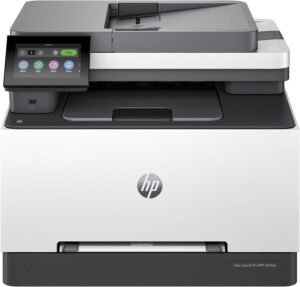

HP Color LaserJet Pro MFP 3301sdw All-in-One Printer
Quick Verdict: The HP Color LaserJet Pro MFP 3301sdw prints black-and-white and color documents at up to 26 ppm, with automatic duplex printing, a 50-sheet ADF, and wireless connectivity. It suits home offices producing invoices, reports, and color charts while needing regular scanning and copying. However, it lacks built-in fax, and replacing four toner cartridges can increase ownership costs.
- Prints black-and-white and color documents at up to 26 ppm (US Letter).
- Automatic duplex printing reduces manual paper handling.
- 50-sheet ADF supports multipage scanning and copying.
- 250-sheet main tray reduces frequent paper refilling.
- 4.3-inch color touchscreen for printing, scanning, and copying settings.
- Dual-band Wi-Fi, Ethernet, and USB connectivity for shared office use.
- Supports HP 218X high-yield toner cartridges.
- HP Wolf Pro Security provides printer and network security features.
- No built-in analog fax functionality.
- Does not offer the advertised single-pass duplex scanning of the 3301fdw.
- Four separate toner cartridges increase replacement expenses.
- HP dynamic security can restrict cartridges using non-HP chips.
- 250-sheet main tray may be limiting for larger office workloads.
- Less suitable for photographic printing than a dedicated photo inkjet.
- Weighs approximately 37.7 lbs, requiring a sturdy desk or stand.
The HP 3301sdw covers the printing and scanning requirements of many home offices without adding fax functionality that some buyers may never use. Its 26 ppm black-and-white and color printing speeds are suitable for reports, invoices, charts, and business correspondence. Automatic duplex printing is useful when preparing longer documents, while the 50-sheet ADF lets users scan or copy multiple single-sided pages without loading each sheet separately.
Connectivity is another advantage. Dual-band Wi-Fi, Ethernet, Apple AirPrint, and Mopria support printing from different computers and mobile devices. The 4.3-inch touchscreen provides access to common functions, and the 250-sheet main tray accommodates a reasonable supply of everyday office paper. For regular printing, HP 218X high-yield cartridges can reduce replacement frequency compared with standard-yield toner.
The HP Color LaserJet Pro MFP 3301sdw is a suitable choice for remote workers, freelancers, and small home offices that regularly print invoices, contracts, presentations, and color reports. It also makes sense for households sharing one printer across several computers, especially when wireless printing and occasional multipage scanning are important.
HP recommends a monthly printing volume of 150 to 2,500 pages, making this model appropriate for moderate document workloads. However, offices frequently scanning double-sided contracts or requiring a physical fax line should consider the HP 3301fdw. If your office prints longer batches every day and needs greater paper capacity, the HP 4301fdw offers faster printing and more room for expansion. Buyers who print almost exclusively in black and white may save money with a monochrome laser printer.
| Printer Type | Wireless Color Laser All-in-One |
|---|---|
| Functions | Print, Scan, Copy |
| Printing Technology | Color Laser with HP TerraJet Toner |
| Print Speed (US Letter) | Up to 26 ppm Black / 26 ppm Color |
| Print Speed (A4) | Up to 25 ppm Black / 25 ppm Color |
| First Page Out | As Fast as 10.8 Seconds Black / 10.9 Seconds Color |
| Print Resolution | Up to 600 × 600 dpi |
| Automatic Duplex Printing | Yes |
| Scanner Type | Color Flatbed and Automatic Document Feeder |
| Automatic Document Feeder | 50 Sheets |
| Automatic Duplex Scanning | Single-Pass Duplex Scanning Not Advertised for the US 3301sdw Variant |
| Optical Scan Resolution | Up to 1200 dpi Flatbed / 300 dpi ADF |
| ADF Scan Speed | Up to 20 ppm Black / 9 ppm Color |
| Maximum ADF Scan Size | 8.5 × 14 Inches |
| Copy Resolution | Up to 600 × 600 dpi |
| Main Paper Tray | 250 Sheets |
| Priority Feed | 1 Sheet |
| Output Paper Capacity | 100 Sheets |
| Supported Paper Sizes | Letter, Legal, A4, Executive, Envelopes, and Selected Custom Sizes |
| Connectivity | Dual-Band Wi-Fi 5, Wi-Fi Direct, Gigabit Ethernet, USB 2.0 |
| Mobile Printing | HP App, Apple AirPrint, Mopria |
| Display | 4.3-Inch Color Touchscreen |
| Number of Toner Cartridges | 4: Black, Cyan, Magenta, Yellow |
| Standard Toner | HP 218A: Approx. 1,300 Black / 1,200 Pages per Color Cartridge |
| High-Yield Toner | HP 218X: Approx. 3,200 Black / 2,500 Pages per Color Cartridge |
| Introductory Toner Yield | Approx. 600 Black / 500 Pages per Color Cartridge (HP Original Datasheet) |
| Recommended Monthly Print Volume | 150–2,500 Pages |
| Maximum Monthly Duty Cycle | Up to 40,000 Pages |
| Fax | No Built-In Analog Fax Line |
| Security | HP Wolf Pro Security; Dynamic Security Enabled |
| Dimensions (W × D × H) | 16.46 × 16.5 × 13.44 Inches |
| Weight | Approx. 37.7 lbs (17.1 kg) |
| Warranty | 1-Year Limited Warranty (US) |
HP 218A and 218X toner yields are manufacturer estimates. Actual page counts depend on document coverage, color usage, and printing conditions. The introductory toner cartridges included with the printer have lower rated yields than full replacement cartridges.
HP dynamic security may prevent cartridges using non-HP chips or circuitry from working, including after firmware updates. Check cartridge compatibility and current replacement prices before purchasing.
HP’s general support specifications contain inconsistent entries for fax and duplex scanning on the 3301sdw. Its US model-specific product comparison identifies the 3301sdw as a print, scan, and copy printer without built-in fax, while advertising single-pass duplex scanning on the 3301fdw. Confirm the exact regional model before purchasing if these features are essential.
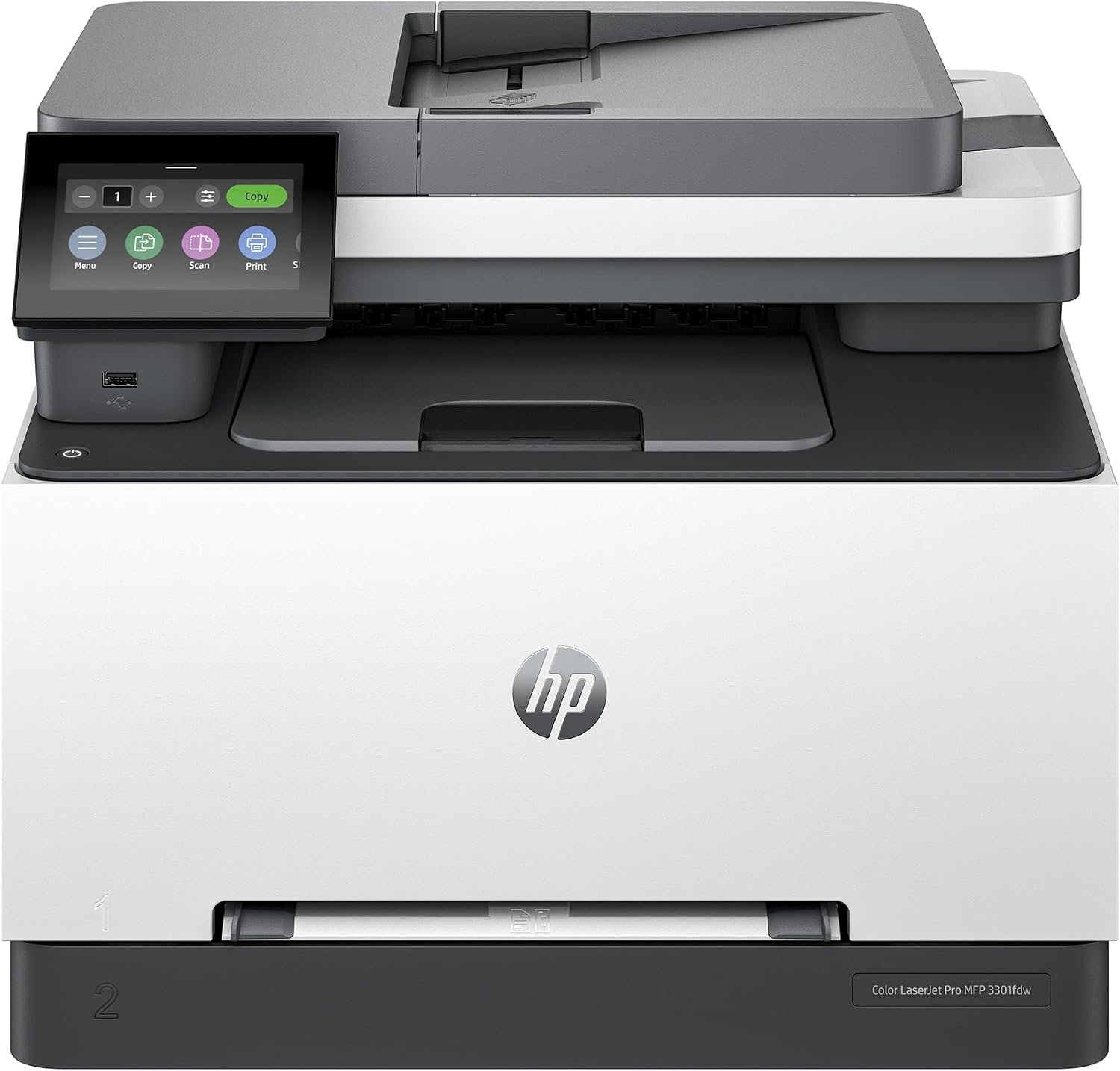
HP Color LaserJet Pro MFP 3301fdw All-in-One Printer
Quick Verdict: The HP Color LaserJet Pro MFP 3301fdw combines 26 ppm color and black-and-white printing with single-pass duplex scanning, a 50-sheet ADF, and built-in fax. It suits home offices that regularly process double-sided contracts, invoices, and business records. However, it offers no printing speed advantage over the 3301sdw, and four replacement toner cartridges can be expensive.
- Single-pass duplex scanning handles both sides of documents automatically.
- Built-in fax functionality supports offices that still exchange documents by fax.
- Prints color and black-and-white documents at up to 26 ppm (US Letter).
- Automatic duplex printing and copying reduce manual paper handling.
- 50-sheet ADF supports scanning and copying multipage documents.
- 250-sheet main tray accommodates regular office printing.
- 4.3-inch color touchscreen provides access to common office functions.
- Dual-band Wi-Fi, Gigabit Ethernet, and mobile printing support shared use.
- Compatible with HP 218X high-yield toner cartridges.
- Higher purchase cost than the 3301sdw without faster printing.
- Four toner cartridges increase replacement expenses.
- HP dynamic security can restrict cartridges using non-HP chips.
- 250-sheet paper tray may require frequent refilling during large print jobs.
- Built-in fax requires a compatible telephone connection.
- 50-sheet ADF may be limiting for very large scanning batches.
- Less suitable for photographic prints than a dedicated photo inkjet.
- Weighs approximately 37.7 lbs, requiring sufficient desk space and support.
The biggest advantage of the HP 3301fdw over the 3301sdw is its single-pass duplex scanning. The 50-sheet automatic document feeder can capture both sides of double-sided paperwork without requiring users to turn each page manually. This is useful for offices processing contracts, invoices, signed forms, and administrative records.
The printer also supports scanning to email, network folders, and USB, providing several options for organizing digital documents. Its 26 ppm color and black-and-white printing, automatic duplex printing, and 250-sheet tray cover regular office requirements. The combination of Ethernet, dual-band Wi-Fi, and a 4.3-inch touchscreen makes it convenient to share across multiple computers while managing scanning and copying directly from the printer.
The HP Color LaserJet Pro MFP 3301fdw is suitable for accountants, freelancers, administrative staff, and small businesses that regularly print color documents and scan double-sided paperwork. Its duplex ADF and fax functionality are particularly useful when handling contracts, financial records, and business correspondence. HP recommends a monthly printing volume of 150 to 2,500 pages.
If you mainly print reports and occasionally scan single-sided documents, the HP 3301sdw may offer better value at a lower price. Both models share the same rated printing speed and main paper capacity. For offices producing larger print batches or needing faster output, the HP 4301fdw is a stronger upgrade with its 35 ppm printing speed and greater paper capacity.
| Printer Type | Wireless Color Laser All-in-One |
|---|---|
| Functions | Print, Scan, Copy, Fax |
| Printing Technology | Color Laser with HP TerraJet Toner |
| Print Speed (US Letter) | Up to 26 ppm Black / 26 ppm Color |
| Print Speed (A4) | Up to 25 ppm Black / 25 ppm Color |
| First Page Out | As Fast as 10.8 Seconds Black / 10.9 Seconds Color |
| Print Resolution | Up to 600 × 600 dpi |
| Automatic Duplex Printing | Yes |
| Duplex Print Speed | Up to 15.5 Images per Minute |
| Scanner Type | Color Flatbed and Automatic Document Feeder (CIS) |
| Automatic Document Feeder | 50 Sheets |
| Automatic Duplex Scanning | Yes, Single-Pass Duplex ADF |
| Optical Scan Resolution | Up to 1200 dpi Flatbed / 300 dpi ADF |
| ADF Scan Speed (US Letter) | Up to 20 ppm Black / 9 ppm Color |
| Maximum ADF Scan Size | 8.5 × 14 Inches (Legal) |
| Scan Destinations | Email, Network Folder, SharePoint, USB, Computer |
| Scan File Formats | JPG, PDF, PDF/A, TIFF |
| Copy Resolution | Up to 600 × 600 dpi |
| Automatic Duplex Copying | Yes |
| Main Paper Tray | 250 Sheets |
| Priority Feed | 1 Sheet |
| Output Paper Capacity | 100 Sheets |
| Supported Paper Sizes | Letter, Legal, A4, Executive, Envelopes, and Selected Custom Sizes |
| Connectivity | Dual-Band Wi-Fi 5, Wi-Fi Direct, Gigabit Ethernet, USB 2.0 |
| Mobile Printing | HP App, Apple AirPrint, Mopria |
| Display | 4.3-Inch Color Touchscreen |
| Fax Functionality | Built-In Analog Fax, Up to 33.6 Kbps |
| Fax Memory | Up to 500 Pages |
| Number of Toner Cartridges | 4: Black, Cyan, Magenta, Yellow |
| Standard Toner | HP 218A: Approx. 1,300 Black / 1,200 Pages per Color Cartridge |
| High-Yield Toner | HP 218X: Approx. 3,200 Black / 2,500 Pages per Color Cartridge |
| Included Toner Yield | Approx. 600 Black / 500 Pages per Color Cartridge |
| Recommended Monthly Print Volume | 150–2,500 Pages |
| Maximum Monthly Duty Cycle | Up to 40,000 Pages |
| Security | HP Wolf Pro Security; Dynamic Security Enabled |
| Dimensions (W × D × H) | 16.46 × 16.5 × 13.44 Inches |
| Weight | Approx. 37.7 lbs (17.1 kg) |
| Warranty | 1-Year Limited Warranty (US) |
HP 218A and 218X toner yields are manufacturer estimates. Actual page counts depend on printed content, color coverage, and usage. The introductory toner cartridges included with the printer have lower yields than full replacement cartridges.
HP dynamic security may block toner cartridges using non-HP chips or electronic circuitry, including after firmware updates. Check cartridge compatibility and replacement toner prices before purchasing.
The HP 3301fdw supports automatic double-sided scanning through its document feeder. Its built-in analog fax requires a compatible telephone connection; Wi-Fi alone does not provide conventional fax service.
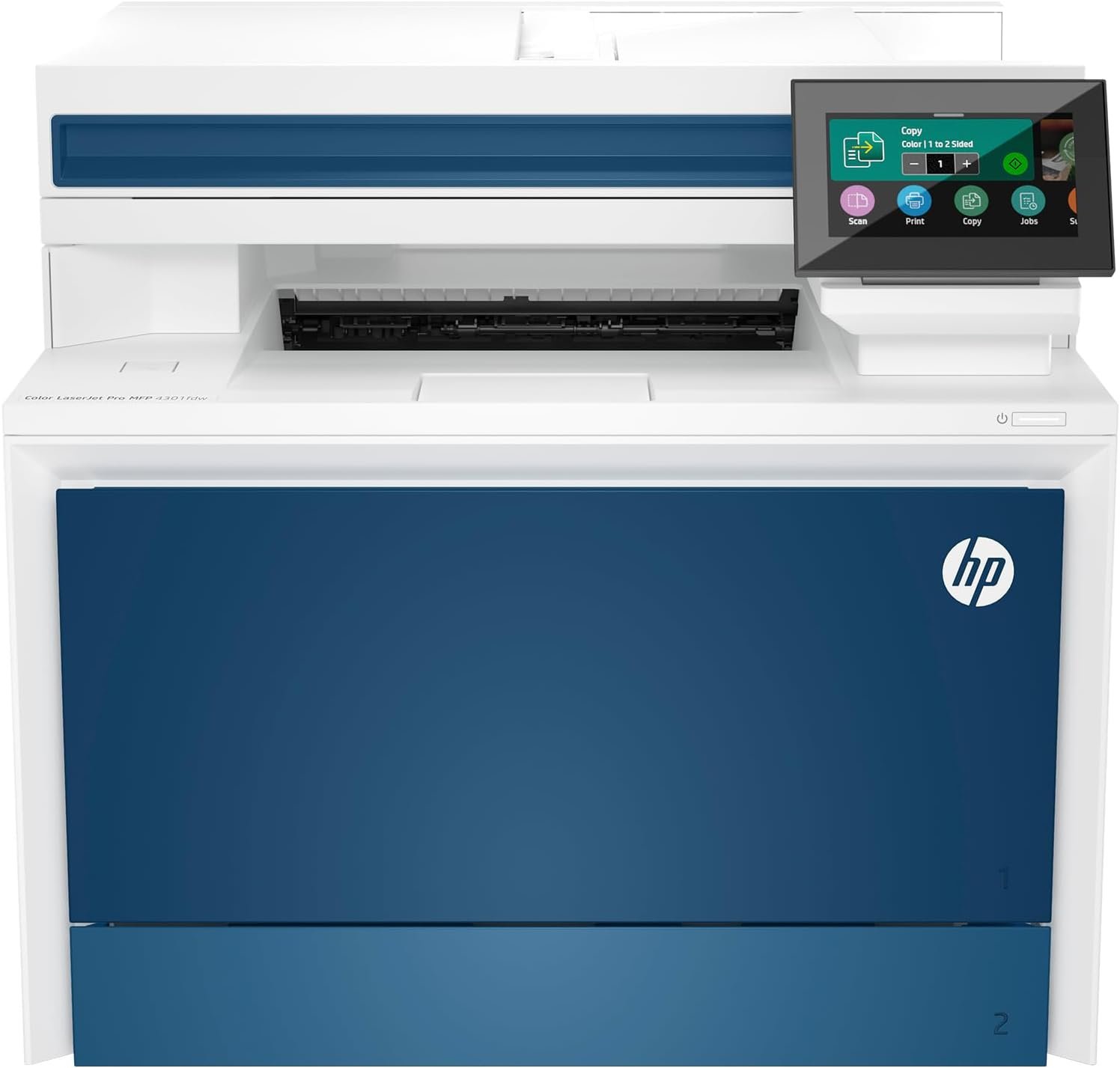
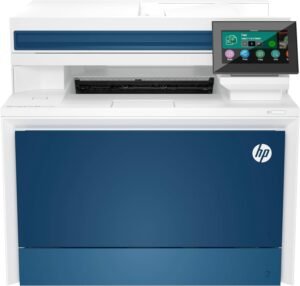
HP Color LaserJet Pro MFP 4301fdw All-in-One Printer
Quick Verdict: The HP Color LaserJet Pro MFP 4301fdw prints color and black-and-white documents at up to 35 ppm, with single-pass duplex scanning, a 50-sheet ADF, and expandable paper capacity. It suits busy home offices regularly handling reports, presentations, and multipage paperwork. However, its higher purchase price, larger size, and expensive replacement toner may be difficult to justify for occasional printing.
- Prints color and black-and-white documents at up to 35 ppm (US Letter).
- Single-pass duplex scanning handles both sides of documents automatically.
- 50-sheet ADF supports scanning and copying multipage paperwork.
- Automatic duplex printing reduces paper usage for longer documents.
- 300-sheet standard input capacity, expandable with an optional 550-sheet tray.
- HP 210X high-yield toner reduces cartridge replacement frequency.
- Dual-band Wi-Fi, Gigabit Ethernet, and USB connectivity.
- 4.3-inch color touchscreen and built-in fax functionality.
- HP Wolf Pro Security provides additional printer and network protection.
- Higher purchase price than the HP 3301 series.
- Four replacement toner cartridges can be expensive, particularly for frequent color printing.
- Weighs approximately 45 lbs and requires a sturdy desk or printer stand.
- HP dynamic security can block cartridges using non-HP chips.
- Optional 550-sheet paper tray must be purchased separately.
- Photo printing is less suitable than on a dedicated photo inkjet.
- Built-in fax requires a compatible telephone connection.
The HP 4301fdw offers a meaningful upgrade over the 3301 series for offices that print frequently. Its 35 ppm speed is useful for longer reports, presentations, and document batches, while the 300-sheet standard paper capacity reduces interruptions. Businesses with larger workloads can add an optional 550-sheet tray.
The single-pass duplex scanning is equally valuable for handling contracts, invoices, and double-sided records. Its 50-sheet ADF captures both sides without manually reversing each page. Another advantage is HP 210X high-yield toner, rated for approximately 7,500 black pages and 5,500 pages per color cartridge. Although these cartridges are expensive upfront, their higher capacity can reduce replacement frequency for offices printing regularly.
The HP Color LaserJet Pro MFP 4301fdw is suitable for busy home offices, small businesses, and workgroups that regularly print color reports, invoices, presentations, and administrative documents. Its faster printing, duplex scanning, and expandable paper capacity are particularly useful when several people share the same printer. HP recommends a monthly printing volume of 750 to 4,000 pages.
If your office mainly prints occasional documents, the HP 3301sdw may provide better value. The HP 3301fdw is another option if you need duplex scanning and fax but don’t require faster printing or additional paper capacity. Consider the 4301fdw when the extra speed and paper handling will support your regular workload rather than occasional large print jobs.
| Printer Type | Wireless Color Laser All-in-One |
|---|---|
| Functions | Print, Scan, Copy, Fax |
| Printing Technology | Color Laser with HP TerraJet Toner |
| Print Speed (US Letter) | Up to 35 ppm Black / 35 ppm Color |
| Print Speed (A4) | Up to 33 ppm Black / 33 ppm Color |
| First Page Out | As Fast as 9.1 Seconds Black / 10 Seconds Color |
| Print Resolution | Up to 600 × 600 dpi |
| Resolution Enhancement | HP ImageREt 2400 |
| Automatic Duplex Printing | Yes |
| Scanner Type | Color Flatbed and Automatic Document Feeder |
| Automatic Document Feeder | 50 Sheets |
| Automatic Duplex Scanning | Yes, Single-Pass Duplex ADF |
| Optical Scan Resolution | Up to 1200 dpi |
| Maximum ADF Scan Size | 8.5 × 14 Inches (Legal) |
| Scan File Formats | PDF, JPG, TIFF |
| Digital Sending | Scan to Email, SharePoint, OneDrive |
| Copy Speed | Up to 35 cpm Black / 35 cpm Color (US Letter) |
| Main Paper Tray | 250 Sheets |
| Multipurpose Tray | 50 Sheets |
| Standard Paper Capacity | 300 Sheets Total |
| Optional Paper Tray | 550 Sheets |
| Maximum Input Capacity | 850 Sheets with Optional Tray |
| Output Paper Capacity | 150 Sheets |
| Supported Paper Sizes | Letter, Legal, A4, Envelopes, and Selected Custom Sizes |
| Connectivity | Dual-Band Wi-Fi 5, Wi-Fi Direct, Gigabit Ethernet, USB 2.0 |
| Mobile Printing | HP App, Apple AirPrint, Mopria |
| Display | 4.3-Inch Color Touchscreen |
| Fax Functionality | Built-In Analog Fax |
| Fax Memory | Up to 500 Pages |
| Number of Toner Cartridges | 4: Black, Cyan, Magenta, Yellow |
| Standard Toner | HP 210A: Approx. 2,000 Black / 1,800 Pages per Color Cartridge |
| High-Yield Toner | HP 210X: Approx. 7,500 Black / 5,500 Pages per Color Cartridge |
| Included Toner Yield | Approx. 2,000 Black / 1,000 Pages per Color Cartridge |
| Recommended Monthly Print Volume | 750–4,000 Pages |
| Maximum Monthly Duty Cycle | Up to 50,000 Pages |
| Security | HP Wolf Pro Security; Dynamic Security Enabled |
| Dimensions (W × D × H) | 16.6 × 17.1 × 15.1 Inches |
| Weight | Approx. 45 lbs (20.4 kg) |
| Warranty | 1-Year Limited Warranty with Onsite Repair (US) |
HP 210A and 210X toner yields are manufacturer estimates based on standardized testing. Actual page counts depend on document coverage, color usage, and printing conditions. The included color cartridges have lower yields than full replacement cartridges.
HP dynamic security may block cartridges containing non-HP chips or electronic circuitry, including after firmware updates. Cartridges with reused HP chips may remain compatible. Check replacement toner prices and cartridge compatibility before purchasing.
The HP 4301fdw supports automatic double-sided printing and single-pass duplex scanning. Its optional 550-sheet tray is sold separately, while built-in fax requires a compatible telephone connection.
How to Choose the Best HP Color Laser All-in-One Printer
Choosing an HP color laser all-in-one printer starts with understanding your office’s daily printing and document-handling requirements. A small home office printing occasional invoices has different needs from a business producing hundreds of color reports and scanning contracts every week. Consider your printing volume, scanning requirements, available space, and replacement toner expenses before deciding which model offers the best value.
Start With Your Printing Needs and Monthly Volume
Estimate how many pages you print in a typical month and whether those documents contain mostly black text or color graphics. Think about invoices, contracts, business reports, charts, presentations, and any paperwork that requires regular scanning or copying.
The HP 3301sdw and 3301fdw are designed for moderate workloads, with a recommended monthly volume of 150 to 2,500 pages. The HP 4301fdw supports a higher recommended range of 750 to 4,000 pages, making it more suitable for offices with frequent printing requirements.
Check the manufacturer’s recommended monthly volume rather than relying on its maximum duty cycle. The duty cycle represents an upper operating limit, not the number of pages you should routinely print.
What to Look for in a Home Color Laser Printer
Before comparing individual models, use this checklist to identify the features your office actually needs. Paying for faster printing or advanced scanning makes sense only when those capabilities support your regular work.
- Printing Volume: Estimate your monthly page count and the types of documents you print.
- Print Speed: Compare pages per minute and first-page-out time for short and large print jobs.
- Toner Costs: Check replacement cartridge prices, page yields, and high-yield options.
- Duplex Printing: Look for automatic two-sided printing if you frequently prepare multipage documents.
- Scanning and Copying: Check ADF capacity and duplex scanning support for double-sided paperwork.
- Paper Capacity: Choose a paper tray that accommodates your usual printing volume.
- Connectivity: Confirm Wi-Fi, Ethernet, USB, and mobile printing compatibility.
- Cartridge Compatibility: Review HP dynamic security restrictions before purchasing replacement toner.
- Size and Warranty: Consider printer dimensions, available desk space, and local warranty support.
Compare Toner Costs and Cartridge Yields
Color laser printers require four toner cartridges: black, cyan, magenta, and yellow. Unlike monochrome models, replacing the complete set can represent a significant expense. Before purchasing, compare the prices of both standard and high-yield toner cartridges.
The HP 3301sdw and 3301fdw use HP 218A and 218X toner in the US. The HP 4301fdw uses HP 210A and 210X cartridges. The 210X high-yield cartridges offer greater page capacity, which can reduce replacement frequency for offices producing larger document volumes.
To estimate black toner cost per page, divide the cartridge price by its rated page yield. For color printing, consider the combined cost of all four cartridges and how much color your documents contain.
Remember that starter cartridges generally have lower yields than full replacements. Manufacturer page yields are estimates, and heavily colored reports or graphics can consume toner faster than ordinary text documents.
Understand Duplex Printing and Automatic Duplex Scanning
Automatic duplex printing allows a printer to print on both sides of a sheet without manually turning the paper. All three HP models in this guide support this feature, making them suitable for reports, contracts, and other multipage documents.
Scanning requires separate consideration. An automatic document feeder (ADF) lets you scan or copy several pages without placing each sheet on the flatbed individually. However, having an ADF does not automatically guarantee double-sided scanning.
The HP 3301fdw and 4301fdw offer single-pass duplex scanning, allowing both sides of compatible documents to be captured automatically. This is useful for digitizing double-sided contracts, financial records, and administrative paperwork.
If duplex scanning is essential, verify the exact model specifications before purchasing. HP’s published listings for the 3301sdw contain inconsistent information about certain scanning capabilities.
Match Print Speed and Paper Capacity to Your Workload
The HP 3301sdw and 3301fdw print at up to 26 ppm in both black and color, while the HP 4301fdw increases that speed to 35 ppm on US Letter paper. The difference becomes more noticeable when printing longer reports or handling multiple print jobs throughout the day.
If you mostly print one or two pages at a time, check first-page-out time as well. For regular document batches, sustained printing speed and paper capacity become more important.
The 3301 models include 250-sheet main trays, while the 4301fdw provides 300-sheet standard input capacity and supports an optional 550-sheet paper tray. That expansion can be useful when several employees share the printer or when large documents are printed frequently.
Check Wireless Connectivity and Device Compatibility
Consider how many computers and mobile devices will use the printer. All three models support wireless connectivity, but it is still important to confirm compatibility with your office network and operating systems.
Wi-Fi allows supported computers and smartphones to print without a direct cable. Ethernet provides a wired network connection, which may be preferable for a shared office printer. USB connectivity is useful when connecting directly to one computer.
HP’s mobile printing options include Apple AirPrint, Mopria, and the HP app on supported devices. Check whether your preferred scanning functions are available through your operating system or require additional software.
For shared offices, network reliability and access to scanning destinations may be more important than having multiple wireless connection methods.
Understand HP Dynamic Security and Toner Compatibility
HP Color LaserJet printers use dynamic security to authenticate compatible toner cartridges. This technology can prevent cartridges containing non-HP chips or modified electronic circuitry from working.
Some remanufactured or refilled cartridges with reused original HP chips may remain compatible. However, HP states that firmware updates can affect whether cartridges using non-HP chips continue working.
Before buying replacement toner, confirm its compatibility with your specific printer and check whether the supplier offers a replacement guarantee. Do not assume that any cartridge advertised as compatible will necessarily work after a firmware update.
If reducing printing costs is a priority, include cartridge compatibility and replacement supplies in your buying decision rather than comparing toner prices alone.
Compare Purchase Price, Printer Size, and Warranty
The most expensive printer is not necessarily the best choice for every office. The HP 3301sdw covers everyday color printing, scanning, and copying. The 3301fdw adds fax and advertised duplex-scanning capabilities, making it relevant to offices handling more complex paperwork.
The HP 4301fdw is worth considering when faster printing, expandable paper capacity, and higher-yield toner support your regular workload. For occasional document printing, these additional capabilities may not justify the higher purchase price.
Also check the printer’s dimensions and weight, particularly if it will sit on a desk or shared workstation. Leave adequate clearance for opening the scanner lid, loading paper, and accessing toner cartridges.
Finally, compare current purchase prices, genuine replacement toner costs, and warranty coverage. The best HP color laser all-in-one printer for your office is the model that handles your regular tasks without requiring you to pay for features you rarely use.
HP Color Laser All-in-One Printers Comparison
Compare the main differences between these three HP Color LaserJet Pro printers. All support color printing, automatic two-sided printing, and wireless connectivity, but their scanning capabilities, print speeds, and paper capacities vary.
| Features | HP 3301sdw | HP 3301fdw | HP 4301fdw |
|---|---|---|---|
| Best For | Budget Home Office | Duplex Scanning & Fax | Busy Home Offices |
| Print Speed | 26 ppm | 26 ppm | 35 ppm |
| Duplex Printing | Yes | Yes | Yes |
| Single-Pass Duplex Scanning | Not Advertised* | Yes | Yes |
| Automatic Document Feeder | 50 Sheets | 50 Sheets | 50 Sheets |
| Standard Paper Input | 251 Sheets | 251 Sheets | 300 Sheets |
| Fax | No | Yes | Yes |
| High-Yield Toner | HP 218X | HP 218X | HP 210X |
| Read Review | See Details | See Details | See Details |
*HP’s US store comparison advertises single-pass duplex scanning for the 3301fdw but not the 3301sdw. Some HP support specifications are inconsistent, so confirm this feature for the exact model before purchasing. Print speeds are based on US Letter paper.
Final Verdict: Which HP Color Laser All-in-One Printer Should You Buy?
Choosing the best HP color laser all-in-one printer depends on your office workload, scanning requirements, and budget. For everyday color documents, invoices, and occasional scanning, the HP Color LaserJet Pro MFP 3301sdw is our budget recommendation. It covers essential office tasks without requiring you to pay extra for fax and advanced document-handling features.
If your work involves scanning double-sided contracts, financial records, or other multipage documents, the HP 3301fdw is worth considering. Its single-pass duplex scanning and built-in fax make it more suitable for administrative work. However, if you rarely use these features, the 3301sdw may offer better value.
For busier offices that regularly produce longer reports and color presentations, the HP 4301fdw is our preferred choice. Its faster printing, expandable paper capacity, and high-yield toner options are better suited to larger workloads. Before purchasing, compare current prices, replacement toner costs, and the features your office will use regularly.
Frequently Asked Questions About HP Color Laser Printers
These answers cover common questions about HP color laser printers, including model differences, duplex scanning, toner costs, and maintenance. Use them to check which features matter before choosing a printer for your office.