
Before choosing an all-in-one laser printer, consider what you need it for. Do you mainly print invoices, school assignments, and everyday documents, or do you also need color printing, scanning, and copying? Think about how frequently you print, whether you handle double-sided paperwork, and how many people will share the printer. Laser printers use toner instead of liquid ink, avoiding the clogged inkjet nozzles that can cause problems after long periods without printing.
This guide compares five Brother, Canon, and HP models to help you find the best all in one laser printer for your home. We examine printing and scanning capabilities, wireless connectivity, toner replacement costs, and the limitations of each model, so you can choose a printer that meets your needs without paying for features you rarely use.
Best All-in-One Laser Printers
The five printers below cover different home printing needs, from affordable black-and-white document printing to color reports and frequent double-sided scanning. Some prioritize printing speed, while others offer more convenient document handling. Compare their main advantages and limitations in our top picks before exploring each printer in detail.
Our Top Picks
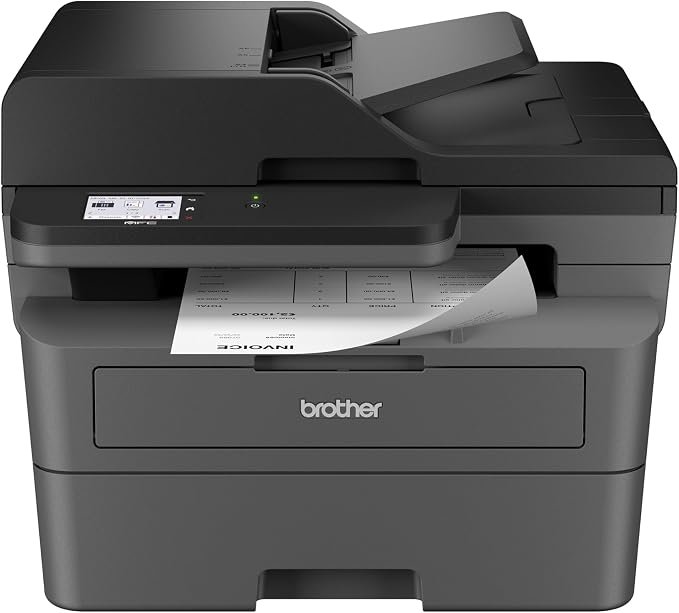
Brother MFC-L2820DW Wireless Monochrome Laser Printer
Quick Verdict: The Brother MFC-L2820DW prints black-and-white documents at up to 34 ppm, with automatic duplex printing, a 250-sheet paper tray, and a 50-sheet document feeder. It suits home offices handling invoices, reports, and routine paperwork. However, it lacks automatic duplex scanning and uses a separate drum that adds to long-term maintenance costs.
- Prints up to 34 ppm on US Letter paper, suitable for regular document batches.
- Automatic duplex printing reduces paper consumption for multipage documents.
- 250-sheet input tray reduces frequent paper refilling.
- 50-sheet ADF supports multipage scanning, copying, and faxing.
- Dual-band Wi-Fi, Ethernet, and USB provide flexible connectivity.
- Optional 3,000-page high-yield toner reduces cartridge replacement frequency.
- Monochrome printing only; cannot produce color documents or photographs.
- No automatic duplex scanning for double-sided originals.
- Separate drum unit adds another eventual replacement expense.
- Included starter toner is rated for approximately 700 pages.
- Not suitable for households that regularly need color charts or graphics.
| Printer Type | Monochrome Laser All-in-One |
|---|---|
| Functions | Print, Scan, Copy, Fax |
| Print Speed | Up to 34 ppm (US Letter) |
| Print Resolution | Up to 1200 × 1200 dpi |
| Automatic Duplex Printing | Yes |
| Automatic Duplex Scanning | No |
| Document Feeder | 50-sheet ADF |
| Paper Capacity | 250-sheet input tray; 1-sheet manual feed |
| Connectivity | Dual-band Wi-Fi, Ethernet, USB 2.0 |
| Mobile Printing | Brother Mobile Connect, AirPrint, Mopria |
| Display | 2.7-inch Color Touchscreen |
| Included Toner | Starter Cartridge (Approx. 700 Pages) |
| Standard Toner | TN830 (Approx. 1,200 Pages) |
| High-Yield Toner | TN830XL (Approx. 3,000 Pages) |
| Drum Unit | DR830 (Approx. 15,000 Pages) |
| Recommended Monthly Volume | Up to 2,500 Pages |
| Dimensions (W × D × H) | 16.1 × 15.7 × 12.5 Inches |
| Weight | 25.5 lbs (Approx. 11.6 kg) |
The toner and drum codes above apply to the US model; regional supplies may differ. Page yields are estimates based on standard testing methods. See the official Brother MFC-L2820DW specifications for product details and compatible supplies.
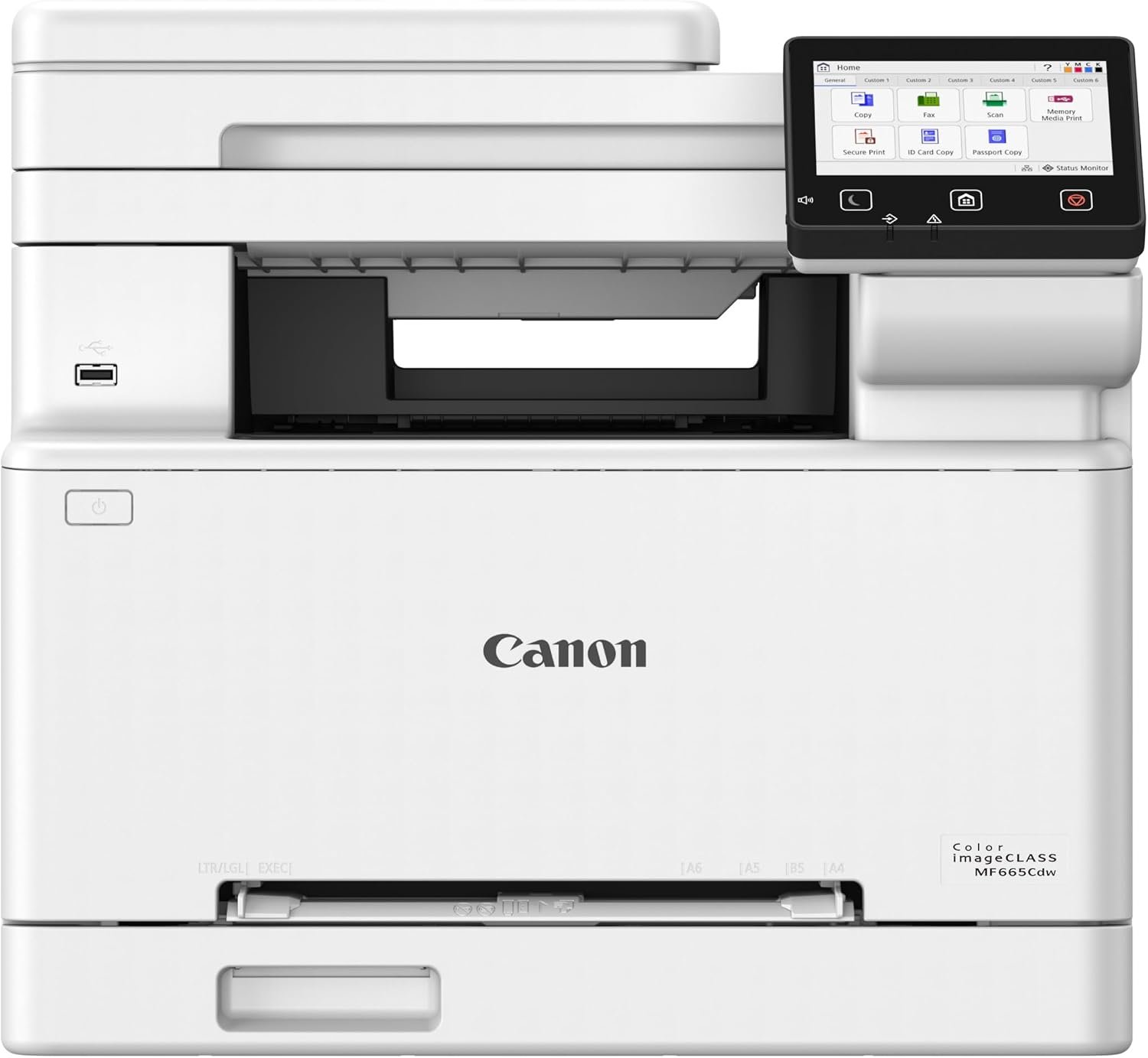
Canon Color imageCLASS MF665Cdw All-in-One Laser Printer
Quick Verdict: The Canon Color imageCLASS MF665Cdw prints color and black-and-white documents at up to 26 ppm, with automatic duplex printing and one-pass duplex scanning. It suits home offices producing color reports, charts, and double-sided paperwork. However, its four toner cartridges can make replacement supplies expensive, especially for frequent color printing.
- Prints black-and-white and color documents at up to 26 ppm (US Letter).
- One-pass duplex scanning handles both sides of a document automatically.
- Automatic duplex printing reduces paper use for multipage reports.
- 250-sheet paper cassette and 50-sheet ADF support regular office paperwork.
- 5-inch color touchscreen provides access to printing, scanning, and copying functions.
- Wi-Fi, Wi-Fi Direct, Ethernet, and USB offer multiple connection options.
- Four CMYK toner cartridges can increase replacement costs compared with monochrome models.
- Included starter cartridges have lower yields than full replacements.
- Weighs approximately 48.5 lbs, requiring a sturdy desk or dedicated printer stand.
- Not intended to replace a dedicated photo inkjet printer for photographic output.
- Its color printing capability adds expense for households that mainly print black text.
| Printer Type | Color Laser All-in-One |
|---|---|
| Functions | Print, Scan, Copy, Fax |
| Print Speed | Up to 26 ppm, Black and Color (US Letter) |
| First Print Out | Approx. 10.3 Seconds (Black / Color) |
| Print Resolution | Up to 1200 × 1200 dpi |
| Scan Resolution | Up to 600 × 600 dpi |
| Automatic Duplex Printing | Yes |
| Automatic Duplex Scanning | Yes, One-Pass Duplex Scanning |
| Document Feeder | 50-Sheet Duplex ADF |
| Paper Capacity | 250-Sheet Cassette + 1-Sheet Manual Feed |
| Connectivity | Wi-Fi, Wi-Fi Direct, Ethernet, USB 2.0 |
| Mobile Printing | Canon PRINT, Apple AirPrint, Mopria |
| Display | 5-Inch Color Touchscreen |
| Starter Toner | Approx. 700 Pages Black / 500 Pages Each Color |
| Standard Toner | Canon 075 (Approx. 1,300 Pages per Cartridge) |
| High-Yield Toner | Canon 075 H (Black: 3,500 / Each Color: 2,500 Pages) |
| Recommended Monthly Volume | 150–2,500 Pages |
| Dimensions (W × D × H) | 16.8 × 18.2 × 15.7 Inches |
| Weight | 48.5 lbs (Approx. 22 kg) |
Toner yields are approximate and depend on the documents printed. The cartridge details above apply to the US model; regional supplies may differ. Review the official Canon MF665Cdw specifications for detailed product information and compatible supplies.
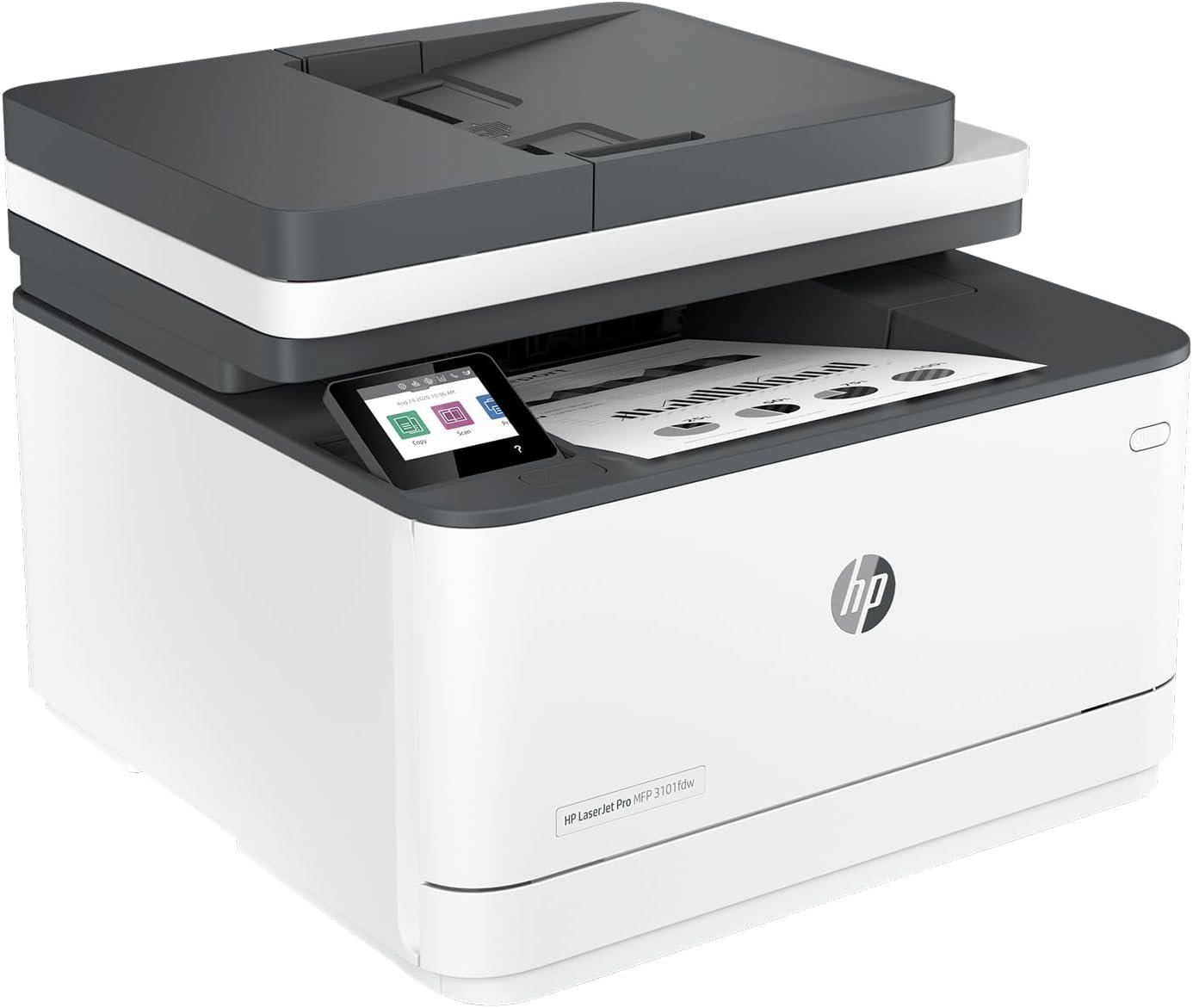
HP LaserJet Pro MFP 3101fdw All-in-One Printer
Quick Verdict: The HP LaserJet Pro MFP 3101fdw prints black-and-white documents at up to 35 ppm, with a first-page-out time as fast as 6.6 seconds and automatic duplex printing. It suits remote workers who frequently print invoices, contracts, and office paperwork. However, its 50-sheet document feeder cannot scan both sides automatically, and HP’s cartridge security restrictions deserve attention.
- Prints up to 35 ppm on US Letter paper, with the first page ready in as little as 6.6 seconds.
- Automatic duplex printing reduces manual handling and paper use.
- 250-sheet input tray supports regular home-office printing without frequent refilling.
- 50-sheet ADF handles multipage scanning, copying, and faxing.
- Dual-band Wi-Fi, Ethernet, and USB connectivity support shared printing.
- Optional HP 138X high-yield toner is rated for approximately 4,000 pages.
- Prints in black and white only, with no color printing capability.
- No automatic duplex scanning for double-sided originals.
- HP’s dynamic security measures can restrict cartridges using non-HP chips.
- Genuine HP toner costs should be checked before purchase, particularly for frequent printing.
- The 50-sheet ADF may require several batches when scanning large document collections.
| Printer Type | Monochrome Laser All-in-One |
|---|---|
| Functions | Print, Scan, Copy, Fax |
| Print Speed | Up to 35 ppm (US Letter); 33 ppm (A4) |
| First Page Out | As Fast as 6.6 Seconds (Ready, Black) |
| Print Resolution | Up to 1200 × 1200 dpi |
| Scan Resolution | Up to 1200 dpi (Flatbed); 300 dpi (ADF) |
| Automatic Duplex Printing | Yes |
| Automatic Duplex Scanning | No |
| Document Feeder | 50-Sheet ADF |
| Paper Capacity | 250-Sheet Input Tray; 150-Sheet Output Tray |
| Connectivity | Dual-Band Wi-Fi (2.4/5 GHz), Ethernet, USB 2.0 |
| Mobile Printing | HP App, Apple AirPrint, Mopria, Wi-Fi Direct |
| Display | 2.7-Inch Color Touchscreen |
| Included Toner | Preinstalled Black Starter Toner (Approx. 1,000 Pages) |
| Standard Toner | HP 138A (Approx. 1,500 Pages) |
| High-Yield Toner | HP 138X (Approx. 4,000 Pages) |
| Recommended Monthly Volume | 350–2,500 Pages |
| Maximum Monthly Duty Cycle | Up to 50,000 Pages |
| Dimensions (W × D × H) | 16.5 × 15.7 × 12.3 Inches |
| Weight | 23.1 lbs (Approx. 10.5 kg) |
The HP 138A and 138X toner codes apply to the US model, and actual cartridge yields depend on printed content. HP uses dynamic security measures that can block cartridges with non-HP chips, including after firmware updates. Check the official HP LaserJet Pro MFP 3101fdw specifications for compatible supplies, features, and cartridge requirements.
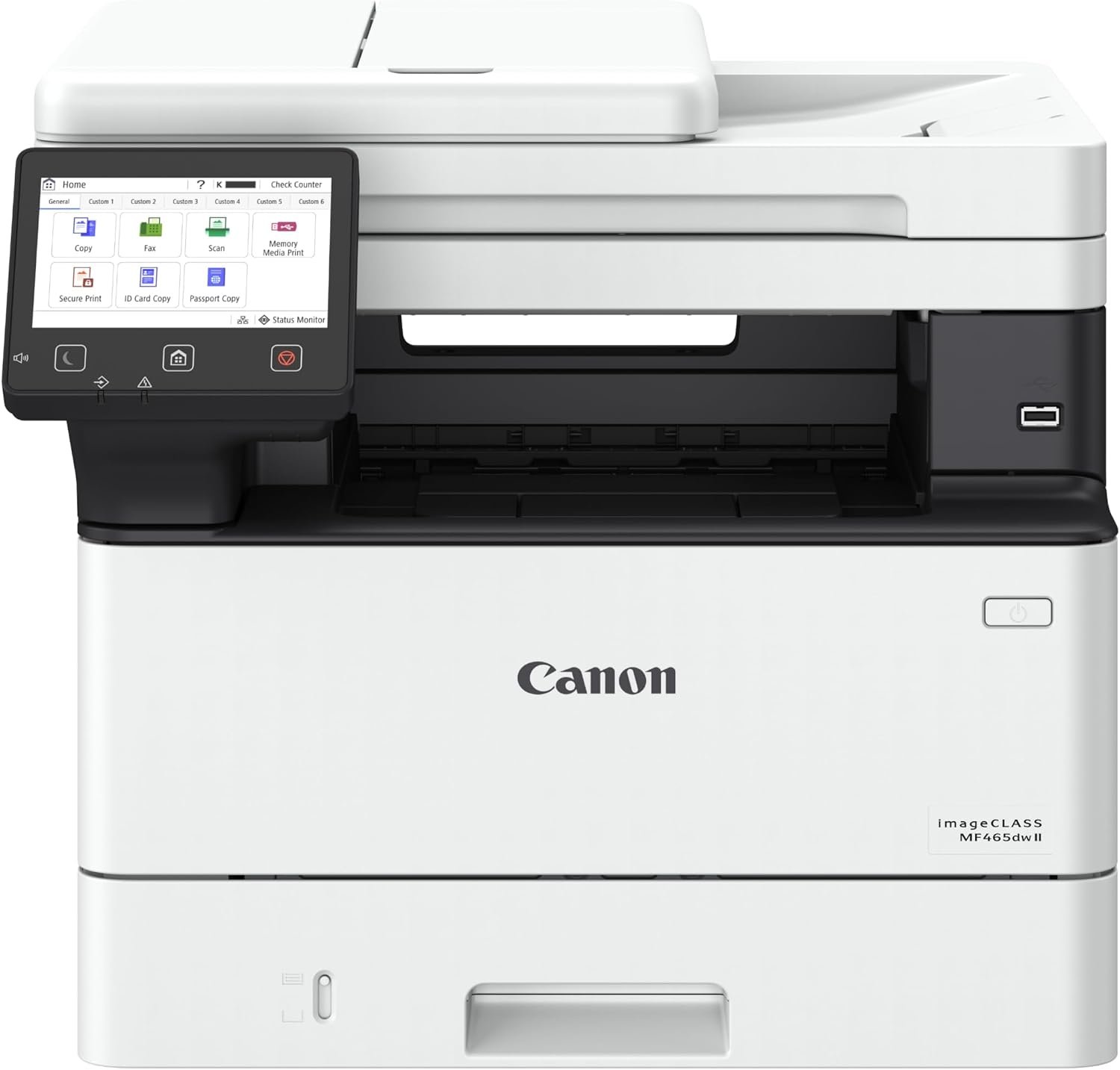
Canon imageCLASS MF465dw II Monochrome Laser Printer
Quick Verdict: The Canon imageCLASS MF465dw II prints up to 42 black-and-white pages per minute, with automatic duplex printing, one-pass duplex scanning, and a 350-sheet standard paper capacity. It suits busy home offices handling large document batches and frequent scanning. However, its higher-capacity features and replacement toner costs may be difficult to justify for occasional household printing.
- Prints up to 42 ppm on US Letter paper, with the first page ready in approximately 4.9 seconds.
- One-pass duplex ADF scans both sides of documents automatically.
- Automatic duplex printing reduces paper consumption for lengthy reports and contracts.
- 350-sheet standard paper capacity, expandable to 900 sheets with an optional cassette.
- Canon 070 H high-yield toner is rated for approximately 10,200 pages.
- 5-inch color touchscreen, wireless connectivity, Ethernet, and USB direct printing support different office workflows.
- Monochrome printing only; color reports and graphics require another printer.
- Higher purchase and replacement toner costs may not suit occasional printing.
- Weighs approximately 34.4 lbs and needs sufficient desk space and clearance.
- The optional 550-sheet paper cassette increases the total purchase cost.
- Its capacity may be excessive for households printing only a few pages each week.
The one-pass duplex document feeder is a particularly useful feature for home offices handling contracts, financial statements, and other double-sided paperwork. It can scan both sides of a document in one pass, avoiding the repeated handling required by printers with single-sided feeders. Canon also rates the printer at up to 42 ppm, making it suitable for larger printing batches. The 250-sheet cassette and 100-sheet multipurpose tray provide 350 sheets of standard paper capacity, with an optional 550-sheet cassette available for heavier workloads. We also like the choice between Canon 070 standard toner, rated for 3,000 pages, and 070 H high-yield toner, rated for 10,200 pages. The larger cartridge can reduce replacement frequency, although buyers should compare cartridge prices to determine the actual cost per page.
Consider the Canon MF465dw II if you run a home-based business or regularly process large batches of invoices, contracts, and financial records. It is especially suitable when you need both fast black-and-white printing and automatic scanning of double-sided documents. Canon recommends a monthly printing volume of 750 to 4,000 pages, so its capabilities are better matched to an active home office than occasional household use. If you mainly print school assignments or a few documents each week, the Brother MFC-L2820DW may provide the essential functions without requiring this level of equipment. Buyers who regularly print color charts, presentations, or marketing materials should consider a color laser model instead.
| Printer Type | Monochrome Laser All-in-One |
|---|---|
| Functions | Print, Scan, Copy, Fax |
| Print Speed | Up to 42 ppm (US Letter); 40 ppm (A4) |
| First Page Out | Approx. 4.9 Seconds (US Letter) |
| Print Resolution | Up to 1200 × 1200 dpi |
| Scan Resolution | Up to 600 × 600 dpi (Optical) |
| Automatic Duplex Printing | Yes |
| Automatic Duplex Scanning | Yes, One-Pass Duplex Scanning |
| Document Feeder | 50-Sheet Duplex ADF |
| Standard Paper Capacity | 250-Sheet Cassette + 100-Sheet Multipurpose Tray |
| Optional Paper Capacity | 550-Sheet Additional Cassette; 900 Sheets Maximum Total Input |
| Output Tray Capacity | 150 Sheets |
| Connectivity | Wi-Fi, Gigabit Ethernet, USB 2.0 |
| Mobile Printing | Canon PRINT, Apple AirPrint, Mopria |
| USB Direct Printing | PDF, JPEG, TIFF |
| Display | 5-Inch Color Touchscreen |
| Included Toner | Canon 070 (Approx. 3,000 Pages) |
| Standard Toner | Canon 070 (Approx. 3,000 Pages) |
| High-Yield Toner | Canon 070 H (Approx. 10,200 Pages) |
| Recommended Monthly Volume | 750–4,000 Pages |
| Dimensions (W × D × H) | 16.6 × 18.1 × 14.8 Inches |
| Weight | 34.4 lbs (Approx. 15.6 kg) |
Toner yields are approximate and actual results depend on printed content. The Canon 070 and 070 H cartridge details apply to the US model; regional toner codes and availability should be checked separately. Review the official Canon MF465dw II specifications for supported features, paper handling, and replacement supplies.
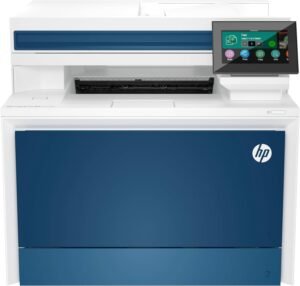
HP Color LaserJet Pro MFP 4301fdw All-in-One Printer
Quick Verdict: The HP Color LaserJet Pro MFP 4301fdw prints color and black-and-white documents at up to 35 ppm, with automatic duplex printing, one-pass duplex scanning, and a 300-sheet standard paper capacity. It suits busy home offices producing frequent color reports and handling double-sided paperwork. However, its four toner cartridges and HP’s cartridge security restrictions increase ownership considerations.
- Prints color and black-and-white documents at up to 35 ppm (US Letter).
- One-pass duplex scanning handles both sides of documents automatically.
- Automatic two-sided printing reduces paper consumption for multipage reports.
- 300-sheet standard paper capacity, expandable to 850 sheets with an optional tray.
- 50-sheet ADF supports scanning, copying, and faxing of multipage documents.
- HP 210X high-yield toner offers up to 7,500 black pages or 5,500 pages per color cartridge.
- Dual-band Wi-Fi, Ethernet, and mobile printing support shared home-office use.
- Higher purchase cost may be difficult to justify for occasional household printing.
- Four toner cartridges create a larger replacement expense than monochrome printers.
- HP dynamic security can block cartridges that use non-HP chips.
- Weighs approximately 45 lbs and requires a sturdy surface with adequate clearance.
- Included introductory color toner has a lower yield than full replacement cartridges.
- Not intended to replace a dedicated photo inkjet printer for photographic prints.
The combination of 35 ppm color printing and one-pass duplex scanning makes the HP 4301fdw useful for home offices that regularly prepare reports, presentations, and double-sided documents. Its 50-sheet feeder can scan both sides of a stack of paperwork without requiring users to turn each page manually. The standard 300-sheet input capacity also allows different paper supplies to be loaded across the main tray and multipurpose tray. Another useful feature is the availability of HP 210X high-yield toner, rated for approximately 7,500 black pages and 5,500 pages per color cartridge. These higher-capacity options can reduce replacement frequency for regular printing. The 4.3-inch touchscreen, wireless networking, and USB printing provide additional ways to manage documents without relying on one computer for every task.
Consider the HP Color LaserJet Pro MFP 4301fdw if your home office regularly produces color business reports, charts, presentations, or training documents. It is particularly suitable when several people share the printer or when your work involves scanning double-sided contracts, invoices, and records. HP recommends a monthly printing volume of 750 to 4,000 pages, making this model more appropriate for active document workflows than occasional household printing. If you only print a few color pages each month, the Canon MF665Cdw may provide the necessary color printing and duplex scanning capabilities at a lower purchase price, depending on current offers. If nearly all your documents are black and white, a monochrome printer could reduce toner expenses. Buyers should also consider HP’s cartridge restrictions before purchasing replacement supplies.
| Printer Type | Color Laser All-in-One |
|---|---|
| Functions | Print, Scan, Copy, Fax |
| Print Speed | Up to 35 ppm (US Letter); 33 ppm (A4), Black and Color |
| First Page Out | As Fast as 9.5 Seconds (Black, Ready) |
| Print Resolution | Up to 600 × 600 dpi |
| Optical Scan Resolution | Up to 1200 dpi |
| Automatic Duplex Printing | Yes |
| Automatic Duplex Scanning | Yes, One-Pass Duplex ADF |
| Document Feeder | 50-Sheet ADF |
| Standard Paper Capacity | 250-Sheet Input Tray + 50-Sheet Multipurpose Tray |
| Optional Paper Capacity | 550-Sheet Additional Tray; 850 Sheets Maximum Total Input |
| Output Tray Capacity | 150 Sheets |
| Connectivity | Dual-Band Wi-Fi 5, Gigabit Ethernet, USB 2.0, Wi-Fi Direct |
| Mobile Printing | HP App, Apple AirPrint, Mopria |
| Display | 4.3-Inch Color Touchscreen |
| Included Toner | Approx. 2,000 Black Pages; 1,000 Color Composite Pages |
| Standard Toner | HP 210A: Black 2,000 Pages; Each Color 1,800 Pages |
| High-Yield Toner | HP 210X: Black 7,500 Pages; Each Color 5,500 Pages |
| Recommended Monthly Volume | 750–4,000 Pages |
| Maximum Monthly Duty Cycle | Up to 50,000 Pages |
| Dimensions (W × D × H) | 16.6 × 17.1 × 15.1 Inches |
| Weight | Approx. 45 lbs (20.4 kg) |
Replacement toner yields are based on standardized testing and actual results depend on printed content. The HP 210A and 210X cartridge codes apply to the 4301 series; UK buyers should verify the corresponding regional model and supplies. HP uses dynamic security that can block toner cartridges containing non-HP chips. Review the official HP Color LaserJet Pro MFP 4301fdw specifications for product features, compatible toner, and cartridge restrictions.
How to Choose an All-in-One Laser Printer for Home Use
Before comparing printer prices, identify the documents you regularly print and the office tasks you need to complete. A household printing school assignments has different requirements from a home business processing invoices and contracts every day. The following factors will help you choose the right printing, scanning, and connectivity features without spending unnecessarily.
Start With Your Printing Needs and Monthly Volume
Estimate how many pages you print in a typical month and what those pages contain. If you mainly print occasional forms, homework, or personal records, a basic monochrome laser printer may be sufficient. A home office producing hundreds of invoices, reports, or contracts each month may benefit from faster printing, larger paper trays, and higher-yield toner.
Check the manufacturer’s recommended monthly print volume rather than choosing by maximum duty cycle alone. The duty cycle represents an upper operating limit, not the number of pages you should routinely print. Choose a model whose recommended range comfortably covers your normal workload.
What to Look for in a Home Laser Printer
Once you know your printing needs, use this checklist to narrow down your options. Not every household needs the fastest printer or the largest paper tray. Focus on the features you will use regularly, the cost of replacement supplies, and whether the printer fits your workspace. The sections below explain each factor in more detail.
Quick Checklist:
- Printing Needs: Estimate your monthly page volume and typical document types.
- Color or Monochrome: Decide whether you regularly need color documents or mainly print black text.
- Scanning and Copying: Check ADF capacity and automatic duplex scanning if you handle multipage documents.
- Toner Costs: Compare replacement cartridge prices, page yields, and maintenance expenses.
- Print Speed: Consider first-page-out time for short jobs and ppm for larger batches.
- Connectivity: Confirm Wi-Fi, Ethernet, USB, and compatibility with your devices.
- Size and Paper Handling: Measure your available space and check supported paper sizes and tray capacity.
- Warranty and Supplies: Verify local toner availability, cartridge compatibility, and warranty coverage.
Decide Whether You Need Color or Monochrome Printing
Think about how often color makes a difference to your documents. If your printing mainly involves text, invoices, contracts, and school worksheets, a monochrome laser printer can meet those needs without requiring four toner cartridges. The Brother MFC-L2820DW and HP 3101fdw are examples of black-and-white options in this guide.
If you regularly prepare color charts, presentations, educational materials, or business reports, consider a color model such as the Canon MF665Cdw or HP 4301fdw. Keep in mind that color printers generally cost more to maintain because they use separate black, cyan, magenta, and yellow toner cartridges. For occasional photographs, a dedicated photo inkjet may be more suitable.
Check Duplex Printing and Scanning Separately
Automatic duplex printing allows a printer to print on both sides of a sheet without manually turning the paper. This is useful for reports, contracts, and longer documents. However, duplex printing does not mean the scanner can automatically read both sides of an original document.
If you frequently scan double-sided invoices, contracts, or records, look for an automatic document feeder (ADF) with duplex scanning. The Canon MF665Cdw, Canon MF465dw II, and HP Color LaserJet Pro 4301fdw offer one-pass duplex scanning. The Brother MFC-L2820DW and HP 3101fdw have document feeders but do not automatically scan both sides.
For occasional single-page scans, a flatbed scanner may be enough. For regular batches of paperwork, an ADF can reduce the time spent loading pages individually.
Compare Toner Costs Before Comparing Printer Prices
A lower purchase price does not always mean lower ownership costs. Check the price and rated yield of replacement toner cartridges before choosing a printer. For example, if a cartridge costs $90 and has a rated yield of 3,000 pages, the estimated toner cost is 3 cents per page, excluding paper and other maintenance expenses.
Also compare standard and high-yield cartridges. A high-yield cartridge costs more upfront but may reduce the cost per page and the frequency of replacements. Check the yield of the toner supplied with the printer, since starter cartridges can contain less toner than full replacements.
Some printers also have separate maintenance components, such as the drum unit used by the Brother MFC-L2820DW. For color printers, calculate black and color toner expenses separately. Cartridge compatibility and restrictions on third-party supplies should also factor into your decision.
Choose Print Speed Based on How You Work
Print speed is measured in pages per minute (ppm), but the highest number is not always the most useful specification. If you usually print one or two pages at a time, check the first-page-out time. A printer that starts producing documents quickly may suit your routine better than one designed primarily for large batches.
For longer reports and frequent printing, higher sustained speeds become more valuable. The printers in this guide offer rated speeds between 26 and 42 ppm on US Letter paper. Actual printing time can vary depending on document complexity, connection speed, and whether duplex printing is enabled.
Consider paper capacity alongside speed. A 250-sheet tray is convenient for regular home-office use, while additional paper capacity becomes more useful when several people share a printer or large jobs are common.
Check Wireless Connectivity and Device Compatibility
If several people will use the printer, check how it connects to computers, phones, and your home network. Wi-Fi allows supported devices to print without a direct cable, while Ethernet provides a wired network connection. USB can be useful when you want a direct connection to one computer.
For mobile printing, check support for Apple AirPrint, Mopria, and the manufacturer’s printing app. Do not assume every wireless printer supports the same scanning or mobile features. Verify compatibility with your Windows, macOS, iOS, or Android devices, including any required applications or drivers.
Also check which Wi-Fi bands the printer supports, particularly if your home network uses separate 2.4 GHz and 5 GHz connections. A printer with the right connection options will be easier to share across your household.
Measure the Printer and Check Paper Handling
A compact all-in-one laser printer still needs room for paper loading, the output tray, and access to the scanner. Check the manufacturer’s dimensions, then allow additional clearance for opening trays, lifting the scanner cover, and reaching the rear of the machine. Weight matters too, particularly when placing a larger color laser printer on a desk or shelf.
Consider the paper sizes you use regularly. US households commonly print on Letter paper, while A4 is standard in the UK. Check support for envelopes, labels, and other media if you need them, including restrictions on automatic duplex printing. A printer that fits your workspace but cannot handle your required paper sizes may be the wrong purchase.
Check Replacement Supplies, Regional Models, and Warranty
Before ordering, confirm that genuine replacement toner is readily available and reasonably priced in your country. Printers sold in the US and UK may use different model numbers or cartridge codes, even when their features appear similar. Check the exact printer model and compatible toner rather than assuming supplies are interchangeable.
Pay attention to warranty coverage, voltage requirements, and local service availability, especially when buying from an overseas seller. Some printer models also have cartridge security restrictions that can affect third-party toner compatibility.
Finally, compare the printer’s current price with the features you will actually use. A higher-priced model is easier to justify when its additional scanning, printing speed, or paper capacity solves a regular problem rather than an occasional one.
Frequently Asked Questions
Before buying an all-in-one laser printer, consider a few details that may not be obvious from the specifications. Toner storage, scanning capabilities, photo quality, and connection options can affect how well a printer fits your home. These answers address common questions that can help you make a more informed purchase.
Final Verdict: Which All-in-One Laser Printer Should You Buy?
The right printer depends on your regular workload and the features you actually need. For everyday black-and-white documents, the Brother MFC-L2820DW offers a straightforward option with automatic duplex printing. The HP LaserJet Pro MFP 3101fdw suits home offices that prioritize fast document printing, while the Canon MF465dw II is better suited to larger workloads that also require automatic double-sided scanning.
If you need color printing, the Canon MF665Cdw covers reports, charts, and duplex scanning without moving into the higher-capacity category. The HP Color LaserJet Pro MFP 4301fdw is worth considering for more frequent color printing and document handling. Before ordering, compare current prices, genuine replacement toner costs, and cartridge availability for your region. Choose the model that meets your regular printing needs without paying for capacity you are unlikely to use.
Read Next: More Printer Reviews
Still comparing printers for your home or office? These reviews cover additional all-in-one models and print-only alternatives. Explore them to compare color printing, document handling, and the features you may not need in a multifunction printer.
- HP Color LaserJet Pro MFP 3301sdw Review – A color all-in-one alternative for printing, scanning, and copying.
- Brother DCP-L2640DW Printer Review – A monochrome multifunction option for home-office paperwork without fax.
- Brother HL-L3220CDW Printer Review – A color laser option for buyers who only need printing.
- Brother HL-L8360CDW Printer Review – A print-only color laser model aimed at larger office workloads.