
Canon has spent decades building office copiers, and its imageCLASS line brings that experience down to desk size. The best Canon all-in-one laser printers print, scan, copy, and in most cases fax, with fast output and sharp text. Several also come with a 3-year limited warranty, longer than the 1-year coverage that’s common elsewhere.
This guide covers five Canon all-in-one laser printers, from a budget black-and-white model to a 35 ppm color machine for busy offices. We compare print speed, single-pass duplex scanning, fax, document feeders, paper capacity, toner yields, and size, and we explain the model-number differences that trip up a lot of Canon buyers.
Best Canon All-in-One Laser Printers
The Color imageCLASS MF753Cdw II is the best all-rounder, with 35 ppm color printing and expandable paper capacity. The MF665Cdw is the color pick for home offices, adding fax and single-pass duplex scanning in a smaller package. The MF662Cdw is the same idea without fax. On the black-and-white side, the MF465dw II brings 42 ppm office speed, and the MF273dw is the budget choice.
Our Top Picks
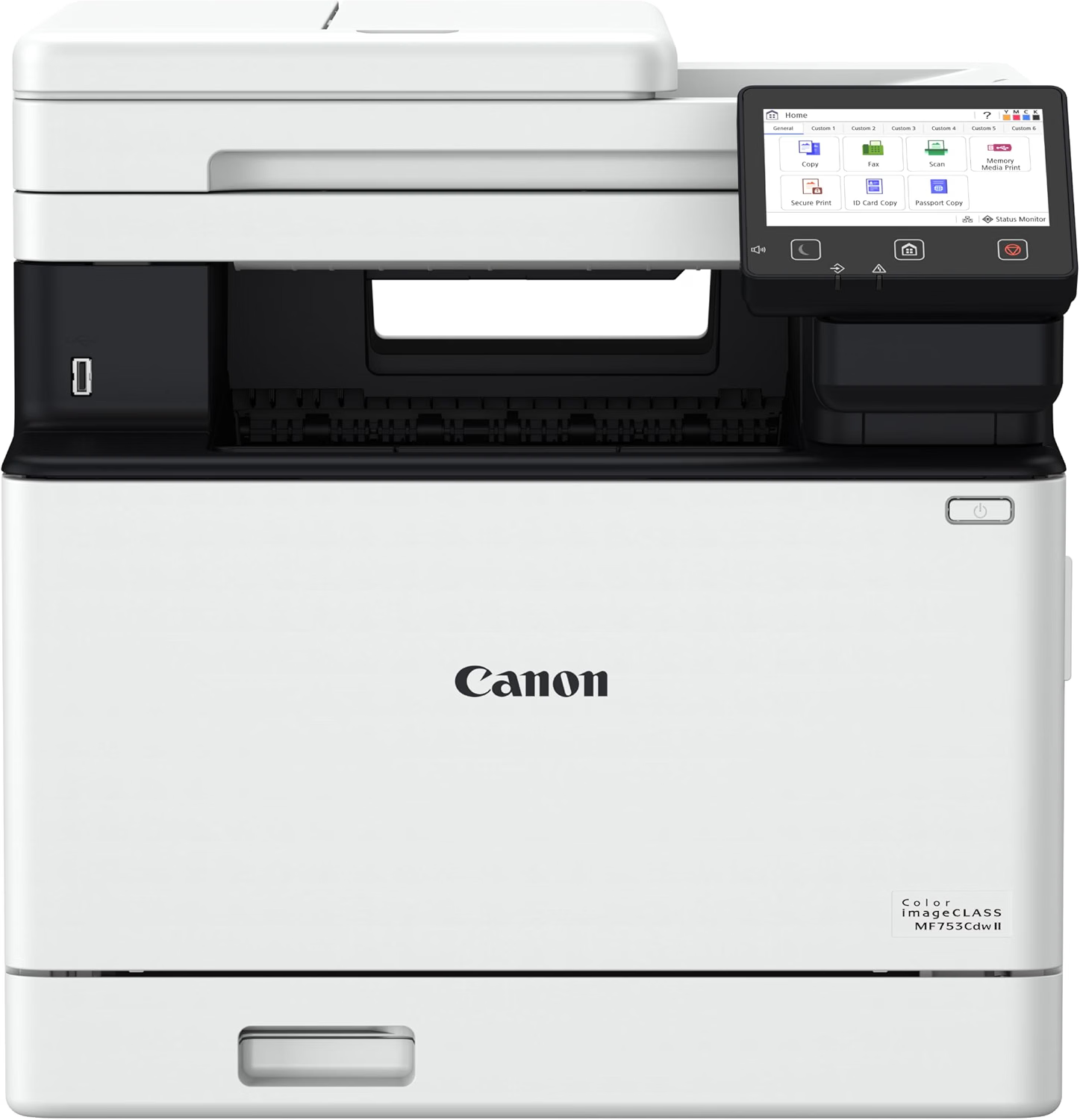
Canon Color imageCLASS MF753Cdw II Review
Quick Verdict: The Canon Color imageCLASS MF753Cdw II prints color and black pages at up to 35 ppm, scans both sides in one pass through a 50-sheet ADF, and faxes. Paper capacity grows from 300 sheets to 850 with an optional cassette, and a 3-year limited warranty backs it up. At 48.5 lbs and 17 inches tall, it needs a solid surface and some room.
- Prints color and black at up to 35 ppm.
- 50-sheet single-pass duplex ADF.
- Built-in fax.
- 250-sheet cassette plus a 50-sheet multipurpose tray.
- Expandable to 850 sheets with optional Cassette PF-K1.
- 5-inch color touchscreen.
- Supports Apple AirPrint, Mopria, and the Canon PRINT app.
- 3-year limited warranty.
- Heavy at about 48.5 lbs.
- Tallest pick at 17 inches.
- Optional paper cassette costs extra.
- Four toner cartridges to manage.
- Not designed for photo printing.
The MF753Cdw II does nearly everything a small office asks of a printer, and it does it quickly. At 35 ppm in both color and black, it’s the fastest color model here, and the single-pass duplex ADF reads both sides of each sheet as it feeds, so a stack of signed contracts gets scanned or faxed in one go.
Paper handling is the other standout. The 250-sheet cassette and 50-sheet multipurpose tray cover daily jobs, and the optional PF-K1 cassette lifts total capacity to 850 sheets. Tom’s Guide named it the best all-in-one printer overall, and the 3-year warranty adds peace of mind for a business purchase.
Choose the MF753Cdw II for small businesses and shared offices that print color daily and scan or fax double-sided paperwork. Canon recommends 750 to 4,000 pages a month.
If you work alone and print less, the Canon MF665Cdw offers the same scanning and fax features at a slower 26 ppm, with a lower recommended volume. For more office-class options, see our best office printers.
| Printer Type | Wireless Color Laser All-in-One |
|---|---|
| Functions | Print, Scan, Copy, Fax |
| Print Speed | Up to 35 ppm Color and Black (Letter) |
| Print Resolution | Up to 1200 × 1200 dpi |
| Automatic Duplex Printing | Yes |
| Automatic Document Feeder | 50 Sheets, Single-Pass Duplex |
| Copy Speed | Up to 35 cpm, up to 999 Copies |
| Standard Paper Capacity | 300 Sheets (250-Sheet Cassette plus 50-Sheet Multipurpose Tray) |
| Maximum Paper Capacity | 850 Sheets with Optional Cassette PF-K1 (550 Sheets) |
| Output Capacity | 150 Sheets |
| Connectivity | Ethernet, Wi-Fi, USB 2.0, USB Flash Drive Port |
| Mobile Printing | Canon PRINT App, Apple AirPrint, Mopria |
| Display | 5-Inch Color Touchscreen |
| Recommended Monthly Print Volume | 750–4,000 Pages |
| Toner | Canon 069 / 069H (Black and C/M/Y) |
| In-Box Toner | Black 2,100 Pages (Standard), C/M/Y 1,100 Pages (Starter) |
| Dimensions (W × D × H) | 16.8 × 18.2 × 17.0 Inches |
| Weight | Approx. 48.5 lbs |
| Warranty | 3-Year Limited Warranty |
The in-box black cartridge is a full standard cartridge, while the color cartridges are starters. Budget for color replacements earlier than black if you print a lot of color.
Canon lists Cartridge 069H high-capacity toner for this series; check current yields on Canon’s site before comparing running costs.
For complete specifications, visit the official Canon USA website.
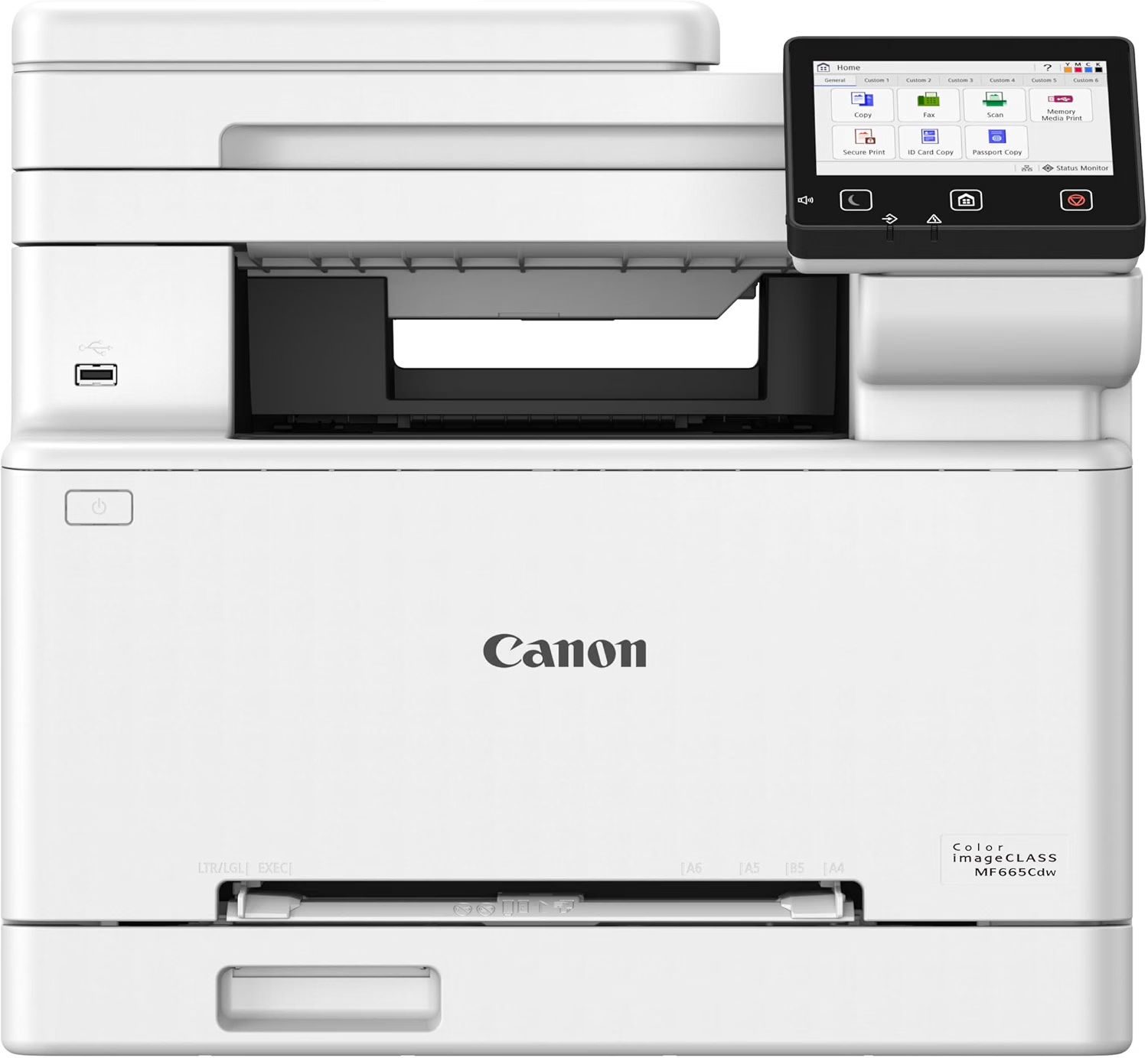
Canon Color imageCLASS MF665Cdw Review
Quick Verdict: The Canon Color imageCLASS MF665Cdw prints at up to 26 ppm in color and black, scans both sides through a 50-sheet single-pass duplex ADF, and includes fax. A 5-inch touchscreen keeps it easy to use. It’s the best Canon color pick for home offices, though its 250-sheet cassette can’t be expanded.
- Prints at up to 26 ppm in color and black.
- Single-pass duplex scanning from a 50-sheet ADF.
- Built-in fax.
- 5-inch color touchscreen.
- Gigabit Ethernet, Wi-Fi, Wi-Fi Direct, and USB.
- Supports Apple AirPrint, Mopria, and the Canon PRINT app.
- RTINGS praised its sharp documents and outstanding scan quality.
- 250-sheet cassette with no expansion option.
- Starter toner is rated for only 500 color and 700 black pages.
- Heavy at about 41 lbs without toner.
- Easy to confuse with the MF662Cdw and MF663Cdw.
- Not designed for photo printing.
The MF665Cdw packs the features that matter most for a home office into one machine: color printing, fax, and a single-pass duplex ADF. RTINGS called it one of the most complete packages for a small office in its class, and its testing found sharp documents and outstanding scans. The flatbed’s extendable hinges also handle thick books and magazines.
Speed is comfortable at 26 ppm, and the 5-inch touchscreen makes fax numbers and scan destinations easy to set. Toner is straightforward too: Canon 075 cartridges are rated for about 1,300 pages each, and the 075H high-capacity versions go further.
The MF665Cdw is for home offices and freelancers who print in color, scan double-sided paperwork, and still need fax. Canon’s recommended range is 150 to 2,500 pages a month.
If you never fax, the Canon MF662Cdw keeps the duplex scanning and drops fax. If several people will share the printer, the MF753Cdw II is faster and holds more paper.
| Printer Type | Wireless Color Laser All-in-One |
|---|---|
| Functions | Print, Scan, Copy, Fax |
| Print Speed | Up to 26 ppm Color and Black |
| First Print Out Time | Approx. 10.3 Seconds |
| Print Resolution | Up to 1200 × 1200 dpi |
| Automatic Duplex Printing | Yes |
| Automatic Document Feeder | 50 Sheets, Single-Pass Duplex |
| Optical Scan Resolution | 600 × 600 dpi |
| Paper Capacity | 250-Sheet Cassette plus 1-Sheet Multipurpose Slot |
| Connectivity | Gigabit Ethernet, Wi-Fi, Wi-Fi Direct, USB |
| Mobile Printing | Canon PRINT App, Apple AirPrint, Mopria |
| Display | 5-Inch Color Touchscreen |
| Memory | 1 GB |
| Recommended Monthly Print Volume | 150–2,500 Pages |
| Toner | Canon 075 (~1,300 Pages Each), 075H High Capacity |
| In-Box Toner | Starter: Black 700 Pages, C/M/Y 500 Pages |
| Dimensions (W × D × H) | 16.8 × 18.2 × 15.7 Inches |
| Weight | Approx. 41.4 lbs (Without Toner) |
The MF665Cdw shares its chassis with the MF662Cdw and MF663Cdw. Only the MF665Cdw includes both fax and single-pass duplex scanning, so confirm the exact model number on any listing.
The starter cartridges are small, so plan on buying Canon 075 or 075H replacements soon after setup if you print regularly.
For complete specifications, visit the official Canon USA website.
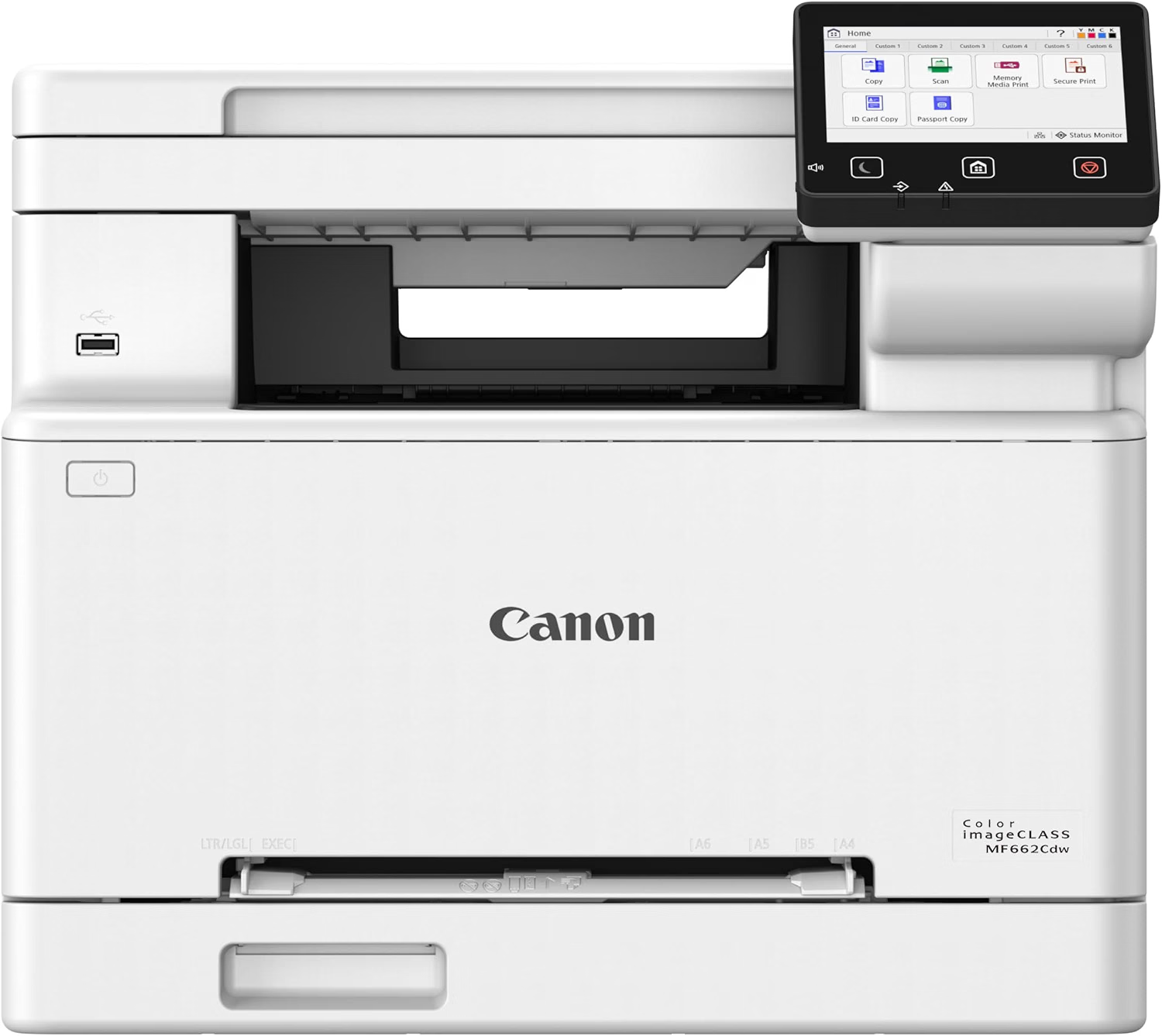
Canon Color imageCLASS MF662Cdw Review
Quick Verdict: The Canon Color imageCLASS MF662Cdw gives you color printing, a 50-sheet ADF, and automatic duplex scanning in the same chassis as the MF665Cdw, without the fax. It’s also slightly shorter at about 14.3 inches tall. If you never fax, it’s the more sensible color pick.
- Color printing, scanning, and copying.
- Automatic duplex scanning from a 50-sheet ADF.
- Automatic duplex printing.
- Shorter than the MF665Cdw at about 14.3 inches.
- Uses the same Canon 075 toner as the MF665Cdw.
- No fax.
- 250-sheet cassette with no expansion option.
- Deep at about 18.1 inches.
- Easy to confuse with the MF663Cdw, which lacks duplex scanning.
- Not designed for photo printing.
Most people don’t fax anymore, and the MF662Cdw is built for them. It keeps the feature that matters most on a modern all-in-one, automatic duplex scanning, so double-sided bank statements and contracts go through the 50-sheet feeder in one run. Without the fax hardware, it’s also about 1.4 inches shorter than the MF665Cdw.
It shares supplies with its sibling. Canon 075 toner is rated for about 1,300 pages per cartridge, and the high-capacity 075H cartridges cut down on replacements for busier households.
| Printer Type | Wireless Color Laser All-in-One |
|---|---|
| Functions | Print, Scan, Copy |
| Automatic Duplex Printing | Yes |
| Automatic Document Feeder | 50 Sheets |
| Automatic Duplex Scanning | Yes |
| Fax | No |
| Toner | Canon 075 (~1,300 Pages Each), 075H High Capacity |
| Dimensions (W × D × H) | 16.75 × 18.1 × 14.25 Inches |
Canon sells three closely related models in this series. The MF662Cdw has duplex scanning but no fax, the MF663Cdw has neither, and the MF665Cdw has both. Check the model number carefully before you buy.
For complete specifications, visit the official Canon USA website.
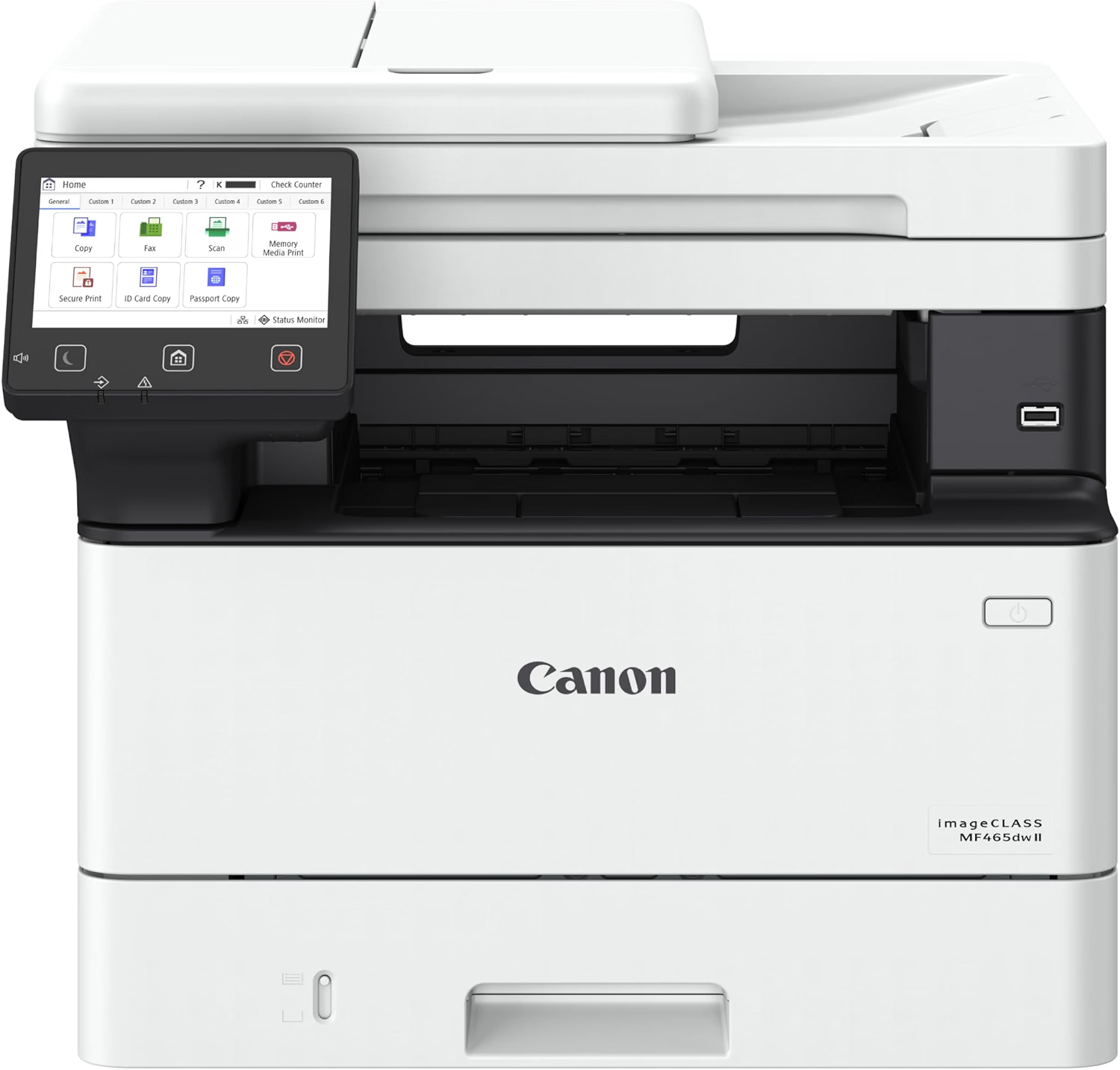
Canon imageCLASS MF465dw II Review
Quick Verdict: The Canon imageCLASS MF465dw II is the fastest printer here at 42 ppm, with a 50-sheet single-pass duplex ADF, fax, and a 5-inch touchscreen. Paper capacity expands to 900 sheets, and its Cartridge 070H is rated for about 10,200 pages. It only prints in black and white, which is exactly what most offices need.
- Fastest in this guide at up to 42 ppm.
- 50-sheet single-pass duplex ADF.
- Built-in fax with memory backup.
- 250-sheet cassette plus a 100-sheet multipurpose tray.
- Expandable to 900 sheets.
- Gigabit Ethernet, Wi-Fi, Wi-Fi Direct, and USB.
- Cartridge 070H rated for about 10,200 pages.
- 3-year limited warranty.
- Black-and-white printing only.
- Heavy at about 34 lbs.
- Deep at 18.1 inches.
- Optional paper cassette is sold separately.
For a text-heavy office, the MF465dw II is hard to beat. 42 ppm printing with a first page in about 5 seconds keeps shared queues moving, and the single-pass duplex ADF scans, copies, and faxes both sides of a page in one pass.
Running costs stay predictable. There’s only one cartridge, the in-box toner is a full 3,000-page standard cartridge rather than a starter, and the Cartridge 070H is rated for about 10,200 pages. Paper handling grows from 350 sheets to 900 as the office does.
Pick the MF465dw II for law, accounting, medical, and administrative offices that print and scan large volumes in black and white. Canon recommends 750 to 4,000 pages a month.
If you need color, the MF753Cdw II offers similar scanning and fax features. For lighter home use, the MF273dw is smaller and simpler. We also feature the MF465dw II in our guide to the best compact printers.
| Printer Type | Wireless Monochrome Laser All-in-One |
|---|---|
| Functions | Print, Scan, Copy, Fax |
| Print Speed | Up to 42 ppm (Letter) |
| Duplex Print Speed | Up to 35.1 ipm (Letter) |
| First Print Out Time | Approx. 5 Seconds |
| Print Resolution | Up to 1200 × 1200 dpi |
| Automatic Document Feeder | 50 Sheets, Single-Pass Duplex |
| Fax | 33.6 Kbps, Fax Forwarding, Memory Backup, PC Fax (Send Only) |
| Standard Paper Capacity | 350 Sheets (250-Sheet Cassette plus 100-Sheet Multipurpose Tray) |
| Maximum Paper Capacity | 900 Sheets with Optional 550-Sheet Cassette |
| Output Capacity | 150 Sheets |
| Connectivity | Gigabit Ethernet, Wi-Fi, Wi-Fi Direct, USB 2.0 |
| Display | 5-Inch Color Touchscreen |
| Memory | 1 GB |
| Recommended Monthly Print Volume | 750–4,000 Pages |
| Maximum Monthly Duty Cycle | Up to 80,000 Pages |
| Toner | Cartridge 070 (~3,000 Pages, Included), 070H (~10,200 Pages) |
| Dimensions (W × D × H) | 16.6 × 18.1 × 14.8 Inches |
| Weight | Approx. 34.4 lbs |
| Warranty | 3-Year Limited Warranty |
The MF465dw II supports UFR II, PCL 6, and Adobe PostScript 3, which helps in offices with a mix of Windows and Mac computers.
For complete specifications, visit the official Canon imageCLASS MF465dw II page.
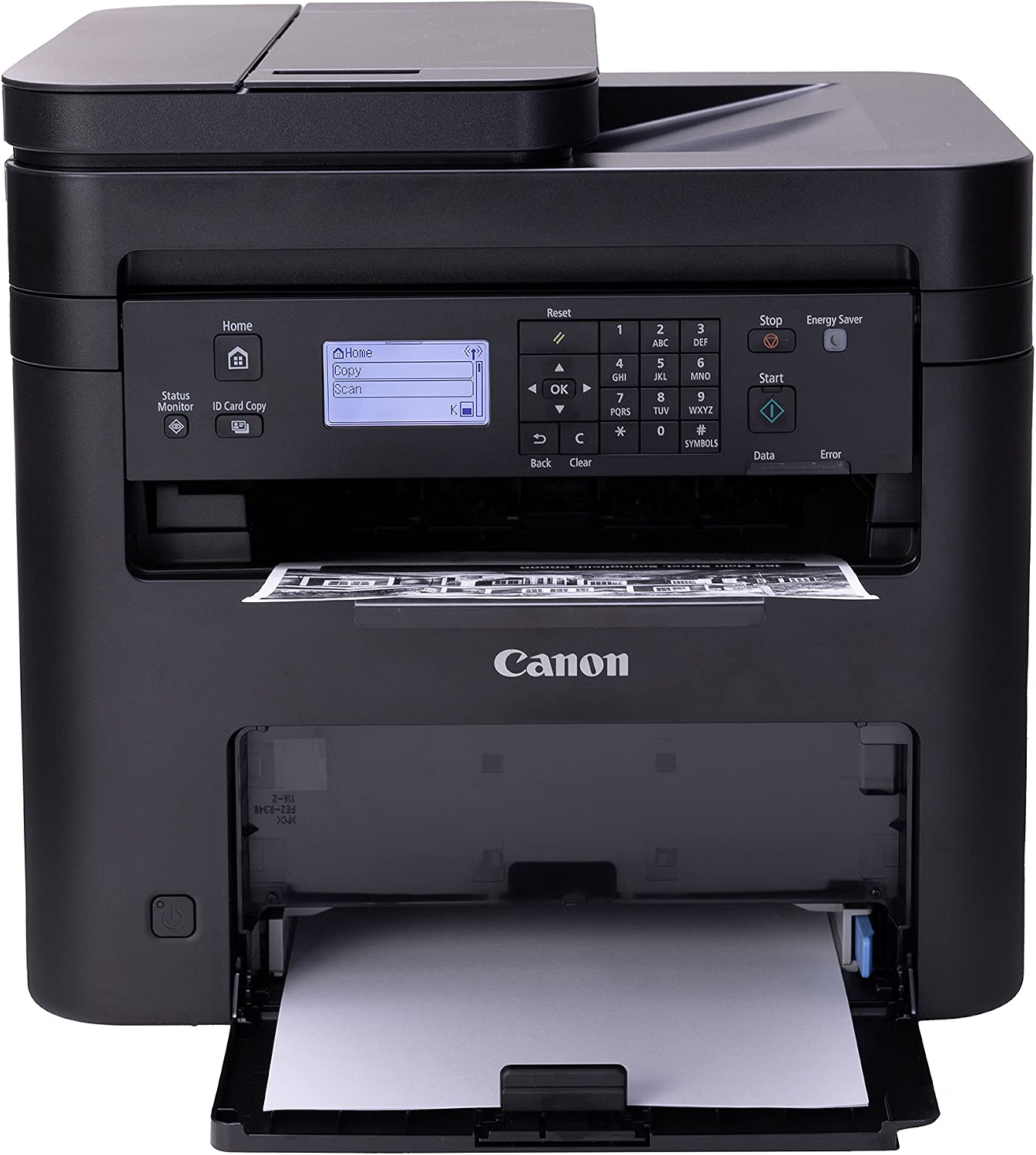
Canon imageCLASS MF273dw Review
Quick Verdict: The Canon imageCLASS MF273dw prints, copies, and scans at up to 30 ppm, with automatic duplex printing and a 35-sheet ADF. At 24.7 lbs, it’s the lightest and smallest Canon here. It doesn’t fax or scan both sides automatically, and its 150-sheet cassette suits lighter home use.
- Prints and copies at up to 30 ppm.
- Automatic duplex printing.
- 35-sheet ADF for multipage copying and scanning.
- Lightest Canon here at 24.7 lbs.
- Wi-Fi, Ethernet, and USB.
- Supports Apple AirPrint, Mopria, and Canon PRINT Business.
- No fax.
- No automatic duplex scanning.
- 150-sheet cassette.
- Basic 5-line LCD rather than a touchscreen.
- Starter toner is rated for about 700 pages.
The MF273dw keeps things simple. It prints at 30 ppm, flips pages automatically for two-sided printing, and copies multipage documents through its 35-sheet ADF. That covers school assignments, invoices, and household paperwork without the bulk of the office models.
Its footprint, 15.4 × 14.6 inches, fits a small desk, and supplies are easy: Canon 071 toner is rated for about 1,200 pages, and the 071H high-capacity cartridge for about 2,500.
The MF273dw suits students, families, and home offices that print text and don’t fax. Canon recommends 200 to 2,000 pages a month.
If you print or scan in larger batches, the MF465dw II adds duplex scanning, fax, and far more paper capacity.
| Printer Type | Wireless Monochrome Laser All-in-One |
|---|---|
| Functions | Print, Scan, Copy |
| Print Speed | Up to 30 ppm (Letter) |
| Automatic Duplex Printing | Yes |
| Automatic Document Feeder | 35 Sheets (Simplex) |
| Automatic Duplex Scanning | No |
| First Copy Out Time | Approx. 7.3 Seconds (Platen) / 8.9 Seconds (ADF) |
| Paper Capacity | 150-Sheet Cassette |
| Connectivity | Wi-Fi, Ethernet, USB 2.0 |
| Mobile Printing | Apple AirPrint, Mopria, Canon PRINT Business |
| Display | 5-Line LCD |
| Memory | 256 MB |
| Recommended Monthly Print Volume | 200–2,000 Pages |
| Toner | Cartridge 071 (~1,200 Pages), 071H (~2,500 Pages); Starter ~700 Pages |
| Dimensions (W × D × H) | 15.4 × 14.6 × 14.4 Inches |
| Weight | Approx. 24.7 lbs |
| Warranty | 1-Year Limited Warranty |
The MF273dw is the print, scan, and copy version of the MF275dw. If you need fax in this size, look for the MF275dw instead.
For complete specifications, visit the official Canon USA website.
How to Choose the Best Canon All-in-One Laser Printer
Start with two questions: do you need color, and do you need fax? Canon’s lineup splits cleanly along those lines. After that, compare duplex scanning, speed, and paper capacity against how much you print each month.
Mono or Color: Which Canon Do You Need?
If you mostly print text, a monochrome Canon such as the MF273dw or MF465dw II uses a single cartridge and keeps running costs simple. If charts, logos, or flyers are part of your week, a color model like the MF662Cdw, MF665Cdw, or MF753Cdw II is worth the extra toner.
Understanding Canon’s Model Names
Canon’s names follow a pattern. MF means multifunction, C means color, d means automatic duplex printing, and w means wireless. The last digit often signals features: within the MF660 series, the MF662Cdw has duplex scanning but no fax, the MF663Cdw has neither, and the MF665Cdw has both. The same pattern holds for the MF273dw (no fax) and MF275dw (fax).
Single-Pass Duplex Scanning
Single-pass duplex scanning reads both sides of a page at once as it moves through the feeder. The MF753Cdw II, MF665Cdw, MF662Cdw, and MF465dw II all have it. The MF273dw scans one side at a time. If you scan double-sided paperwork weekly, this feature saves more time than a few extra pages per minute.
Do You Need Fax?
Fax still matters in healthcare, insurance, legal, and some government work. The MF753Cdw II, MF665Cdw, and MF465dw II include it. The MF662Cdw and MF273dw don’t.
Print Speed and Monthly Volume
Speeds range from 26 ppm on the MF665Cdw to 42 ppm on the MF465dw II. More important is Canon’s recommended monthly volume: 200 to 2,000 pages for the MF273dw, 150 to 2,500 for the MF665Cdw, and 750 to 4,000 for the MF465dw II and MF753Cdw II. Match that range to your workload rather than buying on speed alone.
Paper Capacity and Expansion
The MF273dw holds 150 sheets, and the MF660 models hold 250. The MF753Cdw II expands to 850 sheets and the MF465dw II to 900, which matters for shared offices.
Canon Toner Costs and Yields
Each model uses its own cartridge family: 071 for the MF273dw, 070 for the MF465dw II, 075 for the MF662Cdw and MF665Cdw, and 069 for the MF753Cdw II. High-capacity “H” versions lower the cost per page. To estimate it, divide the cartridge price by its rated yield; a $100 cartridge rated for 4,000 pages works out to 2.5 cents a page.
Color printers use four cartridges, so check the color yields as well as black. If prints start to fade or streak, our guide on how to fix printer streaks covers the usual causes.
Size and Weight
Canon’s color all-in-ones are heavy, between about 41 and 48.5 lbs. The MF465dw II weighs about 34 lbs, and the MF273dw about 24.7 lbs. Plan on a sturdy desk, and leave room in front for the paper cassette.
Canon’s 3-Year Warranty
The MF753Cdw II and MF465dw II come with a 3-year limited warranty, while the MF273dw has one year. Warranty terms can vary by seller and region, so check the listing before you buy.
Wireless and Mobile Printing
All five printers connect over Wi-Fi and work with Canon’s mobile apps. Several also support Apple AirPrint and Mopria for Android, as noted in each review. The MF753Cdw II, MF665Cdw, and MF465dw II add wired Ethernet for office networks.
Canon All-in-One Laser Printers Comparison
Color, fax, and duplex scanning are what separate these five Canon printers. If you’re comparing brands, see our picks for the best HP color laser all-in-one printers and the best Brother all-in-one color laser printers.
| Features | MF753Cdw II | MF665Cdw | MF662Cdw | MF465dw II | MF273dw |
|---|---|---|---|---|---|
| Best For | Best Overall | Color Home Office | Color Without Fax | Mono Offices | Budget Mono |
| Color Printing | Yes | Yes | Yes | No | No |
| Print Speed | 35 ppm | 26 ppm | — | 42 ppm | 30 ppm |
| Duplex Scanning | Yes | Yes | Yes | Yes | No |
| ADF | 50 Sheets | 50 Sheets | 50 Sheets | 50 Sheets | 35 Sheets |
| Fax | Yes | Yes | No | Yes | No |
| Max Paper Capacity | 850 Sheets | 250 Sheets | 250 Sheets | 900 Sheets | 150 Sheets |
| Toner | 069 / 069H | 075 / 075H | 075 / 075H | 070 / 070H | 071 / 071H |
| Read Review | See Details | See Details | See Details | See Details | See Details |
Print speeds are Canon’s rated maximums on US Letter paper. Confirm the MF662Cdw’s rated speed on its listing.
Final Verdict: Which Canon All-in-One Laser Printer Should You Buy?
For most small offices, the Canon Color imageCLASS MF753Cdw II is the one to get. It prints color at 35 ppm, scans both sides in a single pass, faxes, expands to 850 sheets, and carries a 3-year warranty.
For a home office, the MF665Cdw brings color, fax, and single-pass duplex scanning in a smaller package. If you never fax, the MF662Cdw keeps the duplex scanning and drops what you won’t use.
For black-and-white work, the MF465dw II is the fastest Canon here at 42 ppm and the best fit for busy offices, while the MF273dw covers lighter home printing in a smaller, lighter body. For more affordable printers, browse our best budget printers.
Frequently Asked Questions About Canon All-in-One Laser Printers
Here are answers to common questions about Canon imageCLASS all-in-one laser printers, from model differences and fax to toner and warranty.