
Picture a 40-page contract printed on both sides. With an ordinary document feeder, you scan the front of every sheet, flip the stack, scan the backs, and then untangle the page order in your PDF. A printer with single-pass duplex scanning does it in one run: two sensors read the front and back of each sheet at the same time, and the pages come out in the right order.
This guide covers the best printers with duplex scanning, all of them laser all-in-ones with a single-pass ADF. We compare duplex scan speed, document feeder capacity, print speed, fax, and paper handling across black-and-white and color models from Brother and Canon, so you can match the scanner to the paperwork on your desk.
Best Laser Printers with Duplex Scanning
The Brother MFC-L2900DW is the most affordable way to get single-pass duplex scanning in a compact laser. The Brother MFC-L3780CDW and Canon MF665Cdw add color, and the Canon adds a larger touchscreen. For offices, the Canon MF465dw II prints at 42 ppm, the Canon MF753Cdw II brings fast color, and the Brother MFC-L5915DW handles the biggest scanning jobs with a 70-sheet ADF.
Our Top Picks
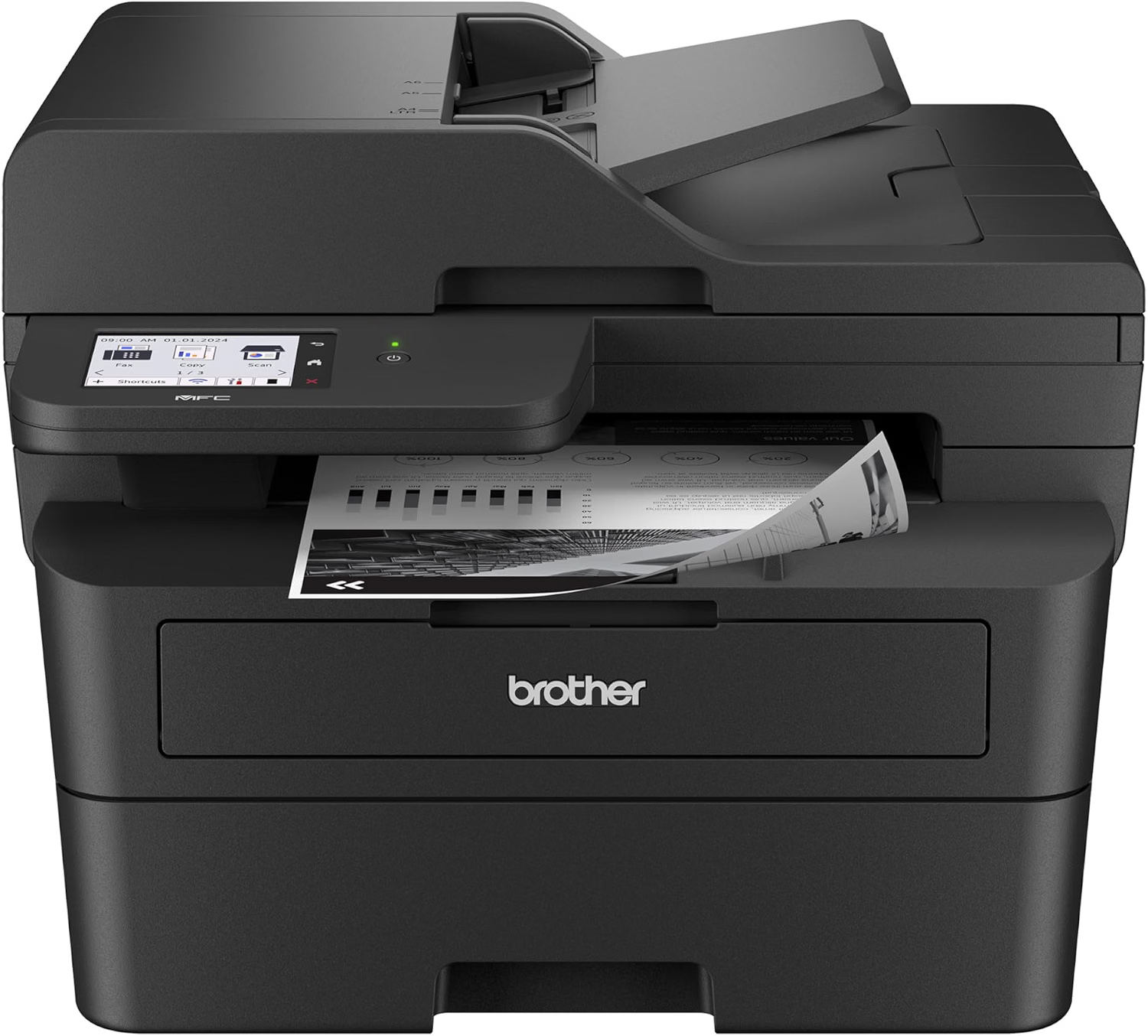
Brother MFC-L2900DW Review
Quick Verdict: The Brother MFC-L2900DW brings single-pass duplex scanning through a 50-sheet ADF to a compact, 26-lb laser. It also prints at 36 ppm, faxes both sides of a page, and has a 3.5-inch touchscreen. It’s the most affordable way to stop flipping stacks by hand, though its single 250-sheet tray can’t be expanded.
- Single-pass duplex scanning, copying, and faxing.
- 50-sheet ADF.
- Prints at up to 36 ppm, first page in 6.9 seconds or less.
- 3.5-inch touchscreen with customizable shortcuts.
- Built-in fax with PC-Fax and duplex fax.
- Compact at about 26 lbs.
- Dual-band Wi-Fi, Ethernet, USB, and Apple AirPrint.
- Single 250-sheet tray with no expansion.
- Color scanning is slow at 7.9 ppm.
- Black-and-white printing only.
- Starter toner is rated for about 700 pages.
Most printers at this size scan one side at a time. The MFC-L2900DW reads both sides of each sheet in a single pass, so a stack of double-sided bank statements, leases, or tax forms becomes one correctly ordered PDF. It works the same way for copying and faxing, which saves a lot of page-flipping in a small office.
The rest of the machine is well rounded: 36 ppm printing, a 3.5-inch touchscreen that holds up to 18 shortcuts, and a footprint small enough for a home office desk. Consumer Reports named the XL version its Best Mono Laser All-in-One for 2026.
The MFC-L2900DW suits home offices, accountants, real estate agents, and anyone who scans double-sided paperwork but prints mostly text. Brother recommends up to 2,500 pages a month.
If you need a bigger feeder or more paper, the Brother MFC-L5915DW steps up to 70 sheets and 50 ppm. We also cover this printer in our guide to the best Brother all-in-one monochrome printers.
| Duplex Scan Type | Single-Pass |
|---|---|
| ADF Capacity | 50 Sheets |
| Scan Speed | Up to 23.6 ppm Black / 7.9 ppm Color |
| Functions | Print, Scan, Copy, Fax |
| Print Speed | Up to 36 ppm Black |
| Automatic Duplex Printing | Yes |
| Fax | 33.6 Kbps, 500-Page Memory, PC-Fax, Duplex Fax |
| Paper Capacity | 250-Sheet Tray plus 1-Sheet Manual Feed Slot |
| Connectivity | Dual-Band Wi-Fi, Ethernet, Hi-Speed USB 2.0 |
| Mobile Printing | Apple AirPrint, Mopria, Wi-Fi Direct, Brother Mobile Connect |
| Display | 3.5-Inch Touchscreen |
| Recommended Monthly Print Volume | Up to 2,500 Pages |
| Toner / Drum | TN830 (1,200), TN830XL (3,000), TN830V (3,300) / DR830 (15,000 Pages) |
| Dimensions (W × D × H) | 16.1 × 16.6 × 12.5 Inches |
| Weight | Approx. 25.9 lbs |
| Warranty | 1-Year Limited Warranty |
Brother doesn’t publish a separate duplex scan speed for this model. Expect double-sided scans to take longer than the single-sided figure, but far less time than flipping and rescanning by hand.
For complete specifications, visit the official Brother MFC-L2900DW product page.
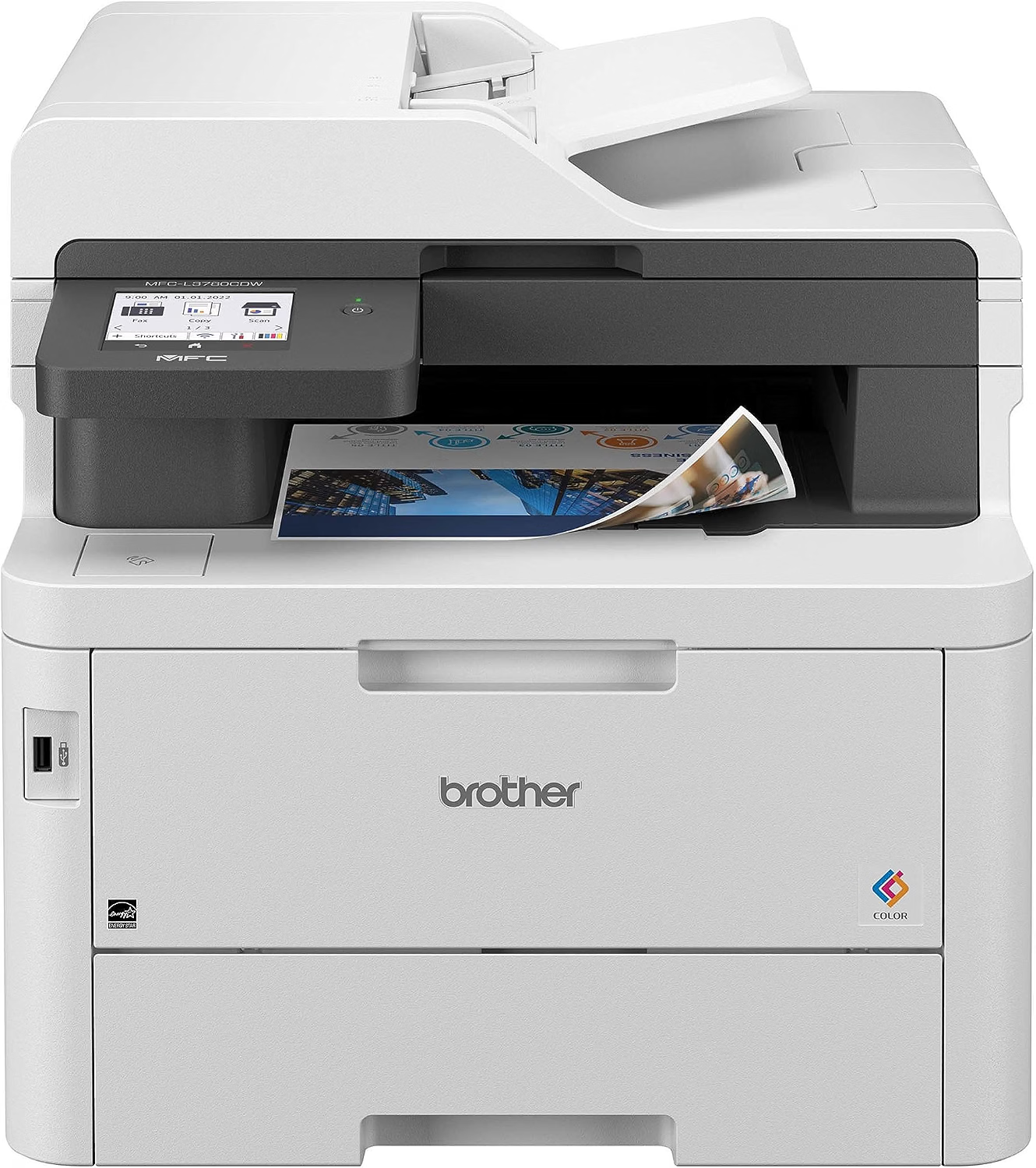
Brother MFC-L3780CDW Review
Quick Verdict: The Brother MFC-L3780CDW scans both sides in one pass at up to 58 ipm in black and 34 ipm in color, prints color at 31 ppm, and faxes. Consumer Reports named it the Best Color Laser All-in-One for 2026. It’s heavy at 47.8 lbs, and it uses an LED “digital color” engine rather than a true laser.
- Single-pass duplex scanning at up to 58 ipm black / 34 ipm color.
- 50-page ADF.
- Prints color and black at up to 31 ppm.
- Built-in fax.
- Gigabit Ethernet, dual-band Wi-Fi, and USB host.
- TN229XXL toner rated for about 4,500 black / 4,000 color pages.
- Heavy at about 47.8 lbs.
- Small 30-sheet multipurpose tray.
- Optional lower tray sold separately.
- Uses an LED engine, not a true laser.
Duplex scanning on the MFC-L3780CDW is quick. At up to 58 images per minute in black, a 25-sheet double-sided stack, 50 images in all, is scanned in under a minute. Color duplex scanning runs at 34 ipm, which is still fast enough for receipts, brochures, and signed forms with colored stamps.
It’s also a strong color printer. 31 ppm output and the TN229XXL toner option make it practical for regular color work, and Gigabit Ethernet keeps it stable on a home or small office network.
Choose the MFC-L3780CDW if you print in color and scan double-sided paperwork every week. Brother recommends up to 4,000 pages a month.
If you prefer a larger touchscreen, the Canon MF665Cdw offers similar features with a 5-inch display. More details are in our guide to the best Brother all-in-one color laser printers.
| Duplex Scan Type | Single-Pass |
|---|---|
| Duplex Scan Speed | Up to 58 ipm Black / 34 ipm Color |
| ADF Capacity | 50 Pages |
| Simplex Scan Speed | Up to 29 ppm Black / 22 ppm Color |
| Functions | Print, Scan, Copy, Fax |
| Print Speed | Up to 31 ppm Black and Color |
| Printing Technology | Digital Color LED |
| Paper Capacity | 250-Sheet Tray plus 30-Sheet Multipurpose Tray (up to 500 with Optional Tray) |
| Connectivity | Gigabit Ethernet, Dual-Band Wi-Fi, USB 2.0, USB Host |
| Display | 3.5-Inch Color Touchscreen |
| Recommended Monthly Print Volume | Up to 4,000 Pages |
| Toner | TN229, TN229XL, TN229XXL (4,500 Black / 4,000 Color), TN229V |
| Dimensions (W × D × H) | 18.2 × 16.1 × 15.8 Inches |
| Weight | Approx. 47.8 lbs |
| Warranty | 1-Year Limited Warranty |
For complete specifications, visit the official Brother MFC-L3780CDW product page.
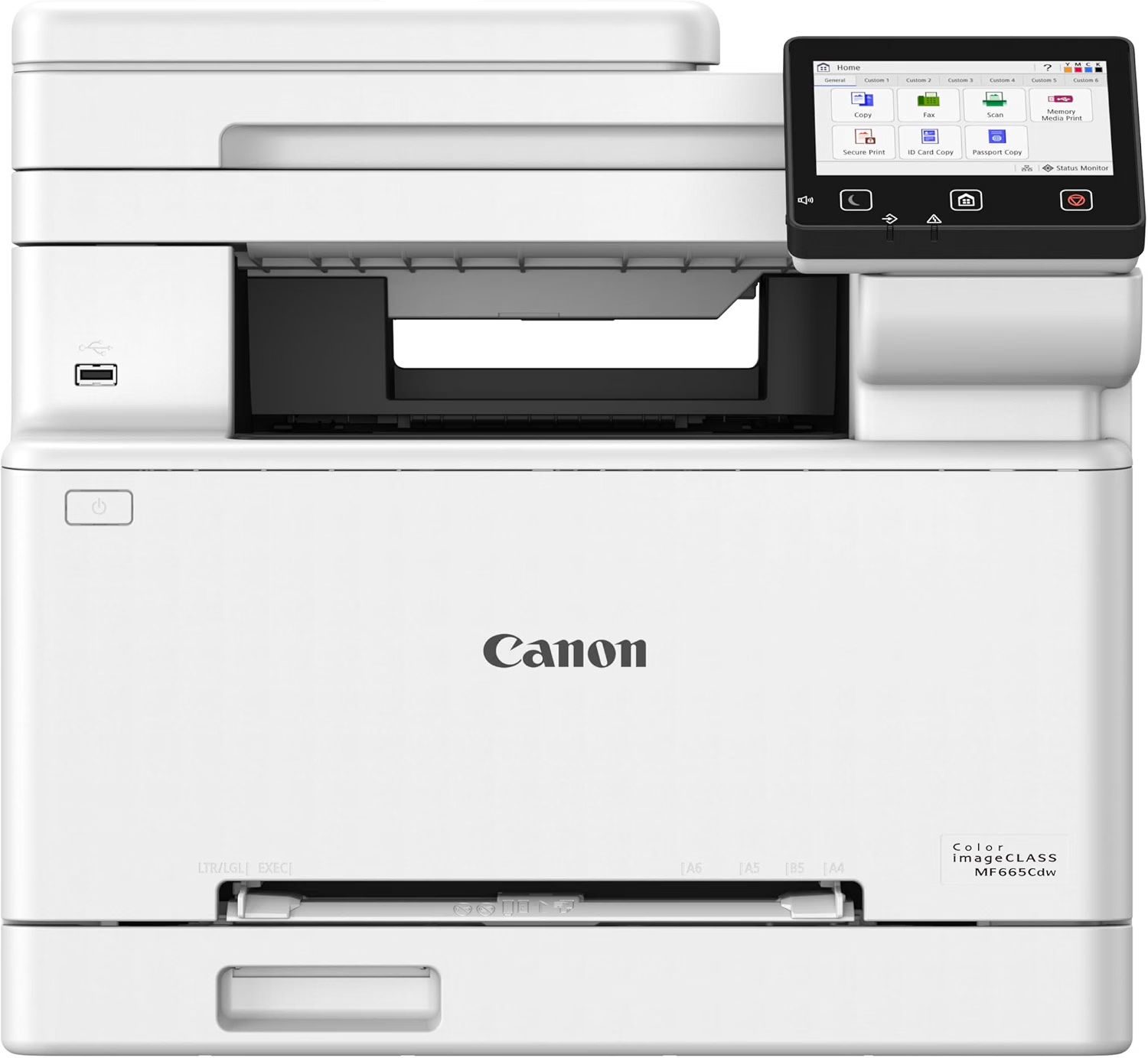
Canon Color imageCLASS MF665Cdw Review
Quick Verdict: The Canon Color imageCLASS MF665Cdw pairs a 50-sheet single-pass duplex ADF with 26 ppm color printing, fax, and a 5-inch touchscreen. RTINGS praised its outstanding scan quality. Its 250-sheet cassette can’t be expanded, and it weighs about 41 lbs.
- 50-sheet single-pass duplex ADF.
- Outstanding scan quality in RTINGS testing.
- Extendable scanner hinges for books and magazines.
- Prints color and black at up to 26 ppm.
- Built-in fax.
- 5-inch color touchscreen.
- Supports Apple AirPrint, Mopria, and the Canon PRINT app.
- 250-sheet cassette with no expansion.
- Small starter toner cartridges.
- Heavy at about 41 lbs without toner.
- Canon doesn’t list a duplex scan speed.
The MF665Cdw’s scanner is its strongest feature. RTINGS rated its scan quality as outstanding, and the single-pass duplex ADF handles double-sided documents in one run. The flatbed lid has extendable hinges, so you can also scan a thick book or bound report without crushing the spine.
The 5-inch touchscreen makes it easy to set scan destinations, and built-in fax sends both sides of a page straight from the feeder.
The MF665Cdw is for home offices that print color, fax, and care about scan quality. Canon’s recommended range is 150 to 2,500 pages a month.
Buy the exact model: the MF663Cdw in the same series has no duplex scanning. For a shared office, the MF753Cdw II is faster and expandable. See our guide to the best Canon all-in-one laser printers for the full lineup.
| Duplex Scan Type | Single-Pass |
|---|---|
| ADF Capacity | 50 Sheets (up to Legal Size) |
| Optical Scan Resolution | 600 × 600 dpi |
| Functions | Print, Scan, Copy, Fax |
| Print Speed | Up to 26 ppm Color and Black |
| Paper Capacity | 250-Sheet Cassette plus 1-Sheet Multipurpose Slot |
| Connectivity | Gigabit Ethernet, Wi-Fi, Wi-Fi Direct, USB |
| Mobile Printing | Canon PRINT App, Apple AirPrint, Mopria |
| Display | 5-Inch Color Touchscreen |
| Recommended Monthly Print Volume | 150–2,500 Pages |
| Toner | Canon 075 (~1,300 Pages Each), 075H High Capacity |
| Dimensions (W × D × H) | 16.8 × 18.2 × 15.7 Inches |
| Weight | Approx. 41.4 lbs (Without Toner) |
For complete specifications, visit the official Canon USA website.
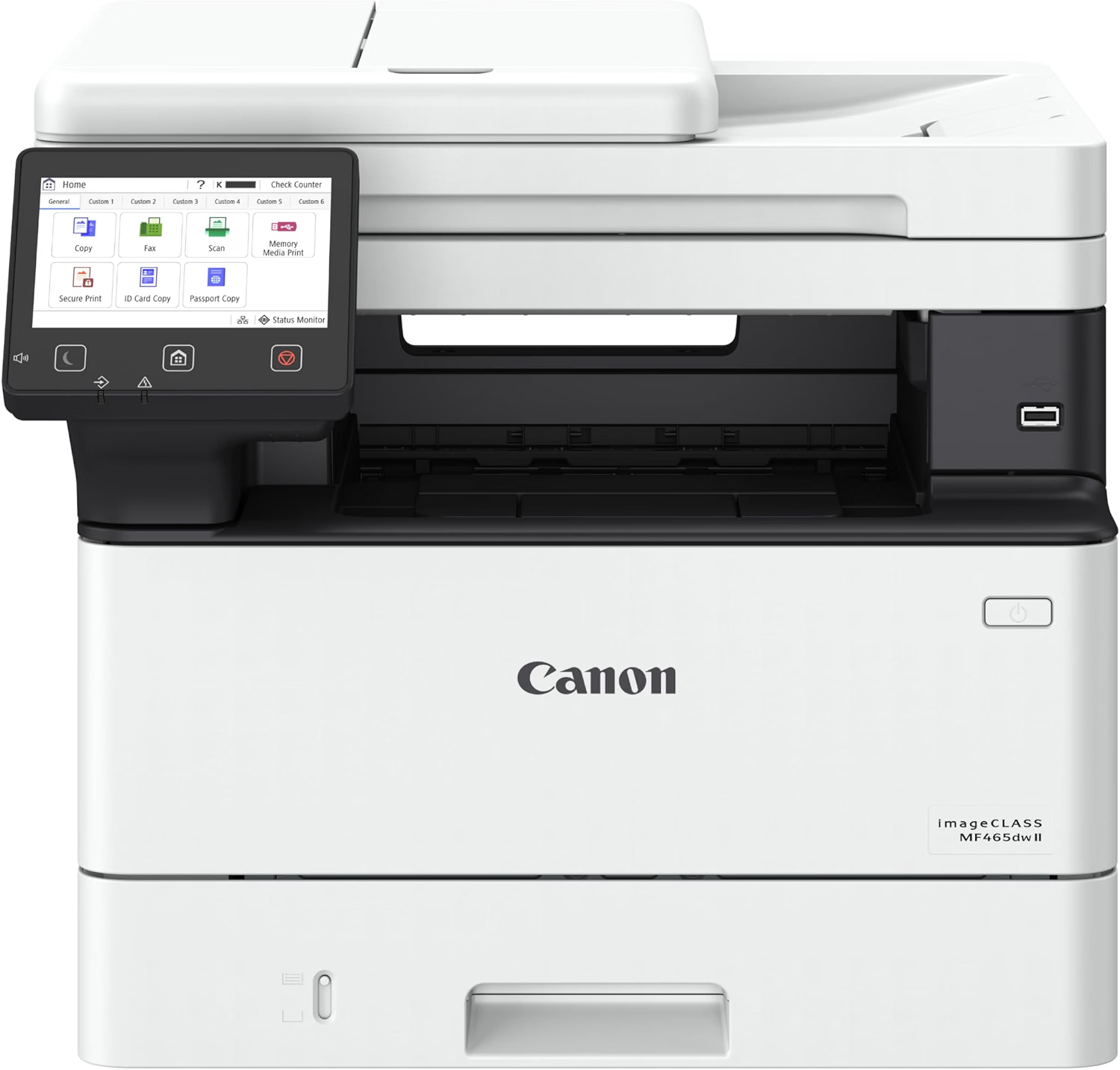
Canon imageCLASS MF465dw II Review
Quick Verdict: The Canon imageCLASS MF465dw II scans both sides through a 50-sheet single-pass ADF and prints at 42 ppm, the fastest in this guide. Fax, a 5-inch touchscreen, expandable paper up to 900 sheets, and a 3-year limited warranty round it out. It prints only in black and white.
- 50-sheet single-pass duplex ADF.
- Fastest print speed here at 42 ppm.
- Built-in fax with memory backup.
- Expandable to 900 sheets.
- Gigabit Ethernet, Wi-Fi, and USB.
- Cartridge 070H rated for about 10,200 pages.
- 3-year limited warranty.
- Black-and-white printing only.
- Heavy at about 34 lbs.
- Optional cassette sold separately.
For offices that live on black-and-white paperwork, the MF465dw II covers both directions: 42 ppm printing out, and single-pass duplex scanning in. Canon’s spec sheets for the series list duplex scanning at up to 100 images per minute in black on A4, among the fastest figures in this guide.
It’s also built for daily use. A 3,000-page cartridge comes in the box, the 070H is rated for about 10,200 pages, and paper capacity grows from 350 to 900 sheets.
Choose the MF465dw II for legal, medical, accounting, and administrative offices that scan and fax double-sided documents daily. Canon recommends 750 to 4,000 pages a month.
If you need color, the MF753Cdw II offers the same type of feeder. For a bigger 70-sheet ADF, see the Brother MFC-L5915DW.
| Duplex Scan Type | Single-Pass |
|---|---|
| Duplex Scan Speed | Up to 100 ipm Black / 80 ipm Color (A4, Canon Asia Spec) |
| ADF Capacity | 50 Sheets |
| Functions | Print, Scan, Copy, Fax |
| Print Speed | Up to 42 ppm (Letter) |
| Paper Capacity | 350 Sheets Standard, up to 900 with Optional Cassette |
| Connectivity | Gigabit Ethernet, Wi-Fi, Wi-Fi Direct, USB 2.0 |
| Display | 5-Inch Color Touchscreen |
| Recommended Monthly Print Volume | 750–4,000 Pages |
| Toner | Cartridge 070 (~3,000 Pages, Included), 070H (~10,200 Pages) |
| Dimensions (W × D × H) | 16.6 × 18.1 × 14.8 Inches |
| Weight | Approx. 34.4 lbs |
| Warranty | 3-Year Limited Warranty |
The duplex scan speed above comes from Canon’s Asia-region specifications on A4 paper. US Letter results should be similar.
For complete specifications, visit the official Canon imageCLASS MF465dw II page.
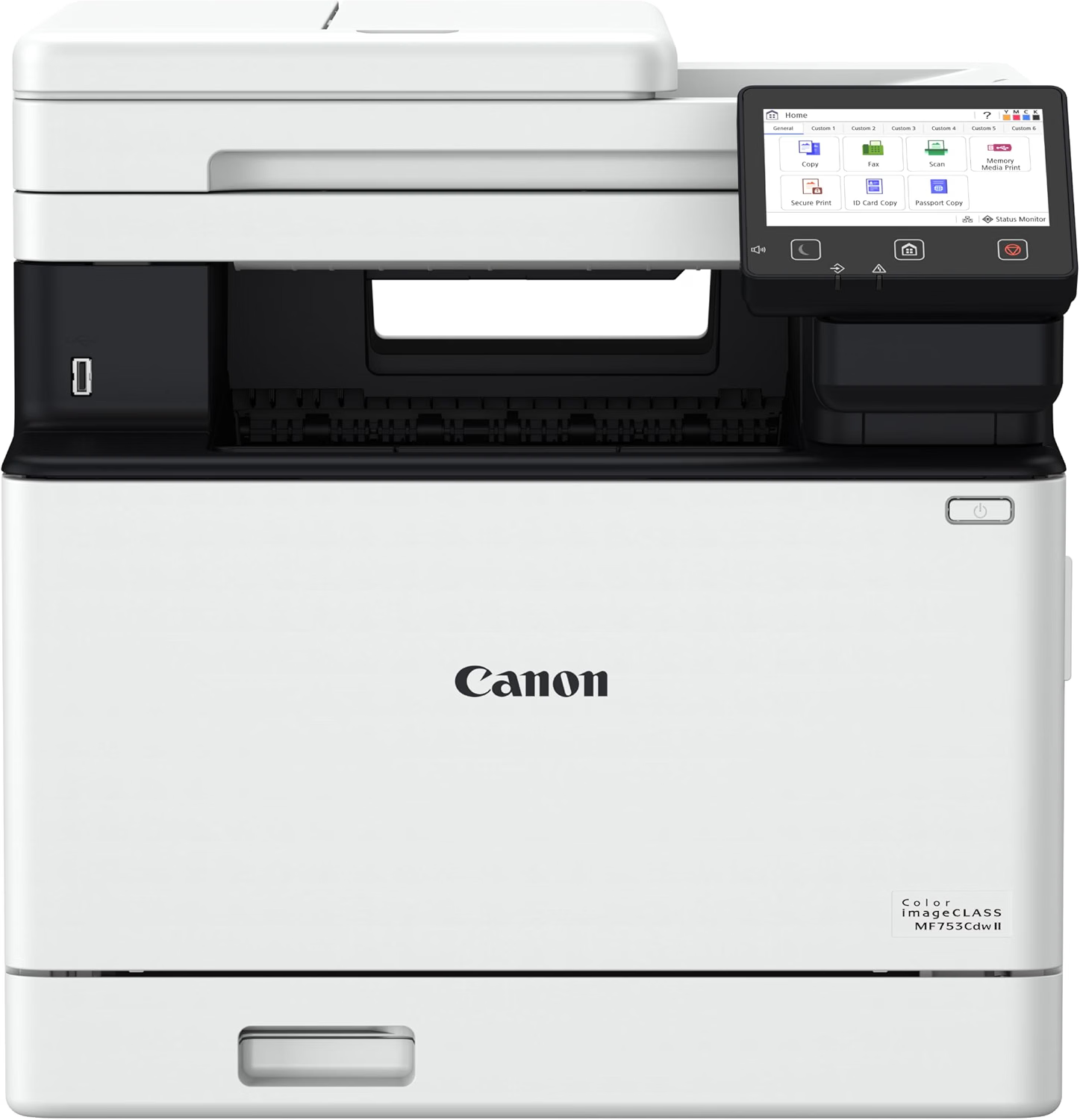
Canon Color imageCLASS MF753Cdw II Review
Quick Verdict: The Canon Color imageCLASS MF753Cdw II combines a 50-sheet single-pass duplex ADF with 35 ppm color printing, fax, and paper capacity that grows to 850 sheets. Tom’s Guide named it the best all-in-one printer overall. It’s large and heavy at 48.5 lbs.
- 50-sheet single-pass duplex ADF with multi-feed detection.
- Fastest color printing here at 35 ppm.
- Built-in fax.
- Expandable to 850 sheets.
- 5-inch color touchscreen.
- 3-year limited warranty.
- Heavy at about 48.5 lbs.
- Tallest pick at 17 inches.
- Canon doesn’t list a duplex scan speed.
- Optional cassette sold separately.
The MF753Cdw II’s feeder includes multi-feed detection, which warns you when two sheets go through together. That matters when you’re digitizing contracts or patient records, because a missed page can be worse than a slow scan. Combined with single-pass duplex scanning, it makes large batches more dependable.
On the printing side, 35 ppm in both color and black keeps shared jobs moving, and the optional PF-K1 cassette lifts capacity to 850 sheets.
The MF753Cdw II fits small businesses and shared offices that print color daily and scan double-sided paperwork in bulk. Canon recommends 750 to 4,000 pages a month.
For more office-class options, browse our best office printers.
| Duplex Scan Type | Single-Pass, with Multi-Feed Detection |
|---|---|
| ADF Capacity | 50 Sheets (up to Legal Size) |
| Functions | Print, Scan, Copy, Fax |
| Print Speed | Up to 35 ppm Color and Black |
| Paper Capacity | 300 Sheets Standard, up to 850 with Optional Cassette PF-K1 |
| Output Capacity | 150 Sheets |
| Mobile Printing | Canon PRINT App, Apple AirPrint, Mopria |
| Display | 5-Inch Color Touchscreen |
| Recommended Monthly Print Volume | 750–4,000 Pages |
| Toner | Canon 069 / 069H |
| Dimensions (W × D × H) | 16.8 × 18.2 × 17.0 Inches |
| Weight | Approx. 48.5 lbs |
| Warranty | 3-Year Limited Warranty |
For complete specifications, visit the official Canon USA website.
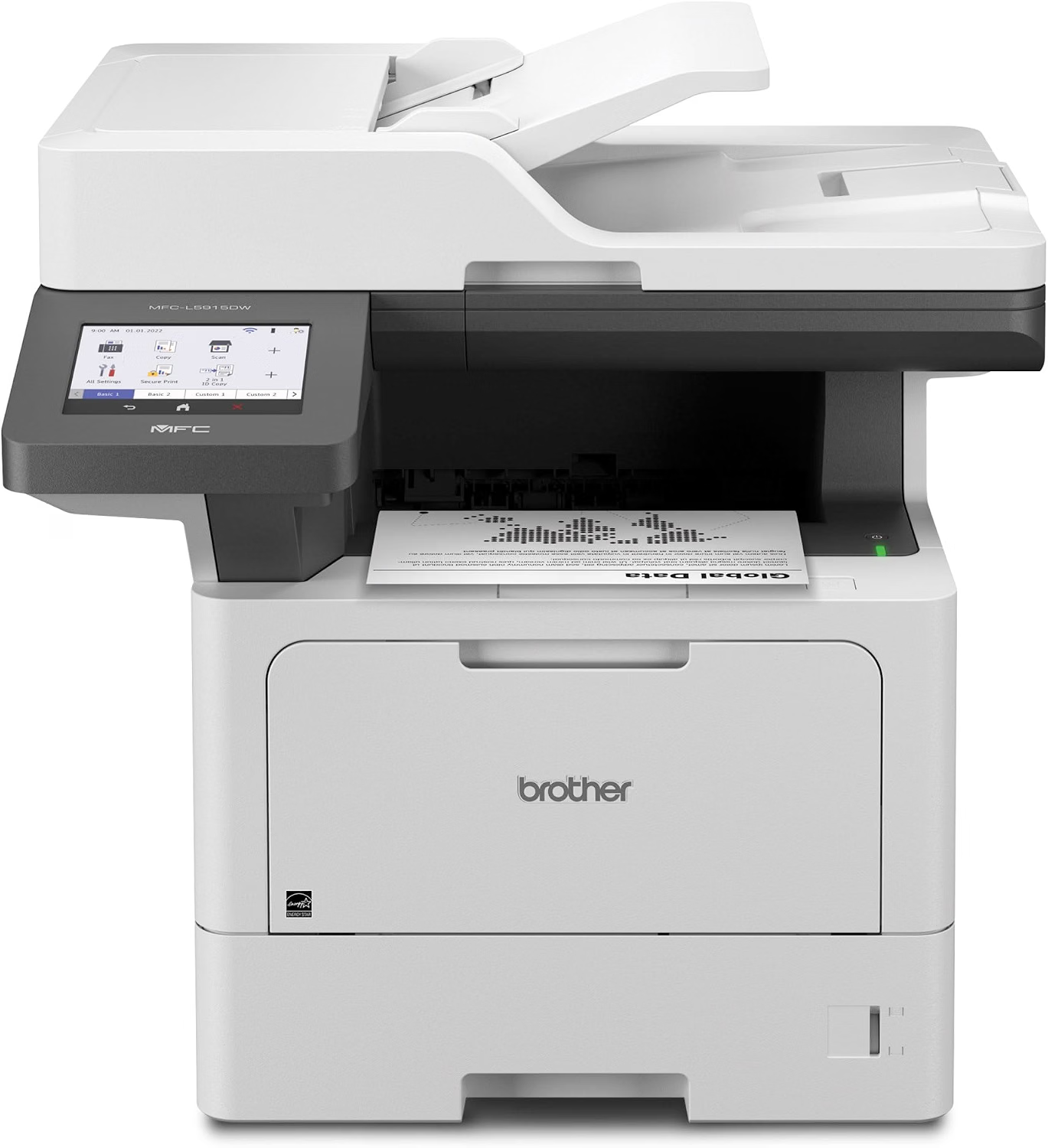
Brother MFC-L5915DW Review
Quick Verdict: The Brother MFC-L5915DW has the biggest feeder here, a 70-sheet single-pass duplex ADF that scans at up to 56 ipm in black. It prints at 50 ppm, faxes, and expands to 1,390 sheets. It’s a business machine, and more than a home office needs.
- Largest feeder here: 70-sheet single-pass duplex ADF.
- Duplex scanning at up to 56 ipm black / 40 ipm color.
- Scans to email, network folders, SharePoint, SFTP, cloud, and USB.
- Prints at up to 50 ppm.
- Expandable to 1,390 sheets.
- TN920UXXL toner rated for about 18,000 pages.
- Black-and-white printing only.
- Large and heavy at 38.3 lbs.
- Extra trays sold separately.
- Overkill for light home use.
The 70-sheet feeder means fewer reloads on big jobs, and at up to 56 images per minute a full stack of double-sided sheets, 140 images, is done in under three minutes. Scans go straight to email, network folders, SharePoint, SFTP, cloud services, or USB, so documents land where your team works.
It prints just as fast, at 50 ppm, and its 18,000-page TN920UXXL cartridge keeps toner changes rare in a busy office.
The MFC-L5915DW is for law firms, clinics, accountants, and workgroups that digitize paperwork in bulk every day. Brother recommends up to 8,000 pages a month.
For one or two people, the MFC-L2900DW offers single-pass duplex scanning in a much smaller printer.
| Duplex Scan Type | Single-Pass |
|---|---|
| Duplex Scan Speed | Up to 56 ipm Black / 40 ipm Color |
| ADF Capacity | 70 Sheets |
| Scan Destinations | Email, Network Folder, FTP, SFTP, SharePoint, Cloud, USB, Mobile, OCR |
| Functions | Print, Scan, Copy, Fax |
| Print Speed | Up to 50 ppm Black |
| Paper Capacity | 350 Sheets Standard, up to 1,390 with Optional Trays |
| Connectivity | Gigabit Ethernet, Dual-Band Wi-Fi, USB 2.0, USB Host |
| Display | 5-Inch Color Touchscreen |
| Recommended Monthly Print Volume | Up to 8,000 Pages |
| Toner / Drum | TN920 (3,000) to TN920UXXL (18,000 Pages) / DR920 (45,000 Pages) |
| Dimensions (W × D × H) | 19.5 × 18.6 × 19.1 Inches |
| Weight | Approx. 38.3 lbs |
| Warranty | 1-Year Limited Warranty |
For complete specifications, visit the official Brother MFC-L5915DW product page.
How to Choose the Best Printer with Duplex Scanning
Every printer in this guide scans both sides in a single pass, so the choice comes down to how much you scan, whether you need color, and whether you fax. Start with the size of a typical scanning job, then work outward to printing.
Duplex Printing vs. Duplex Scanning
These are two separate features, and listings often blur them. Duplex printing means the printer prints on both sides of a sheet. Duplex scanning means the document feeder captures both sides of an original. Plenty of printers do the first but not the second, so check the scanner specs, not just the “duplex” label.
Single-Pass vs. Reversing ADF
A reversing ADF scans one side, pulls the sheet back in, flips it, and scans the other side. It works, but it’s slower and handles paper more, which raises the chance of jams on thin or creased sheets. A single-pass ADF uses two sensors to read both sides at once, so each sheet goes through only one time.
When a listing just says “duplex ADF,” look for the words “single-pass,” “one-pass,” or “dual scan.” If they’re missing, the feeder is probably reversing.
Duplex Scan Speed: Understanding ipm
Duplex scanning is measured in images per minute (ipm). One double-sided sheet is two images, so 58 ipm means about 29 sheets a minute. Not every manufacturer publishes a duplex figure; Brother lists 58 ipm for the MFC-L3780CDW and 56 ipm for the MFC-L5915DW.
ADF Capacity
Most picks hold 50 sheets, which covers contracts, statements, and most home office jobs. The Brother MFC-L5915DW holds 70, which means fewer reloads when you digitize files in bulk.
Scan Destinations and File Types
A fast feeder only helps if scans end up in the right place. Business models such as the MFC-L5915DW send to email, network folders, SharePoint, SFTP, and cloud services. Look for searchable PDF output if you plan to search your scanned documents later.
Mono or Color Printing?
All six scanners capture color, whatever the printer prints. The choice is about output. If you print mostly text, the MFC-L2900DW, MF465dw II, or MFC-L5915DW keep running costs simpler. For color documents, choose the MFC-L3780CDW, MF665Cdw, or MF753Cdw II.
Do You Need Fax?
All six printers include fax, and the duplex feeder lets them send both sides of a page. That’s useful in healthcare, insurance, and legal work, where double-sided forms are common.
Print Speed, Monthly Volume, and Paper Capacity
Print speeds range from 26 ppm on the MF665Cdw to 50 ppm on the MFC-L5915DW. For shared offices, expandable paper matters too: the MF753Cdw II reaches 850 sheets, the MF465dw II 900, and the MFC-L5915DW 1,390.
Size and Weight
Single-pass feeders add bulk, and most of these printers weigh 34 to 48.5 lbs. The MFC-L2900DW is the exception at about 26 lbs. If desk space is tight, see our guide to the best compact printers.
Printers with Duplex Scanning Comparison
Every printer below scans both sides in one pass. The differences are feeder size, speed, color, and paper capacity.
| Features | Brother MFC-L2900DW | Brother MFC-L3780CDW | Canon MF665Cdw | Canon MF465dw II | Canon MF753Cdw II | Brother MFC-L5915DW |
|---|---|---|---|---|---|---|
| Best For | Budget | Color Home Office | Color with Fax | Mono Offices | Color Busy Offices | High-Volume Scanning |
| Duplex Scan Type | Single-Pass | Single-Pass | Single-Pass | Single-Pass | Single-Pass | Single-Pass |
| Duplex Scan Speed | Not Listed | 58 / 34 ipm | Not Listed | 100 / 80 ipm (A4) | Not Listed | 56 / 40 ipm |
| ADF Capacity | 50 Sheets | 50 Pages | 50 Sheets | 50 Sheets | 50 Sheets | 70 Sheets |
| Print Speed | 36 ppm | 31 ppm | 26 ppm | 42 ppm | 35 ppm | 50 ppm |
| Color Printing | No | Yes | Yes | No | Yes | No |
| Fax | Yes | Yes | Yes | Yes | Yes | Yes |
| Max Paper Capacity | 250 Sheets | 500 Sheets | 250 Sheets | 900 Sheets | 850 Sheets | 1,390 Sheets |
| Read Review | See Details | See Details | See Details | See Details | See Details | See Details |
Duplex scan speeds are manufacturer figures where published; “Not Listed” means the manufacturer doesn’t publish a duplex figure. Print speeds are rated maximums on US Letter paper.
Final Verdict: Which Printer with Duplex Scanning Should You Buy?
For most home offices, the Brother MFC-L2900DW is the best way to get single-pass duplex scanning without a big, heavy machine. It adds fax and 36 ppm printing in a 26-lb body.
If you need color, the Brother MFC-L3780CDW scans double-sided pages at up to 58 ipm, and the Canon MF665Cdw stands out for scan quality and a larger touchscreen. For offices, the Canon MF465dw II is the fastest black-and-white printer here, and the Canon MF753Cdw II brings 35 ppm color.
For bulk digitizing, the Brother MFC-L5915DW and its 70-sheet feeder are hard to beat. If you rarely scan double-sided pages, compare our guide to the best HP monochrome laser all-in-one printers for simpler options.
Frequently Asked Questions About Printers with Duplex Scanning
Here are answers to common questions about duplex scanning, single-pass feeders, and choosing the right printer.