
If most of what you print is text, color is money spent on cartridges you barely use. Invoices, contracts, shipping labels, school assignments, and tax forms all look the same in black and white, and they come out faster and cheaper on a laser. That’s where Brother all-in-one monochrome printers earn their reputation: sharp text, single-cartridge running costs, and print, scan, and copy in one compact machine.
This guide compares four Brother models, from a no-frills home printer to a 50 ppm office workhorse. We look at print speed, duplex scanning, fax, document feeder capacity, paper handling, connectivity, toner and drum costs, and where each model falls short. If you’re still deciding between brands, our guide to the best all-in-one laser printers for home use covers the wider field.
Best Brother All-in-One Monochrome Printers
The DCP-L2640DW is the simplest way into Brother’s lineup, with print, scan, and copy but no fax. The MFC-L2900DW is the best all-rounder, adding fax and single-pass duplex scanning. The MFC-L2820DW sits between them, with fax and a touchscreen but one-sided scanning. The MFC-L5915DW is built for busy offices, at 50 ppm with a 70-sheet duplex feeder.
Our Top Picks
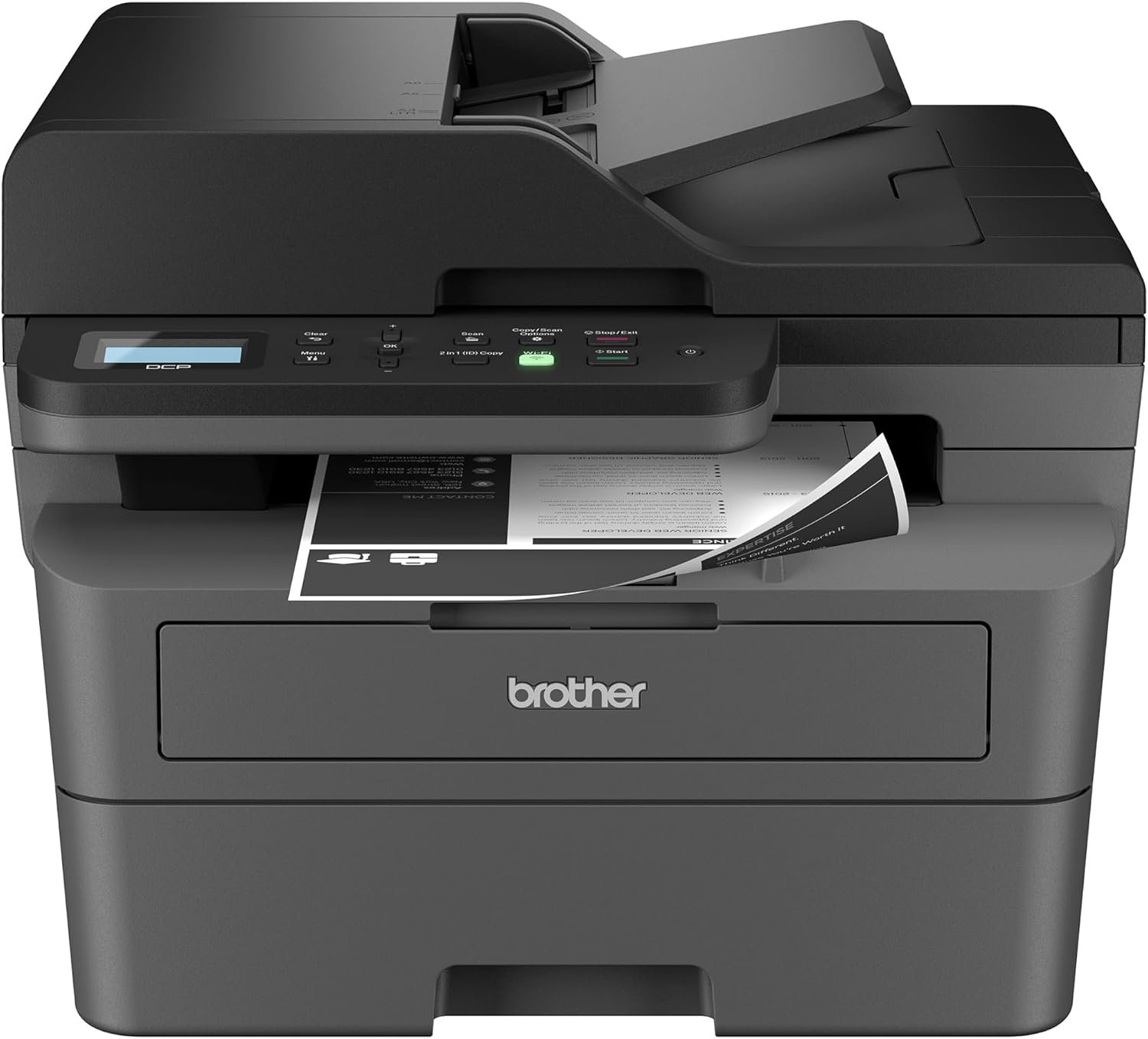
Brother DCP-L2640DW All-in-One Printer Review
Quick Verdict: The Brother DCP-L2640DW prints black-and-white pages at up to 36 ppm, handles automatic duplex printing, and copies or scans multipage stacks through a 50-page ADF. It’s a compact, sensible pick for students, families, and home offices. Just know what’s missing: there’s no fax, no duplex scanning, and the controls run through a basic 2-line display.
- Prints at up to 36 ppm.
- First page out in under 8.5 seconds.
- Automatic duplex printing cuts paper use.
- 50-page ADF for multipage copying and scanning.
- Scans in color at up to 7.9 ppm (23.6 ppm black).
- Dual-band Wi-Fi, Ethernet, and USB connectivity.
- Works with Apple AirPrint and Brother Mobile Connect.
- Compact and light at about 25 lbs.
- No fax.
- No automatic duplex scanning.
- Basic 2-line LCD instead of a touchscreen.
- Starter toner is rated for only about 700 pages.
- No option to add a second paper tray.
- Drum unit is replaced separately from the toner.
Speed is the surprise at this level. The DCP-L2640DW is rated at 36 ppm, the same as the MFC-L2900DW, so a 20-page report is done in well under a minute. Automatic duplex printing is on by default, which keeps long documents to half the sheets.
The 50-page document feeder is the other reason it beats a basic printer. A multipage lease or a stack of receipts goes in at once, instead of one page at a time on the glass. And although it prints only in black, the scanner captures color originals, so you can save colored documents as PDFs.
The DCP-L2640DW suits students, families, freelancers, and home offices that print text documents and never fax. Brother recommends up to 2,500 pages a month.
If you still send faxes, step up to the MFC-L2820DW, which adds fax and a touchscreen. If you scan double-sided paperwork often, the MFC-L2900DW captures both sides in a single pass.
| Printer Type | Wireless Monochrome Laser Multi-Function |
|---|---|
| Functions | Print, Scan, Copy |
| Print Speed | Up to 36 ppm Black |
| Duplex Print Speed | Up to 17 ppm (Letter) |
| First Page Out | Less than 8.5 Seconds |
| Print Resolution | Up to 1200 × 1200 dpi |
| Automatic Duplex Printing | Yes |
| Automatic Document Feeder | 50 Pages |
| Automatic Duplex Scanning | No |
| Scan Speed | Up to 23.6 ppm Black / 7.9 ppm Color |
| Copy Speed | Up to 36 cpm |
| Input Paper Capacity | 250-Sheet Tray plus Single-Sheet Manual Feed Slot |
| Output Paper Capacity | 100 Sheets |
| Fax | No |
| Connectivity | Dual-Band Wi-Fi, Ethernet, Hi-Speed USB 2.0 |
| Mobile Printing | Apple AirPrint, Brother Mobile Connect |
| Display | 2-Line LCD |
| Memory | 256 MB |
| Recommended Monthly Print Volume | Up to 2,500 Pages |
| Maximum Monthly Duty Cycle | Up to 35,000 Pages |
| Starter Toner | Approx. 700 Pages |
| Replacement Toner | TN830 (1,200 Pages), TN830XL (3,000 Pages), TN830V (3,300 Pages) |
| Drum Unit | DR830, Approx. 15,000 Pages |
| Dimensions (W × D × H) | 16.1 × 15.7 × 12.5 Inches |
| Weight | Approx. 25.0 lbs |
| Warranty | 1-Year Limited Warranty |
“DCP” in Brother’s model names means print, scan, and copy only. Models that start with “MFC” add fax.
Toner yields are Brother’s estimates under ISO/IEC 19752 testing; real page counts depend on how much of each page is covered. The TN830XL high-yield cartridge holds about 2.5 times the pages of the standard TN830, and the same drum and toner fit the MFC-L2820DW and MFC-L2900DW.
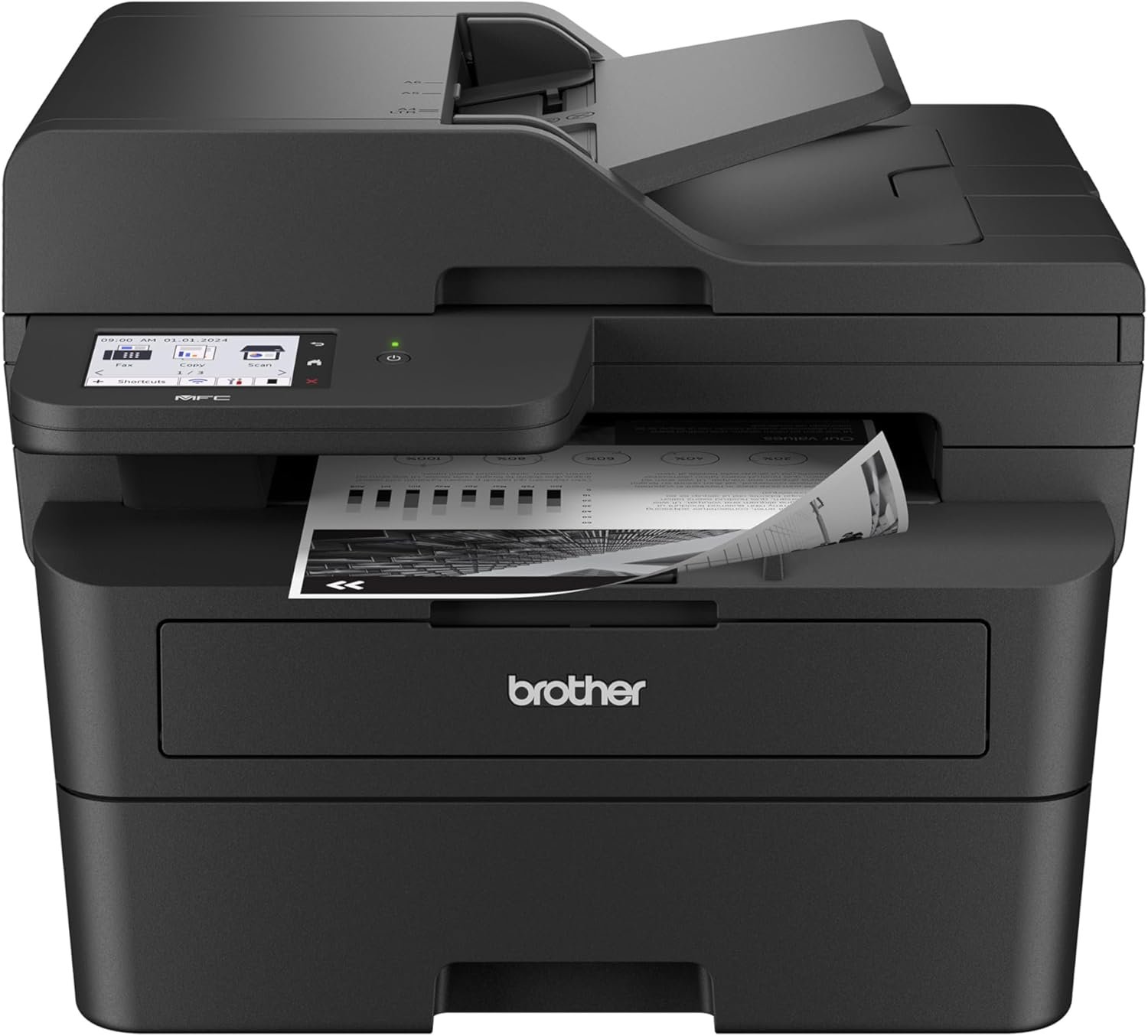
Brother MFC-L2900DW All-in-One Printer Review
Quick Verdict: The Brother MFC-L2900DW prints at up to 36 ppm, adds fax, and scans both sides of a document in one pass through its 50-page ADF. A 3.5-inch touchscreen makes it easy to run, and it stays compact enough for a home office desk. Consumer Reports named the XL version its Best Mono Laser All-in-One for 2026. The main limit is paper: one 250-sheet tray, with no option to add more.
- Prints and copies at up to 36 ppm.
- Single-pass duplex scanning, copying, and faxing.
- 50-page ADF for large multipage jobs.
- First page out in 6.9 seconds or less.
- 3.5-inch touchscreen with 18 customizable shortcuts.
- Built-in fax with 500-page memory and PC-Fax.
- Dual-band Wi-Fi, Ethernet, and USB connectivity.
- Supports Apple AirPrint, Mopria, Wi-Fi Direct, and Brother Mobile Connect.
- Single 250-sheet tray with no expansion option.
- Starter toner is rated for only about 700 pages.
- Color scanning is slow at 7.9 ppm.
- Black-and-white printing only.
- Drum unit is replaced separately from the toner.
Single-pass duplex scanning is the feature that sets the MFC-L2900DW apart from the cheaper models here. The scanner reads both sides of each sheet as it moves through the feeder, so a stack of double-sided contracts gets copied, scanned, or faxed in one go. Digital Trends found it handles double-sided copies with ease, making it a good match for legal documents and text-heavy reports.
Everything else is well balanced. 36 ppm output, a first page in under 7 seconds, and automatic duplex printing by default keep everyday jobs quick. The 3.5-inch touchscreen holds up to 18 shortcuts, so a scan-to-email or a weekly fax becomes a single tap.
The MFC-L2900DW fits home offices, accountants, real estate agents, and small teams that scan and fax paperwork regularly. Brother recommends up to 2,500 pages a month.
If you print a lot from the start, look for the MFC-L2900DW XL bundle, which ships with full-size toner cartridges rated for about 4,200 pages in total instead of the 700-page starter. For offices that need more paper capacity and faster output, the MFC-L5915DW is the step up.
| Printer Type | Wireless Monochrome Laser All-in-One |
|---|---|
| Functions | Print, Scan, Copy, Fax |
| Print Speed | Up to 36 ppm Black |
| First Page Out | 6.9 Seconds Maximum |
| Print Resolution | 1200 × 1200 dpi |
| Automatic Duplex Printing | Yes (Default) |
| Automatic Document Feeder | 50 Sheets |
| Automatic Duplex Scanning | Yes, Single-Pass |
| Scan Speed | Up to 23.6 ppm Black / 7.9 ppm Color |
| Copy | Up to 36 cpm, 600 × 600 dpi, Duplex Copying, 25%–400% Reduction/Enlargement |
| Fax | 33.6 Kbps Modem, 500-Page Memory, PC-Fax, Duplex Fax |
| Input Paper Capacity | 250-Sheet Tray plus 1-Sheet Manual Feed Slot |
| Output Paper Capacity | 100 Sheets |
| Connectivity | Dual-Band Wi-Fi, Ethernet, Hi-Speed USB 2.0 |
| Mobile Printing | Apple AirPrint, Mopria, Wi-Fi Direct, Brother Mobile Connect |
| Display | 3.5-Inch Touchscreen |
| Memory | 256 MB |
| Recommended Monthly Print Volume | Up to 2,500 Pages |
| Maximum Monthly Duty Cycle | Up to 35,000 Pages |
| Starter Toner | Approx. 700 Pages |
| Replacement Toner | TN830 (1,200 Pages), TN830XL (3,000 Pages), TN830V (3,300 Pages) |
| Drum Unit | DR830, Approx. 15,000 Pages |
| Noise Level | 49 dB Printing / 30 dB Ready |
| Dimensions (W × D × H) | 16.1 × 16.6 × 12.5 Inches |
| Weight | Approx. 25.9 lbs |
| Warranty | 1-Year Limited Warranty |
The MFC-L2900DW is ENERGY STAR certified and EPEAT Silver rated, and it supports Secure Print, so confidential documents don’t print until you release them at the machine.
Toner yields are Brother’s ISO/IEC 19752 estimates. Because the printer ships with a 700-page starter cartridge, plan to buy a TN830XL soon if you print regularly.
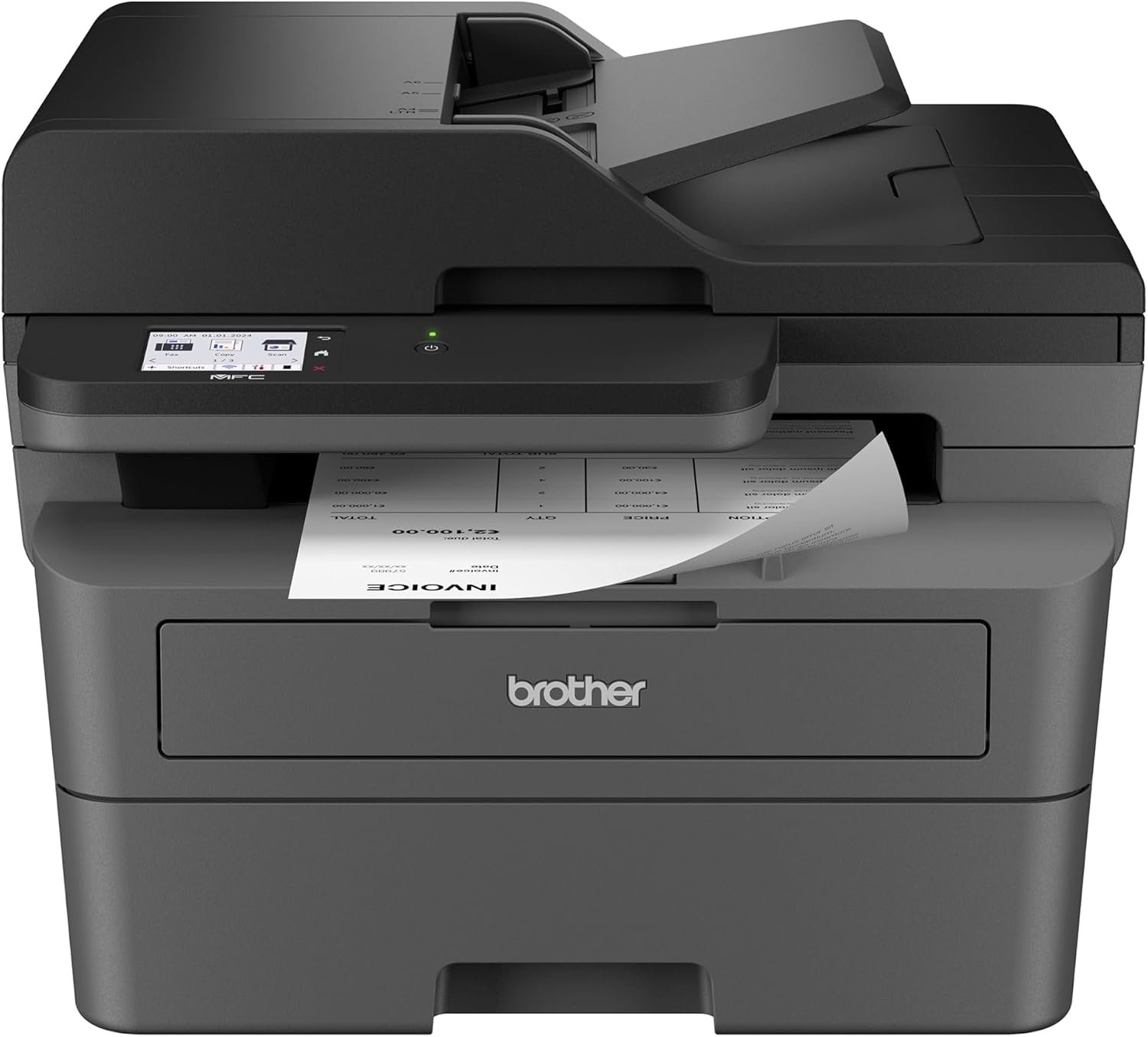
Brother MFC-L2820DW All-in-One Printer Review
Quick Verdict: The Brother MFC-L2820DW adds fax and a 2.7-inch color touchscreen to a compact black-and-white laser that prints at up to 34 ppm. Its 50-page ADF handles multipage copying, scanning, and faxing. It’s a good middle ground for home offices that still fax, though it scans only one side of a page at a time.
- Prints and copies at up to 34 ppm.
- Built-in fax with PC-Fax and 200 speed-dial locations.
- 2.7-inch color touchscreen.
- 50-page ADF for multipage jobs.
- Automatic duplex printing by default.
- First page out in under 8.5 seconds.
- Dual-band Wi-Fi, Ethernet, and USB connectivity.
- Uses the same TN830 toner and DR830 drum as the L2640DW and L2900DW.
- No automatic duplex scanning.
- Slightly slower than the DCP-L2640DW and MFC-L2900DW.
- Single 250-sheet tray with no expansion option.
- Only 128 MB of memory.
- Black-and-white printing only.
The MFC-L2820DW covers the one job the DCP-L2640DW can’t: fax. Medical forms, insurance claims, and some government paperwork still travel that way, and this printer handles them from the 50-page feeder, with PC-Fax for sending straight from your computer.
The 2.7-inch color touchscreen is a real upgrade over the DCP’s 2-line display, especially when you’re entering fax numbers or picking scan destinations. Print speed stays brisk at 34 ppm, and it shares the TN830 toner and DR830 drum with its siblings, so supplies are easy to find.
Choose the MFC-L2820DW if you need fax and a touchscreen but mostly scan single-sided pages. It works well for home offices, freelancers, and small practices. Brother recommends up to 2,500 pages a month.
If double-sided scanning is a regular part of your week, the MFC-L2900DW is worth the step up for its single-pass duplex feeder and larger screen.
| Printer Type | Wireless Monochrome Laser All-in-One |
|---|---|
| Functions | Print, Scan, Copy, Fax |
| Print Speed | Up to 34 ppm Black |
| First Page Out | Less than 8.5 Seconds |
| Print Resolution | Up to 1200 × 1200 dpi |
| Automatic Duplex Printing | Yes (Default) |
| Automatic Document Feeder | 50 Pages |
| Automatic Duplex Scanning | No |
| Scan Speed | Up to 23.6 ppm Black |
| Optical Scan Resolution | 1200 × 1200 dpi (Flatbed) / 600 × 600 dpi (ADF) |
| Copy Speed | Up to 34 cpm, 600 × 600 dpi |
| Fax | Yes, PC-Fax (Send/Receive), Internet Fax, 200 Auto Dial Locations |
| Input Paper Capacity | 250-Sheet Tray plus 1-Sheet Manual Feed Slot |
| Connectivity | Dual-Band Wi-Fi, Wi-Fi Direct, Ethernet, Hi-Speed USB 2.0 |
| Mobile Printing | Brother Mobile Connect |
| Display | 2.7-Inch Color Touchscreen |
| Memory | 128 MB |
| Recommended Monthly Print Volume | Up to 2,500 Pages |
| Maximum Monthly Duty Cycle | Up to 35,000 Pages |
| Replacement Toner | TN830 (1,200 Pages), TN830XL (3,000 Pages) |
| Drum Unit | DR830, Approx. 15,000 Pages |
| Warranty | 1-Year Limited Warranty |
The MFC-L2820DW is also sold as the MFC-L2820DW XL, which bundles extra toner in the box. Check which version a listing includes before you buy.
Toner yields are Brother’s ISO/IEC 19752 estimates, and real page counts depend on coverage. Internet Fax requires a free download from Brother’s support site.
For complete specifications, visit the official Brother MFC-L2820DW product page.
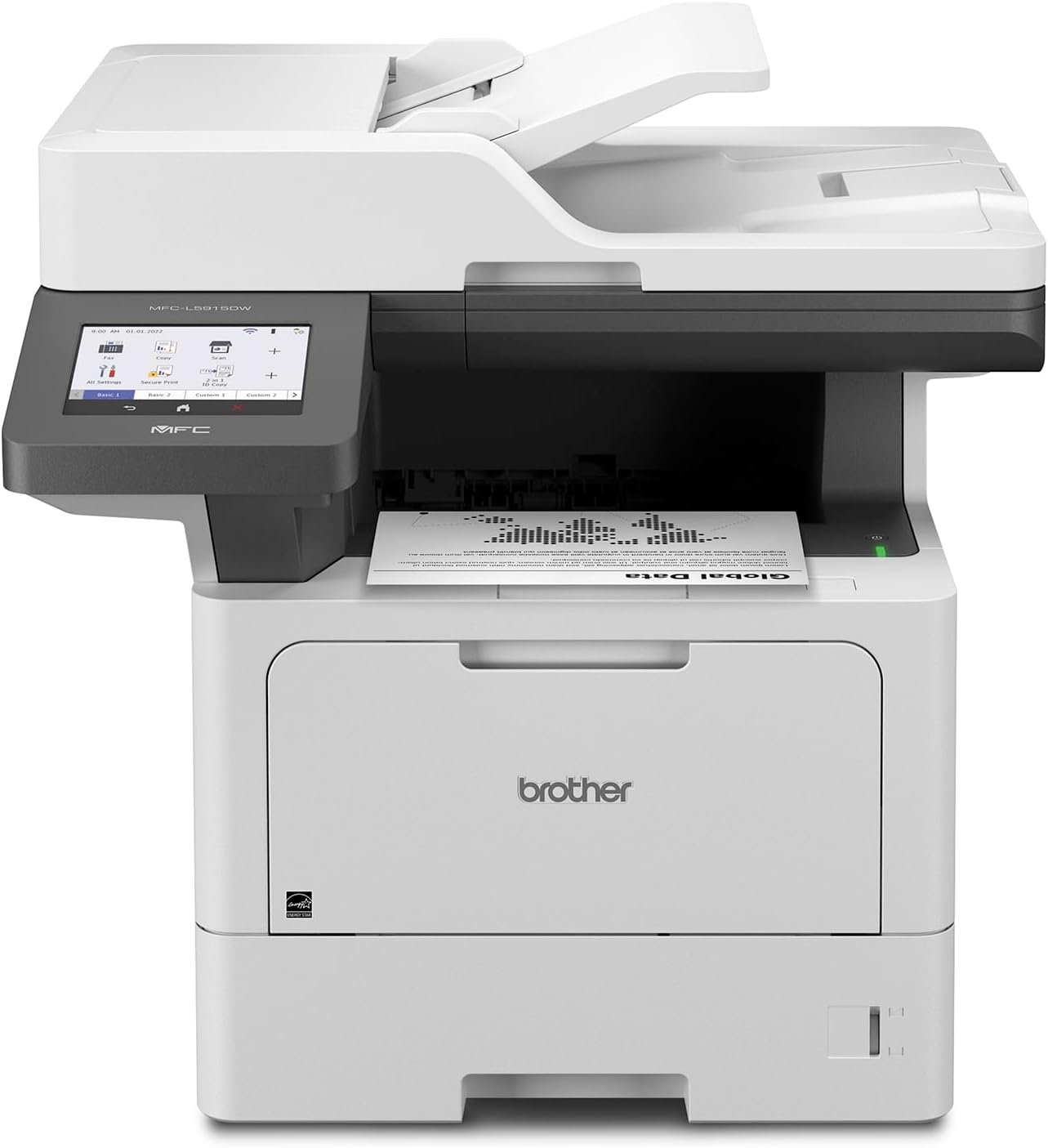
Brother MFC-L5915DW All-in-One Printer Review
Quick Verdict: The Brother MFC-L5915DW is a business workhorse: 50 ppm printing, a 70-sheet single-pass duplex ADF, a 5-inch touchscreen, and paper capacity that grows to 1,390 sheets. Its 18,000-page ultra high-yield toner keeps cartridge changes rare. It’s bigger and heavier than the other picks, and more than a typical home office needs.
- Prints and copies at up to 50 ppm.
- 70-sheet ADF with single-pass duplex scanning.
- Duplex scanning at up to 56 ipm black / 40 ipm color.
- 5-inch color touchscreen.
- 250-sheet tray plus a 100-sheet multipurpose tray.
- Optional trays expand capacity to 1,390 sheets.
- Gigabit Ethernet, dual-band Wi-Fi, USB, and a USB host port.
- TN920UXXL toner rated for about 18,000 pages.
- Rated for up to 8,000 pages a month.
- Large and heavy at 38.3 lbs.
- Overkill for light home printing.
- Extra paper trays are sold separately.
- In-box toner is rated for about 3,000 pages.
- Black-and-white printing only.
At 50 ppm, a 100-page report takes about two minutes. The scanner keeps up: the 70-sheet feeder reads both sides in a single pass at up to 56 images per minute, and it can send scans to email, network folders, SharePoint, SFTP, cloud services, or a USB drive.
Toner is where this model saves money over time. Brother offers four cartridge sizes, from the 3,000-page TN920 to the 18,000-page TN920UXXL, and the DR920 drum is rated for about 45,000 pages. Paper handling grows with the office, from 350 sheets standard to 1,390 with optional trays.
The MFC-L5915DW is built for workgroups, law and accounting offices, clinics, and small businesses where several people share one printer. Brother recommends up to 8,000 pages a month, more than three times the rating of the compact models here.
For one or two people, the MFC-L2900DW offers single-pass duplex scanning and fax in a much smaller package. For more printers built for shared workspaces, browse our best office printers.
| Printer Type | Business Monochrome Laser All-in-One |
|---|---|
| Functions | Print, Scan, Copy, Fax |
| Print Speed | Up to 50 ppm Black |
| First Page Out | Less than 7 Seconds |
| Print Resolution | Up to 1200 × 1200 dpi |
| Automatic Duplex Printing | Yes |
| Automatic Document Feeder | 70 Sheets |
| Automatic Duplex Scanning | Yes, Single-Pass |
| Duplex Scan Speed | Up to 56 ipm Black / 40 ipm Color |
| Optical Scan Resolution | 1200 × 1200 dpi |
| Scan Destinations | Email, Network Folder, FTP, SFTP, SharePoint, Cloud, USB, Mobile, OCR |
| Copy | Up to 50 cpm, 1200 × 600 dpi, up to 999 Copies |
| Fax | 33.6 Kbps Modem, 500-Page Memory, Fax Forwarding |
| Standard Paper Capacity | 350 Sheets (250-Sheet Tray plus 100-Sheet Multipurpose Tray) |
| Maximum Input Capacity | Up to 1,390 Sheets with Optional Trays |
| Output Paper Capacity | 150 Sheets |
| Connectivity | Gigabit Ethernet, Dual-Band Wi-Fi, Hi-Speed USB 2.0, USB Host |
| Mobile Printing | Apple AirPrint, Brother Mobile Connect |
| Display | 5-Inch Color Touchscreen |
| Memory / Processor | 512 MB / 1.2 GHz |
| Recommended Monthly Print Volume | Up to 8,000 Pages |
| Maximum Monthly Duty Cycle | Up to 125,000 Pages |
| Toner (In Box) | TN920, Approx. 3,000 Pages |
| Replacement Toner | TN920XL (6,000), TN920XXL (11,000), TN920UXXL (18,000 Pages) |
| Drum Unit | DR920, Approx. 45,000 Pages |
| Dimensions (W × D × H) | 19.5 × 18.6 × 19.1 Inches |
| Weight | Approx. 38.3 lbs |
| Warranty | 1-Year Limited Warranty |
The 100-sheet multipurpose tray handles envelopes, labels, and letterhead without emptying the main cassette, which is useful in offices that switch paper types through the day.
Toner yields are ISO/IEC 19752 estimates. The XL and XXL cartridges fit several other Brother business models, while the 18,000-page TN920UXXL is made for a narrower group, so confirm compatibility before ordering.
How to Choose the Best Brother All-in-One Monochrome Printer
Three things decide it: whether you fax, whether you scan double-sided pages, and how many pages you print each month. A student printing assignments and a front office scanning patient forms need very different machines. Once you know those answers, the choice narrows quickly.
DCP vs. MFC: Do You Need Fax?
Brother’s model names tell you a lot. DCP models print, scan, and copy. MFC models add fax. In this guide, the DCP-L2640DW is the only printer without fax.
Fax is less common at home than it once was, but it still matters for medical offices, insurance, legal work, and some government forms. If you send even a few faxes a month, an MFC model saves a trip to the print shop.
Match Monthly Volume to the Printer
The DCP-L2640DW, MFC-L2820DW, and MFC-L2900DW are each rated for up to 2,500 pages a month. The MFC-L5915DW is rated for up to 8,000.
Use those recommended figures, not the maximum duty cycle. The duty cycle (35,000 pages for the compact models and 125,000 for the L5915DW) is a ceiling the printer can survive, not a workload it’s meant to carry every month.
What to Look for in a Brother Monochrome All-in-One
Before comparing models, list the features you’ll use every week. A bigger feeder or a larger screen helps in a shared office, but adds little to a printer that runs a few times a week.
- Print Speed: 34 to 50 ppm across these models; all are fast for home use.
- Fax: Choose an MFC model if you need it.
- Duplex Scanning: Decide whether both sides of a page should be captured automatically.
- ADF Capacity: 50 sheets suits most home offices; 70 sheets suits daily batch scanning.
- Display: A touchscreen makes fax numbers, shortcuts, and scan destinations easier.
- Paper Capacity: Only the L5915DW lets you add trays.
- Connectivity: Confirm Wi-Fi, Ethernet, USB, and mobile printing support.
- Toner and Drum: Compare cartridge yields and drum life.
- Size: The compact models weigh about 25 lbs; the L5915DW weighs 38.3 lbs.
Duplex Printing vs. Single-Pass Duplex Scanning
All four printers offer automatic duplex printing, so they print on both sides of the page without your help. Scanning is where they split.
The DCP-L2640DW and MFC-L2820DW scan multipage stacks through their feeders, but one side at a time. The MFC-L2900DW and MFC-L5915DW use single-pass duplex scanning, reading both sides of each sheet as it passes through.
If double-sided contracts, bank statements, or forms land on your desk every week, this feature will save more time than a few extra pages per minute of printing.
Toner and Drum Costs
A monochrome laser uses one black toner cartridge, which keeps running costs simpler than a color printer. Brother also uses a separate drum unit, so you replace toner often and the drum only occasionally.
The DCP-L2640DW, MFC-L2820DW, and MFC-L2900DW share TN830 toner, rated for about 1,200 pages standard and 3,000 pages for the TN830XL, plus the DR830 drum at about 15,000 pages. The MFC-L5915DW uses TN920 toner, from 3,000 pages up to 18,000 for the TN920UXXL, and a DR920 drum rated for about 45,000 pages.
To estimate cost per page, divide the cartridge price by its rated yield. A $100 cartridge rated for 4,000 pages works out to 2.5 cents a page. Add a share of the drum cost for a fuller picture. A worn drum is also a common cause of faded or streaky pages; our guide on how to fix printer streaks walks through the usual fixes.
Speed and Paper Capacity
The compact models print at 34 to 36 ppm, which is plenty for home offices. The MFC-L5915DW’s 50 ppm pays off when several people send jobs at once or long reports are routine.
The DCP-L2640DW, MFC-L2820DW, and MFC-L2900DW each hold 250 sheets plus a single-sheet manual slot, with no way to add trays. The MFC-L5915DW holds 350 sheets as standard and grows to 1,390 with optional trays.
Wireless, Ethernet, and Mobile Printing
All four printers support dual-band Wi-Fi, Ethernet, and USB, so you can share them over a network or connect one directly to a computer. Wired Ethernet is the steadier choice when a printer serves several people all day.
For phones and tablets, all four work with the Brother Mobile Connect app. The DCP-L2640DW, MFC-L2900DW, and MFC-L5915DW also support Apple AirPrint, and the MFC-L2900DW adds Mopria for Android. The L5915DW has a Gigabit Ethernet port and a USB host port for printing from and scanning to a flash drive.
Using Third-Party Toner in Brother Printers
Brother printers have generally worked with compatible and remanufactured toner, which is part of their appeal. In early 2025, some users and repair advocates reported problems with third-party cartridges after firmware updates.
Brother publicly denied that its firmware blocks third-party ink or toner, and said its printers don’t intentionally degrade print quality based on the cartridge used. It also said it can only guarantee quality with Brother Genuine supplies. If you buy third-party toner, choose a seller with a clear compatibility guarantee and return policy.
Size, Weight, and Warranty
The DCP-L2640DW, MFC-L2820DW, and MFC-L2900DW are compact desktop printers, at about 25 lbs for the models Brother lists. The MFC-L5915DW is taller and heavier at 38.3 lbs, and it grows further with optional trays.
Leave room in front for the paper tray and above for the scanner lid. All four models come with a 1-year limited warranty.
Brother All-in-One Monochrome Printers Comparison
Fax, duplex scanning, and paper capacity are what separate these four printers. If you’re weighing other brands too, compare them with our picks for the best HP monochrome laser all-in-one printers.
| Features | Brother DCP-L2640DW | Brother MFC-L2900DW | Brother MFC-L2820DW | Brother MFC-L5915DW |
|---|---|---|---|---|
| Best For | Budget Home Use | Home Office | Compact with Fax | Busy Offices |
| Print Speed | 36 ppm | 36 ppm | 34 ppm | 50 ppm |
| Fax | No | Yes | Yes | Yes |
| Automatic Duplex Printing | Yes | Yes | Yes | Yes |
| Automatic Duplex Scanning | No | Yes (Single-Pass) | No | Yes (Single-Pass) |
| Automatic Document Feeder | 50 Pages | 50 Sheets | 50 Pages | 70 Sheets |
| Maximum Paper Input | 250 Sheets | 250 Sheets | 250 Sheets | 1,390 Sheets |
| Display | 2-Line LCD | 3.5-Inch Touchscreen | 2.7-Inch Touchscreen | 5-Inch Touchscreen |
| Recommended Monthly Volume | Up to 2,500 Pages | Up to 2,500 Pages | Up to 2,500 Pages | Up to 8,000 Pages |
| Highest-Yield Toner | TN830V | TN830V | TN830XL | TN920UXXL |
| Read Review | See Details | See Details | See Details | See Details |
Print speeds are Brother’s rated maximums for one-sided printing on US Letter paper. Toner yields are approximate and follow ISO/IEC 19752 testing.
Final Verdict: Which Brother All-in-One Monochrome Printer Should You Buy?
For most home offices, the Brother MFC-L2900DW is the one to get. It prints at 36 ppm, scans both sides of a page in a single pass, includes fax, and stays compact enough for a small desk.
If you never fax and want the simplest setup, the Brother DCP-L2640DW delivers the same 36 ppm print speed with a 50-page feeder. The Brother MFC-L2820DW adds fax and a touchscreen for buyers who mostly scan single-sided pages.
The Brother MFC-L5915DW is the pick for shared offices, where 50 ppm output, a 70-sheet duplex feeder, and up to 1,390 sheets of paper keep a team moving. Whichever you choose, match it to how much you print and scan each month. And if you do need color now and then, see our picks for the best Brother all-in-one color laser printers.
Frequently Asked Questions About Brother All-in-One Monochrome Printers
Here are answers to the questions buyers ask most about Brother black-and-white all-in-ones, from model differences and fax to toner life and duplex scanning.