
Choosing an Epson EcoTank printer starts with understanding what you print most often. Do you need a printer for school assignments, everyday documents, and occasional photos, or do you regularly print reports, invoices, and other home office paperwork? While EcoTank printers use refillable ink tanks instead of traditional cartridges, their printing speeds, scanning features, paper capacities, and photo capabilities vary considerably.
This guide compares five Epson EcoTank printers to help you find the right model for your home or home office. We examine print quality, scanning and copying capabilities, wireless connectivity, ink replacement costs, and the limitations of each printer. From affordable everyday models to printers designed for busy paperwork and photo projects, the comparisons focus on the features that matter for different printing needs.
Best Epson EcoTank Printers in 2027
The five printers below cover different budgets and printing requirements. The ET-2900 handles basic household tasks, while the ET-2980 adds automatic two-sided printing. The ET-3950 and ET-4950 offer more capable document handling, and the Photo ET-8500 focuses on photographs and creative printing. Compare the picks below before reading the individual reviews.
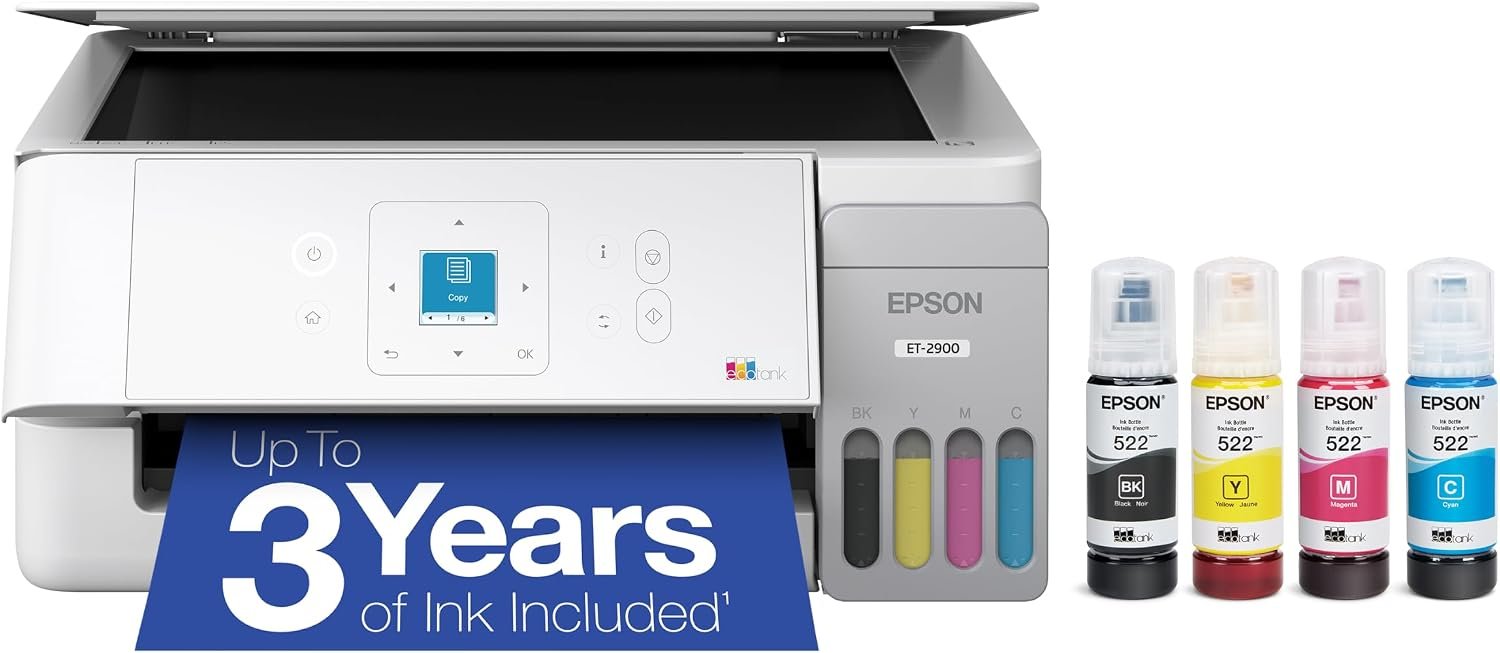
Epson EcoTank ET-2900 Wireless All-in-One Color Supertank Printer
Quick Verdict: The Epson EcoTank ET-2900 combines color printing, copying, and flatbed scanning with refillable ink tanks and a 100-sheet paper tray. It’s a sensible budget option for families printing school assignments, forms, and occasional photos. However, its 11 ppm black and 6 ppm color speeds, manual duplex printing, and lack of an automatic document feeder limit its suitability for busy offices.
- Refillable ink tanks eliminate the need for traditional ink cartridges.
- Includes enough ink for up to 3,600 black or 6,500 color pages, based on Epson’s estimates.
- Supports printing, scanning, and copying in one machine.
- Wireless printing through Wi-Fi, Apple AirPrint, and the Epson Smart Panel app.
- Flatbed scanner accommodates photographs, documents, and book pages.
- Supports borderless photo printing on compatible paper.
- Compact body with a 1.44-inch color display.
- No automatic two-sided printing; pages must be turned manually.
- No automatic document feeder for scanning multiple pages.
- Relatively slow color printing at 6 ISO ppm.
- 100-sheet paper tray needs frequent refilling for larger jobs.
- No Ethernet port or fax functionality.
- Inkjet printhead maintenance is still necessary, especially during extended periods without use.
The ET-2900 offers the essential features most households need without adding complicated office functions. Its refillable tanks use Epson 522 ink bottles, with replacement yields rated at approximately 4,700 black pages and 7,500 color pages. This makes replacement ink worth comparing against cartridge-based printers if your household prints regularly.
The flatbed scanner is useful for copying identification documents, scanning photographs, or digitizing school paperwork. Wireless printing through Apple AirPrint and Epson Smart Panel also makes it convenient to send documents from a phone or tablet. The 1.44-inch color screen provides basic navigation, while the 100-sheet tray is adequate for smaller printing jobs.
The Epson EcoTank ET-2900 is suitable for families, students, and home users who regularly print homework, worksheets, recipes, forms, and occasional color photographs. It makes sense when you want a refillable-ink printer but don’t need advanced document-handling features.
Consider another model if you frequently print double-sided reports or scan stacks of paperwork. The ET-2980 adds automatic duplex printing and faster rated speeds, while the ET-3950 offers an automatic document feeder. If printing is extremely infrequent, remember that an inkjet printer still requires periodic use and printhead maintenance, so the savings from refillable ink may not justify its purchase price.
| Printer Type | Color Inkjet All-in-One Supertank |
|---|---|
| Functions | Print, Scan, Copy |
| Printing Technology | Epson MicroPiezo Heat-Free Inkjet |
| Print Speed | Up to 11 ISO ppm Black / 6 ISO ppm Color |
| Maximum Print Resolution | 5760 × 1440 Optimized dpi |
| Automatic Duplex Printing | No; Manual Two-Sided Printing |
| Scanner Type | Color Flatbed (CIS) |
| Optical Scan Resolution | 1200 × 2400 dpi |
| Automatic Document Feeder | No |
| Input Paper Capacity | 100 Sheets Plain Paper |
| Output Paper Capacity | 30 Sheets |
| Supported Paper Sizes | Letter, Legal, A4, A6, and Selected Photo Paper Sizes |
| Borderless Photo Printing | Yes, on Supported Paper Sizes |
| Connectivity | Wi-Fi, Wi-Fi Direct, Hi-Speed USB |
| Mobile Printing | Epson Smart Panel, Apple AirPrint, Mopria |
| Display | 1.44-Inch Color LCD |
| Ink System | 4 Refillable Tanks: Black, Cyan, Magenta, Yellow |
| Replacement Ink | Epson 522 Ink Bottles |
| Replacement Ink Yield | Approx. 4,700 Black / 7,500 Color Pages |
| Included Ink Yield | Up to 3,600 Black / 6,500 Color Pages |
| Fax | No |
| Dimensions (W × D × H) | Approx. 14.2 × 22.2 × 8.1 Inches (In Use) |
| Weight | Approx. 9.3 lbs |
| Warranty | 1-Year Limited Warranty (US) |
Ink yields are based on Epson’s standardized estimates, not guaranteed page counts. Some ink is used during initial printer setup, and actual yields vary with document coverage, print settings, and maintenance. Check the correct ink bottle codes for your region before purchasing.
For further product information, visit the official Epson EcoTank ET-2900 product page.
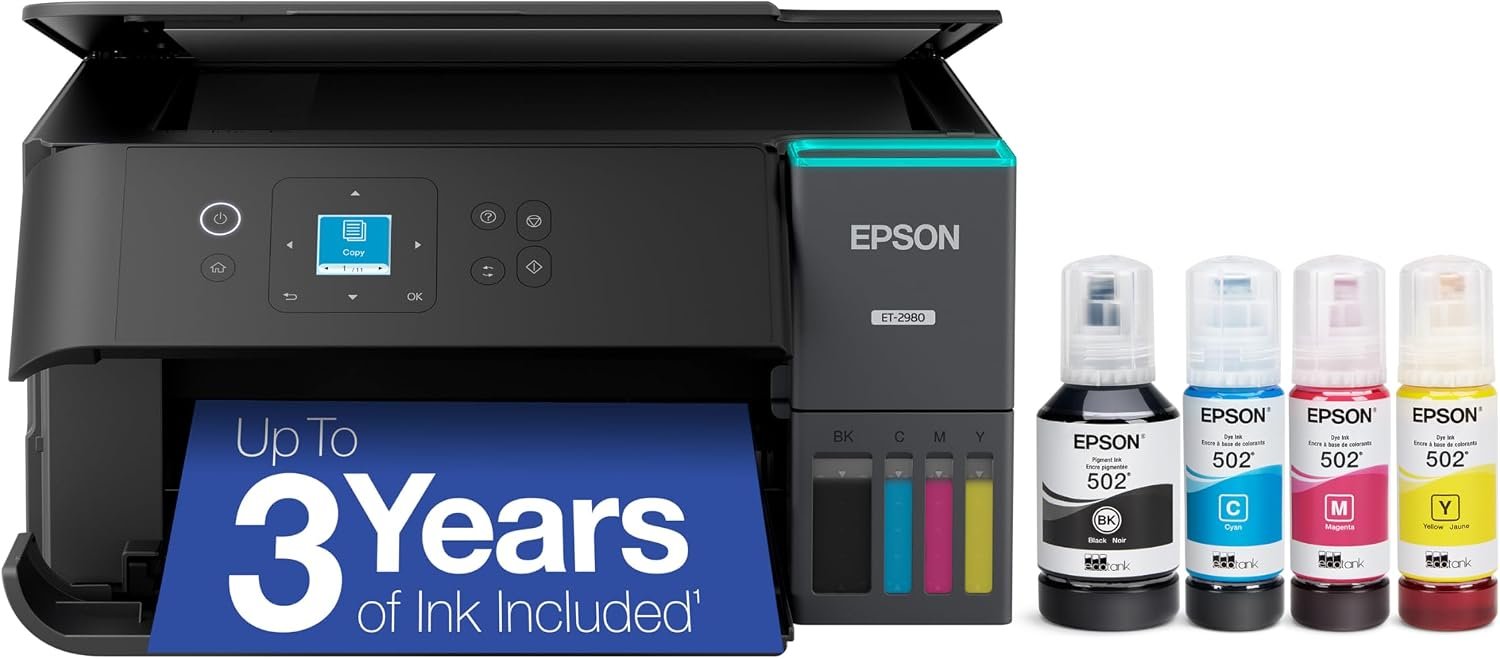
Epson EcoTank ET-2980 Wireless Color All-in-One Supertank Printer
Quick Verdict: The Epson EcoTank ET-2980 prints at up to 15 ppm black and 8 ppm color, with automatic duplex printing and refillable ink tanks. It suits families regularly printing worksheets, forms, and color documents. However, its 100-sheet paper tray and lack of an automatic document feeder make it less convenient for large paperwork batches.
- Automatic two-sided printing saves paper on homework, reports, and longer documents.
- Faster than the ET-2900, with rated speeds of 15 ppm black and 8 ppm color.
- PrecisionCore Heat-Free printhead supports everyday text and color printing.
- Included ink is rated for up to 6,600 black or 5,500 color pages.
- Epson 502 replacement ink bottles offer high page yields.
- Supports Wi-Fi, Wi-Fi Direct, Apple AirPrint, and mobile printing.
- Flatbed scanner handles documents, photographs, and individual pages from books.
- User-replaceable maintenance box.
- No automatic document feeder for scanning or copying multipage documents.
- 100-sheet rear paper tray is limited for frequent large print jobs.
- No Ethernet connection or built-in fax.
- Automatic duplex printing is slower than single-sided printing.
- Small 1.44-inch display offers limited space for navigating settings.
- Requires periodic use and inkjet printhead maintenance.
Automatic duplex printing is the ET-2980’s most useful upgrade over the ET-2900. It removes the need to turn pages manually when printing double-sided worksheets, reports, and study materials. The higher rated print speeds, 15 ppm black and 8 ppm color, are also useful when several family members share the printer.
The ET-2980 uses Epson’s PrecisionCore printhead and 502 ink bottles. A replacement black bottle is rated for approximately 8,500 pages, while the color ink set is rated for around 6,500 pages. These yields can reduce the frequency of ink purchases for households that print regularly. Wi-Fi Direct and support for Apple AirPrint and Epson Smart Panel also make printing from phones and tablets convenient.
Choose the Epson EcoTank ET-2980 if your household frequently prints school assignments, worksheets, recipes, forms, or color documents and you want automatic two-sided printing. It is also suitable for students and remote workers who need regular printing and occasional copying or scanning without the additional expense of a more advanced office printer.
If your budget is tight and manual duplex printing is acceptable, the ET-2900 may be sufficient. However, if you regularly scan several pages at once or need a larger paper tray, consider the ET-3950 with its automatic document feeder and 250-sheet paper capacity. Epson recommends up to 800 pages per month for the ET-2980, so heavier workloads may justify moving to a higher-capacity model.
| Printer Type | Wireless Color Inkjet All-in-One Supertank |
|---|---|
| Functions | Print, Scan, Copy |
| Printing Technology | 4-Color PrecisionCore 1S / MicroPiezo Inkjet |
| Print Speed | 15 ISO ppm Black / 8 ISO ppm Color |
| Automatic Duplex Print Speed | 6.5 ISO ppm Black / 4.5 ISO ppm Color |
| Maximum Print Resolution | 4800 × 1200 dpi |
| Automatic Duplex Printing | Yes |
| Scanner Type | Color Flatbed (CIS) |
| Scanner Hardware Resolution | 1200 × 2400 dpi |
| Maximum Scan Area | 8.5 × 11.7 Inches |
| Automatic Document Feeder | No |
| Automatic Duplex Scanning | No |
| Copy Speed | Up to 11 ISO cpm Black / 5.5 ISO cpm Color |
| Input Paper Capacity | 100 Sheets Plain Paper / 20 Sheets Photo Paper |
| Output Paper Capacity | 30 Sheets Plain Paper |
| Supported Paper Sizes | Letter, Legal, A4, A6, Executive, and Selected Photo Sizes |
| Maximum Paper Size | 8.5 × 14 Inches (Legal) |
| Connectivity | Wi-Fi 5 (802.11ac), Wi-Fi Direct, Hi-Speed USB |
| Mobile Printing | Epson Smart Panel, Apple AirPrint, Mopria |
| Display | 1.44-Inch Color LCD |
| Ink System | 4 Refillable Tanks: Black, Cyan, Magenta, Yellow |
| Replacement Ink | Epson 502 Ink Bottles |
| Replacement Ink Yield | Approx. 8,500 Black / 6,500 Color Pages |
| Included Ink Yield | Up to 6,600 Black / 5,500 Color Pages |
| Maintenance Box | User-Replaceable T04D100 |
| Recommended Monthly Print Volume | Up to 800 Pages |
| Maximum Monthly Duty Cycle | Up to 5,000 Pages |
| Fax | No |
| Dimensions (W × D × H) | 14.8 × 13.7 × 7.4 Inches (Stored) |
| Dimensions During Printing | 14.8 × 22.8 × 10.4 Inches |
| Weight | 11.5 lbs (5.2 kg) |
| Warranty | 1-Year Limited Warranty (US/Canada) |
Ink yields are based on Epson’s standardized estimates. Actual results depend on document coverage, print settings, maintenance, and printing frequency. Some of the included ink is consumed during initial setup, so included and replacement bottle yields differ. Buyers outside the US should verify local ink bottle compatibility and warranty terms.
For complete technical information, visit the official Epson EcoTank ET-2980 product page.
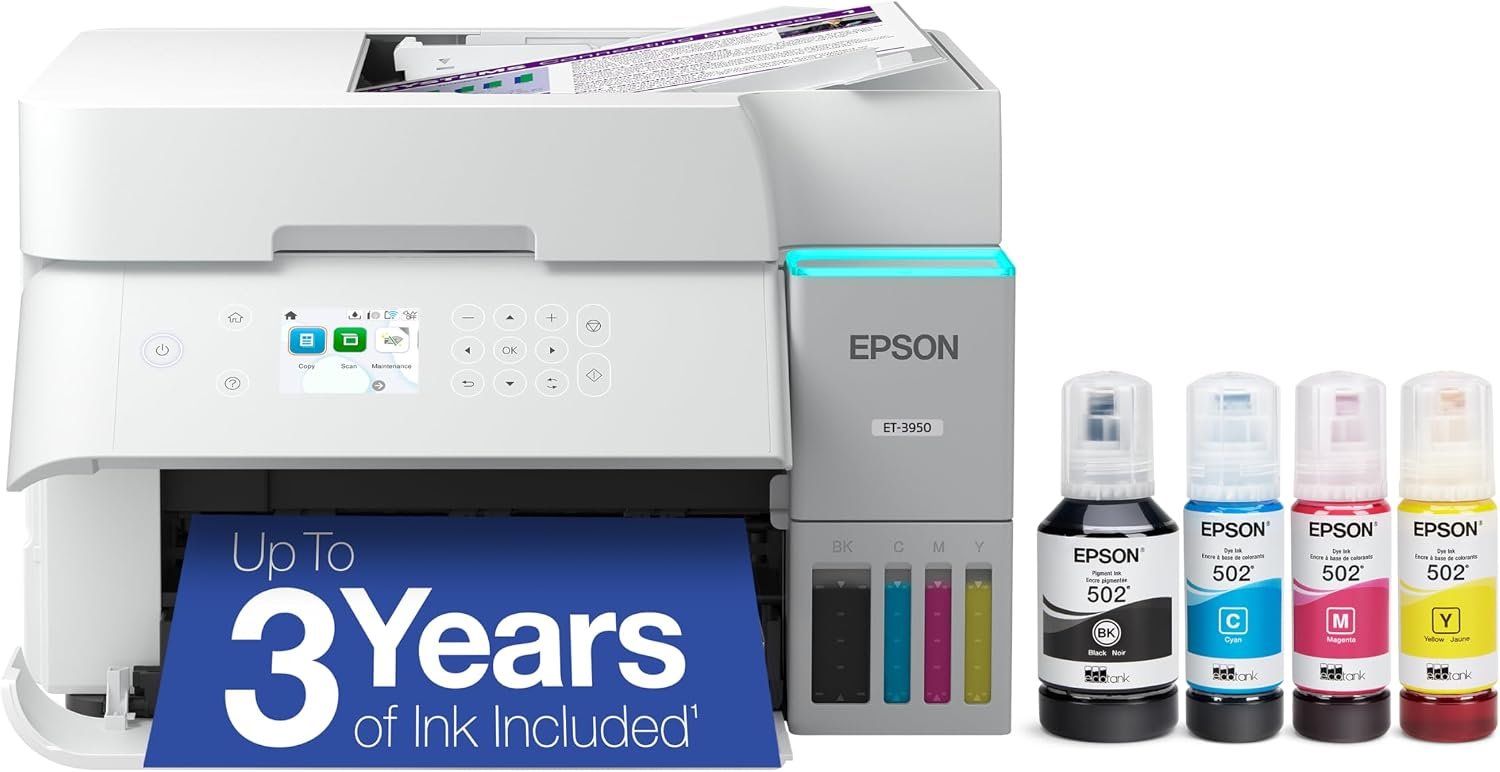
Epson EcoTank ET-3950 Wireless Color All-in-One Supertank Printer
Quick Verdict: The Epson EcoTank ET-3950 combines 18 ppm black and 9 ppm color printing with a 250-sheet tray, 30-sheet document feeder, and automatic two-sided printing and scanning. It’s well suited to home offices handling invoices, reports, and multipage documents. However, the feeder is limited to 30 sheets, and the printer lacks fax functionality and a touchscreen.
- 30-sheet automatic document feeder handles multipage scanning and copying.
- Automatic duplex printing, scanning, and copying for supported paper sizes.
- Faster 18 ppm black and 9 ppm color ISO print speeds.
- 250-sheet paper tray reduces frequent paper refilling.
- Refillable ink tanks with high-yield Epson 502 replacement ink bottles.
- Ethernet, dual-band Wi-Fi, and Wi-Fi Direct for shared printing.
- 2.4-inch color LCD provides a larger display than the ET-2980.
- Supports borderless photo printing up to Letter size.
- 30-sheet ADF capacity may be restrictive for large scanning jobs.
- Legal-size documents support single-sided ADF scanning only.
- No built-in fax functionality.
- 2.4-inch color LCD is not a touchscreen.
- Single 250-sheet paper tray offers limited flexibility for keeping different paper types loaded.
- Higher purchase cost may not be justified for occasional household printing.
- Inkjet printhead maintenance is still necessary, particularly after extended periods without printing.
The ET-3950 addresses two limitations of the ET-2980: scanning multiple pages and managing larger print jobs. Its 30-sheet automatic document feeder supports two-sided scanning for Letter and A4 originals, which is useful when digitizing contracts, receipts, and business records. The 250-sheet paper tray also holds more than twice as much paper as the ET-2980’s 100-sheet tray.
Another advantage is its combination of Ethernet and dual-band Wi-Fi, allowing the printer to be shared across multiple computers and mobile devices. Epson’s 502 replacement ink bottles are rated for approximately 8,500 black pages and 6,500 color pages. For a home office that prints regularly, the larger paper capacity and document-handling features make the ET-3950 a more practical upgrade than print speed alone.
The Epson EcoTank ET-3950 is a suitable choice for remote workers, freelancers, and small home businesses that regularly print invoices, reports, educational materials, and color documents. Its document feeder and automatic duplex scanning are especially useful when paperwork needs to be copied or saved digitally. Epson recommends printing up to 1,600 pages per month, making it better suited to regular workloads than basic household models.
If you mainly print assignments and occasional documents without scanning multiple pages, the ET-2980 may offer better value. If you need fax functionality or prefer touchscreen controls, consider the ET-4950. Buyers who frequently scan very large batches should also look at models with higher-capacity document feeders.
| Printer Type | Wireless Color Inkjet All-in-One Supertank |
|---|---|
| Functions | Print, Scan, Copy |
| Printing Technology | 4-Color PrecisionCore 1S / MicroPiezo Inkjet |
| Print Speed | 18 ISO ppm Black / 9 ISO ppm Color |
| Automatic Duplex Print Speed | 7 ISO ppm Black / 5 ISO ppm Color |
| Maximum Print Resolution | 4800 × 1200 dpi |
| Automatic Duplex Printing | Yes |
| Scanner Type | Color Flatbed and ADF (CIS) |
| Scanner Hardware Resolution | 1200 × 2400 dpi |
| Flatbed Scan Area | 8.5 × 11.7 Inches |
| Automatic Document Feeder | 30 Sheets (Letter/A4); Up to 10 Legal-Size Sheets |
| Automatic Duplex Scanning | Yes, Letter and A4 Originals; Legal-Size Originals Are Single-Sided Only |
| Automatic Duplex Copying | Yes, on Supported Media |
| Copy Speed | Up to 11.5 ISO cpm Black / 5.7 ISO cpm Color |
| Input Paper Capacity | 250 Sheets Plain Paper / 20 Sheets Photo Paper |
| Output Paper Capacity | 30 Sheets Plain Paper |
| Supported Paper Sizes | Letter, Legal, A4, A6, Executive, Envelopes, and Selected Photo Sizes |
| Maximum Paper Size | 8.5 × 14 Inches (Legal) |
| Borderless Printing | Yes, Up to 8.5 × 11 Inches (Letter) |
| Connectivity | Dual-Band Wi-Fi 5, Wi-Fi Direct, Ethernet (10/100 Mbps), Hi-Speed USB |
| Mobile Printing | Epson Smart Panel, Apple AirPrint, Mopria |
| Display | 2.4-Inch Color LCD (Non-Touch) |
| Ink System | 4 Refillable Tanks: Black, Cyan, Magenta, Yellow |
| Replacement Ink | Epson 502 Ink Bottles |
| Replacement Ink Yield | Approx. 8,500 Black / 6,500 Color Pages |
| Included Ink Yield | Up to 6,600 Black / 5,500 Color Pages |
| Maintenance Box | User-Replaceable T04D100 |
| Recommended Monthly Print Volume | Up to 1,600 Pages |
| Maximum Monthly Duty Cycle | Up to 10,000 Pages |
| Fax | No |
| Dimensions (W × D × H) | 14.8 × 13.7 × 9.4 Inches (Stored) |
| Dimensions During Printing | 14.8 × 19.9 × 10.6 Inches |
| Weight | 15.9 lbs (7.2 kg) |
| Warranty | 1-Year Limited Warranty (US/Canada) |
The included and replacement ink yields are Epson estimates based on standardized testing. Actual page counts vary with document coverage, print settings, maintenance, and usage. Some included ink is used during initial setup, and ink bottle codes may differ between regional versions.
The 30-sheet ADF supports automatic two-sided scanning of Letter and A4 originals, while Legal-size documents are limited to single-sided scanning. Check paper size compatibility before relying on automatic duplex features.
For complete technical information, visit the official Epson EcoTank ET-3950 product page.
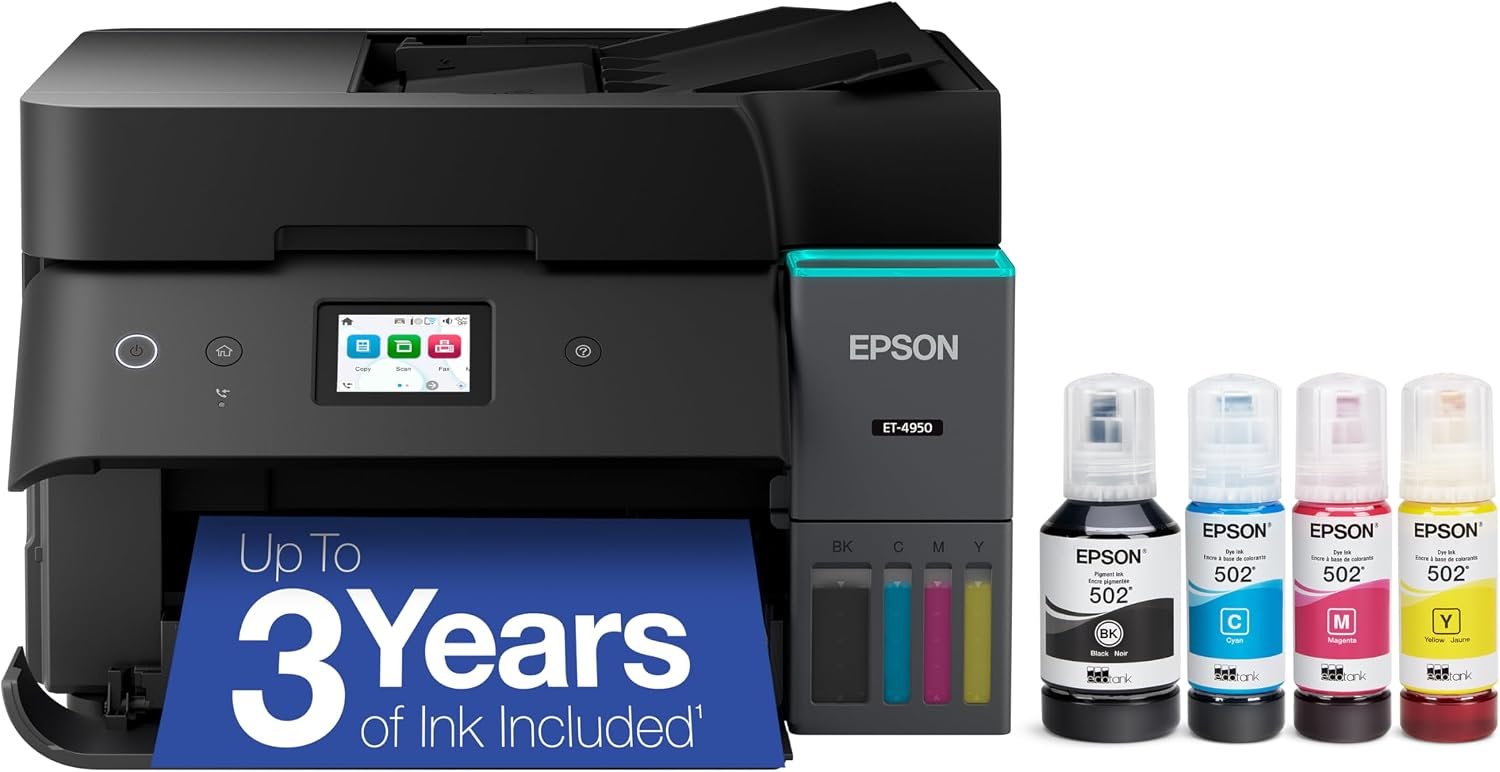
Epson EcoTank ET-4950 Wireless Color All-in-One Supertank Printer
Quick Verdict: The Epson EcoTank ET-4950 combines 18 ppm black and 9 ppm color printing with a 250-sheet tray, automatic duplex scanning, fax, and a 2.4-inch color touchscreen. It’s suitable for home offices regularly handling invoices, contracts, and business correspondence. However, it offers no printing speed advantage over the ET-3950, making the additional cost difficult to justify unless you need fax or touchscreen controls.
- Print, scan, copy, and fax functionality in one printer.
- 2.4-inch color touchscreen for navigating settings and office tasks.
- 30-sheet automatic document feeder supports duplex scanning on Letter and A4 documents.
- Automatic two-sided printing and copying help reduce paper usage.
- 18 ppm black and 9 ppm color ISO print speeds.
- 250-sheet input tray accommodates regular home-office printing.
- Refillable tanks with high-yield Epson 502 replacement ink bottles.
- Dual-band Wi-Fi, Ethernet, and Wi-Fi Direct for shared printing.
- Higher purchase price than the ET-3950 without faster printing.
- Fax functionality requires a compatible telephone connection.
- 30-sheet ADF may be limiting for large scanning batches.
- Legal-size originals cannot be scanned automatically on both sides.
- Only one main paper tray for regular document printing.
- No substantial improvement in paper capacity or ink yield over the ET-3950.
- Inkjet printhead maintenance is still necessary during extended periods of infrequent use.
The ET-4950 adds fax functionality and a touchscreen to the document-handling features already available on the ET-3950. Its 30-sheet automatic document feeder supports two-sided scanning of Letter and A4 originals, making it useful for digitizing contracts, business correspondence, and multipage records. The 2.4-inch touchscreen also provides direct access to copying, scanning, and fax settings.
The 250-sheet tray and automatic duplex printing are suitable for regular office paperwork, while Ethernet and Wi-Fi allow multiple devices to share the printer. Epson 502 replacement ink bottles are rated for approximately 8,500 black pages and 6,500 color pages. These features make the ET-4950 a practical option for buyers who need fax alongside everyday printing and scanning.
Choose the Epson EcoTank ET-4950 if you operate a home office or small business that regularly prints invoices, scans double-sided documents, and needs traditional fax capabilities. It may also suit remote workers handling administrative paperwork who prefer using a touchscreen rather than physical navigation buttons.
Epson recommends a monthly printing volume of up to 1,600 pages.If you rarely use fax, the ET-3950 is likely the more economical choice, provided its current price is lower. It offers the same rated printing speeds, paper capacity, and duplex scanning features. The ET-4950 makes the most sense when its touchscreen and fax functions are part of your regular workflow rather than occasional requirements.
| Printer Type | Wireless Color Inkjet All-in-One Supertank |
|---|---|
| Functions | Print, Scan, Copy, Fax |
| Printing Technology | 4-Color PrecisionCore 1S / MicroPiezo Inkjet |
| Print Speed | 18 ISO ppm Black / 9 ISO ppm Color |
| Automatic Duplex Print Speed | 7 ISO ppm Black / 5 ISO ppm Color |
| Maximum Print Resolution | 4800 × 1200 dpi |
| Automatic Duplex Printing | Yes |
| Scanner Type | Color Flatbed and ADF (CIS) |
| Scanner Hardware Resolution | 1200 × 2400 dpi |
| Flatbed Scan Area | 8.5 × 11.7 Inches |
| Automatic Document Feeder | 30 Sheets (Letter/A4); Up to 10 Legal-Size Sheets |
| Automatic Duplex Scanning | Yes, Letter and A4; Legal-Size Originals Are Single-Sided Only |
| Automatic Duplex Copying | Yes, on Supported Paper Sizes |
| Copy Speed | Up to 11.5 ISO cpm Black / 5.7 ISO cpm Color |
| Input Paper Capacity | 250 Sheets Plain Paper / 20 Sheets Photo Paper |
| Output Paper Capacity | 30 Sheets Plain Paper |
| Supported Paper Sizes | Letter, Legal, A4, A6, Executive, Envelopes, and Selected Photo Sizes |
| Maximum Paper Size | 8.5 × 14 Inches (Legal) |
| Borderless Printing | Yes, Up to 8.5 × 11 Inches (Letter) |
| Connectivity | Dual-Band Wi-Fi 5, Wi-Fi Direct, Ethernet (10/100 Mbps), Hi-Speed USB |
| Mobile Printing | Epson Smart Panel, Apple AirPrint, Mopria |
| Display | 2.4-Inch Color Touchscreen |
| Fax Functionality | Black-and-White and Color Fax; Up to 33.6 Kbps |
| Fax Memory | Up to 100 Pages |
| Fax Speed Dial | Up to 100 Numbers |
| Ink System | 4 Refillable Tanks: Black, Cyan, Magenta, Yellow |
| Replacement Ink | Epson 502 Ink Bottles |
| Replacement Ink Yield | Approx. 8,500 Black / 6,500 Color Pages |
| Included Ink Yield | Up to 6,600 Black / 5,500 Color Pages |
| Maintenance Box | User-Replaceable T04D100 |
| Recommended Monthly Print Volume | Up to 1,600 Pages |
| Maximum Monthly Duty Cycle | Up to 10,000 Pages |
| Dimensions (W × D × H) | 14.8 × 13.7 × 9.4 Inches (Stored) |
| Dimensions During Printing | 14.8 × 19.9 × 10.6 Inches |
| Weight | 16.1 lbs (7.3 kg) |
| Warranty | 1-Year Limited Warranty (US/Canada) |
Epson’s included and replacement ink yields are estimates based on standardized testing. Actual page counts depend on printed content, maintenance, and printing frequency. Some included ink is used during initial setup, and replacement bottle codes may vary by country.
The automatic document feeder supports double-sided scanning for Letter and A4 originals. Legal-size originals require single-sided scanning. Fax functionality requires a compatible telephone line; a Wi-Fi connection alone does not provide conventional fax service.
For complete technical information, visit the official Epson EcoTank ET-4950 product page.
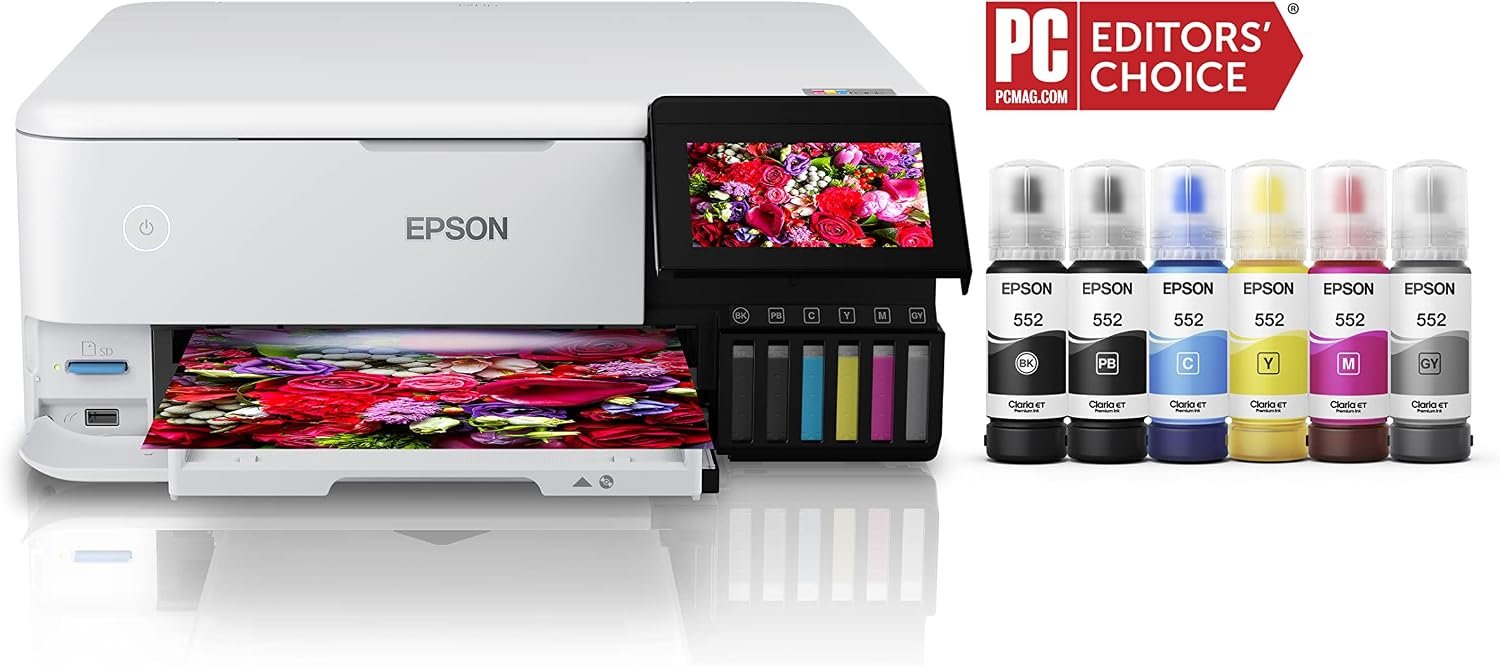
Epson EcoTank Photo ET-8500 Wireless Color All-in-One Supertank Printer
Quick Verdict: The Epson EcoTank Photo ET-8500 uses six refillable inks to print photographs, graphics, and everyday documents, including borderless photos up to 8.5 × 11 inches. Its dedicated photo tray, specialty media support, and 4.3-inch touchscreen suit photography enthusiasts and home crafters. However, its higher purchase price and lack of an automatic document feeder make it less appealing for routine office paperwork.
- Six-color Claria ET Premium ink system includes Photo Black and Gray for photographic printing.
- Supports borderless photo printing up to 8.5 × 11 inches.
- Prints 4 × 6-inch photos in as little as 15 seconds in Draft Mode.
- Dedicated photo tray accommodates 20 sheets of photo paper up to 5 × 7 inches.
- Supports cardstock, fine art paper, and specialty media up to 1.3 mm thick through the rear straight paper path.
- Prints directly on compatible inkjet-printable CDs and DVDs.
- Automatic two-sided printing for supported plain-paper documents.
- 4.3-inch color touchscreen, Ethernet, Wi-Fi, and direct printing from compatible memory devices.
- Higher purchase price than basic four-color EcoTank printers.
- No automatic document feeder for scanning multipage documents.
- Cannot automatically scan both sides of an original document.
- Borderless photo printing is limited to 8.5 × 11 inches; no 13 × 19-inch printing.
- Six separate ink bottles must be considered when calculating replacement costs.
- Premium photo paper adds to the cost of each photograph.
- 100-sheet main paper tray is smaller than those on the ET-3950 and ET-4950.
- Requires periodic printing and printhead maintenance to help prevent nozzle problems.
The ET-8500’s six-color ink system makes it a more specialized choice than the other EcoTank models in this guide. Alongside cyan, magenta, and yellow, it uses Photo Black and Gray dye inks for photographic tones, plus pigment black ink for text. This combination is particularly relevant when printing family photographs, portraits, photo albums, and artwork.
Its paper handling is another advantage. The dedicated photo tray lets users keep small photo paper separate from everyday documents, while the rear straight paper path supports specialty media up to 1.3 mm thick. The ability to print borderless photos, customized disc labels, and cardstock projects gives home crafters more options without requiring a separate photo printer. The 4.3-inch touchscreen also supports printing directly from compatible memory devices.
The Epson EcoTank Photo ET-8500 is worth considering if you regularly print photographs, scrapbooking materials, artwork, greeting cards, or other creative projects at home. Its six-color ink system and support for different paper types make it especially relevant to photography enthusiasts and hobbyists who want to print their work without relying on a photo lab.
However, occasional household printing alone is unlikely to justify its higher price. The ET-2980 offers a more economical option for worksheets, forms, and general color documents. For home offices frequently scanning invoices or contracts, the ET-3950 is better equipped with its automatic document feeder. If you need borderless photographs larger than Letter size, consider the wide-format ET-8550 instead.
| Printer Type | Wireless Color Inkjet Photo All-in-One Supertank |
|---|---|
| Functions | Print, Scan, Copy |
| Printing Technology | 6-Color Epson MicroPiezo Inkjet |
| Ink System | Claria ET Premium: Pigment Black, Photo Black, Cyan, Magenta, Yellow, Gray |
| Print Speed | 16 ISO ppm Black / 12 ISO ppm Color |
| Automatic Duplex Print Speed | 6 ISO ppm Black / 5 ISO ppm Color |
| 4 × 6-Inch Photo Speed | As Fast as 15 Seconds (Draft Mode, Premium Glossy Photo Paper) |
| Maximum Print Resolution | 5760 × 1440 Optimized dpi |
| Automatic Duplex Printing | Yes, on Supported Plain Paper |
| Borderless Photo Printing | Up to 8.5 × 11 Inches |
| Scanner Type | Color Flatbed (CIS) |
| Scanner Hardware Resolution | 1200 × 4800 dpi |
| Maximum Flatbed Scan Area | 8.5 × 11.7 Inches |
| Automatic Document Feeder | No |
| Automatic Duplex Scanning | No |
| Copy Speed | Up to 15 ipm Black / 8 ipm Color |
| Main Paper Tray | 100 Sheets Plain Paper (Letter/A4) |
| Photo Paper Tray | 20 Sheets, Up to 5 × 7 Inches |
| Rear Paper Feed | 50 Sheets Plain Paper or 5 Sheets of Compatible Photo Paper |
| Rear Straight Paper Path | 1 Sheet; Specialty Media Up to 1.3 mm Thick |
| Output Paper Capacity | 50 Sheets Plain Paper / 20 Sheets Premium Photo Paper Glossy |
| Maximum Supported Paper Size | 8.5 × 14 Inches (Legal); Borderless Up to Letter Size |
| Specialty Media | Photo Paper, Cardstock, Fine Art Paper, Printable CDs/DVDs |
| Connectivity | Dual-Band Wi-Fi 5, Wi-Fi Direct, Ethernet (10/100), Hi-Speed USB |
| Mobile Printing | Epson Smart Panel, Apple AirPrint, Mopria, Epson Connect |
| Direct Printing | Compatible SD Cards and USB Memory Devices |
| Display | 4.3-Inch Color Touchscreen |
| Replacement Ink | Epson 552 Ink Bottles (US Model) |
| Black Ink Yield | Approx. 6,700 Pages |
| Photo Black Ink Yield | Approx. 7,300 Pages |
| Color Ink Yield | Approx. 6,200 Pages (Cyan, Magenta, Yellow) |
| Maintenance Box | Epson C9345, User-Replaceable |
| Fax | No |
| Dimensions (W × D × H) | 15.9 × 14.5 × 6.4 Inches (Stored) |
| Dimensions During Printing | 15.9 × 24.1 × 13.7 Inches |
| Weight | 18.5 lbs (8.4 kg) |
| Warranty | 1-Year Limited Warranty (US/Canada) |
The ET-8500 uses six separate ink bottles. Epson’s quoted page yields are based on document printing tests and should not be treated as the number of photographs each bottle will produce. Photo printing costs depend on image coverage, selected paper, print settings, and maintenance. Photo paper is an additional expense.
Epson 552 ink bottle codes apply to the US model. Buyers in other regions should check the correct ink series and local warranty. The initial ink bottles are partly consumed during printer setup.
Automatic duplex printing does not mean automatic duplex scanning. The ET-8500 uses a flatbed scanner without an ADF, so multipage originals must be placed manually.
For complete specifications and compatible supplies, visit the official Epson EcoTank Photo ET-8500 product page.
How to Choose the Best Epson EcoTank Printer for Your Needs
Choosing the right Epson EcoTank printer involves more than comparing prices or ink yields. Think about how often you print, the types of documents or photos you produce, and whether you need features such as automatic two-sided printing or multipage scanning. A basic model may handle everyday household tasks, while a home office or photography hobby can require a different set of features.
Start With Your Printing Needs and Monthly Volume
Estimate how many pages your household prints in a typical month. Consider school assignments, worksheets, business documents, photographs, and any projects requiring specialty paper. Also think about how regularly you use your printer. Printing a few pages every week is different from producing hundreds of pages in a single month.
For occasional household documents, the ET-2900 or ET-2980 may be sufficient. Regular office paperwork can justify the larger paper tray and document feeder available on the ET-3950 and ET-4950. If photographs and creative projects account for much of your printing, the ET-8500 offers features designed specifically for those tasks.
What to Look for in a Home EcoTank Printer
Before comparing individual models, use this checklist to identify the features that matter for your household. Not every printer needs the fastest print speed, the largest paper tray, or advanced scanning capabilities.
- Printing Frequency: Estimate how often you print and your average monthly page volume.
- Print Quality: Decide whether you primarily print text, color documents, photographs, or creative projects.
- Ink Costs: Compare replacement ink prices, bottle yields, and the number of ink colors required.
- Duplex Printing: Check whether the printer automatically prints on both sides of the paper.
- Scanning and Copying: Look for an automatic document feeder and duplex scanning if you handle multipage documents.
- Print Speed and Paper Capacity: Choose specifications that suit your usual printing workload.
- Wireless Connectivity: Confirm compatibility with your computers, smartphones, and home network.
- Paper Compatibility: Check supported sizes, photo paper, cardstock, and other materials you intend to print.
- Maintenance and Support: Consider printhead care, replacement supplies, available space, and warranty coverage.
Compare Ink Costs, Bottle Yields, and Long-Term Expenses
EcoTank printers use refillable ink reservoirs instead of traditional ink cartridges, but replacement costs still deserve attention. Each model uses specific ink bottles, and the number of colors can affect how much you spend on supplies.
The ET-2900 uses Epson 522 ink bottles, while the ET-2980, ET-3950, and ET-4950 use the Epson 502 series in their US versions. The Photo ET-8500 uses six Epson 552 inks, including Photo Black and Gray.
Compare the price of compatible replacement bottles with their rated page yields. To estimate the ink cost per black-and-white document page, divide the black ink bottle price by its rated yield. Color printing is more difficult to calculate because ink consumption depends on the colors and coverage of each document.
Remember that advertised page yields are estimates rather than guaranteed results. Initial setup and printhead cleaning consume ink, while photographs and heavily colored pages may use considerably more ink than ordinary documents.
Choose Between Everyday Document Printing and Photo Printing
All five printers can produce color documents, but they are not designed for exactly the same purposes. For homework, worksheets, invoices, recipes, and occasional color graphics, a standard four-color EcoTank should meet most household requirements.
The ET-8500 serves a different purpose. Its six-color ink system, dedicated photo tray, and support for specialty media make it better suited to photographs, scrapbooking, greeting cards, and artwork. These features can justify the additional expense for someone who regularly prints creative projects.
However, don’t assume that more ink colors automatically make a printer the better option for everyday documents. If you mainly print text and occasional charts, you may benefit more from faster printing, a larger paper tray, or an automatic document feeder.
Understand Duplex Printing, Document Feeders, and Scanning
Automatic duplex printing allows a printer to print on both sides of a sheet without requiring you to turn it manually. This is particularly useful for assignments, reports, and longer documents.
The ET-2900 requires manual two-sided printing, while the ET-2980, ET-3950, ET-4950, and ET-8500 support automatic duplex printing on compatible media.
Scanning features are a separate consideration. A flatbed scanner works well for individual documents, photographs, and book pages, but it requires you to place each original manually. An automatic document feeder (ADF) can process multiple pages without repeatedly opening the scanner lid.
The ET-3950 and ET-4950 include 30-sheet document feeders with automatic two-sided scanning for supported paper sizes. This is helpful for digitizing double-sided contracts or office records. If you regularly scan paperwork, an ADF may be more valuable than a small increase in printing speed.
Match Print Speed and Paper Capacity to Your Workload
Printer speed is typically measured in ISO pages per minute (ppm). The ET-2900 prints at up to 11 ppm black and 6 ppm color, while the ET-2980 increases those speeds to 15 ppm black and 8 ppm color. The ET-3950 and ET-4950 reach 18 ppm black and 9 ppm color.
Higher speeds become more useful when you frequently print longer documents. For occasional single-page forms, the difference may be less noticeable. Actual printing time also depends on document complexity, paper type, print quality settings, and whether you’re printing on both sides.
Paper capacity matters as well. The ET-2900 and ET-2980 have 100-sheet input trays, while the ET-3950 and ET-4950 hold 250 sheets. A larger tray reduces how often you need to reload paper, particularly when several people share the printer.
Check Wireless Printing and Device Compatibility
Most households use more than one device, so check whether your chosen printer supports the computers and phones you own. Epson EcoTank models offer wireless printing features, but their networking options vary.
Apple AirPrint can be useful for printing from compatible Apple devices, while Epson Smart Panel provides supported printing and scanning functions through a mobile app. Check Android compatibility and available drivers if you use other devices.
If your printer will be shared across several computers, consider whether Ethernet connectivity would be helpful. The ET-3950 and ET-4950 include Ethernet ports, while the ET-2900 and ET-2980 rely on Wi-Fi or USB connections. Confirm operating system support and wireless network requirements before purchasing.
Consider Paper Sizes, Printer Dimensions, and Maintenance
Check the paper sizes and materials you regularly use. Letter and A4 support may be enough for everyday documents, but photo printing, envelopes, cardstock, and craft materials require closer attention to media compatibility.
The ET-8500 offers more specialized paper handling than the other models, including a dedicated photo tray and a rear straight paper path for supported thick media. Buyers printing photographs should also consider the cost of suitable photo paper.
Measure the printer’s dimensions in use, not just when its trays are closed. Leave enough clearance for the scanner lid, paper output, and rear paper feed where applicable.
EcoTank printers also require printhead care. Long periods without printing can contribute to clogged inkjet nozzles, and cleaning cycles consume ink. If you print very infrequently, consider whether an inkjet printer suits your usage pattern before investing in a higher-priced model.
Compare the Features You Need Against the Price
The most expensive EcoTank is not necessarily the most suitable printer for your home. The ET-2900 covers basic household printing and scanning, while the ET-2980 adds automatic duplex printing and higher rated print speeds.
The ET-3950 is a more capable choice for regular home-office paperwork because of its document feeder, duplex scanning, and larger paper tray. The ET-4950 adds a touchscreen and fax functionality, but it does not print faster than the ET-3950. If you don’t need those additional functions, the ET-3950 may offer better value when priced lower.
The Photo ET-8500 is worth considering when photography and creative media are a priority rather than routine document handling. Compare current prices, replacement ink availability, and warranty terms before making your final decision.
Frequently Asked Questions About Epson EcoTank Printers
These answers address common questions about Epson EcoTank printers, including ink costs, maintenance, photo printing, and differences between models. They can help you narrow down your choice before purchasing.
Final Verdict: Which Epson EcoTank Printer Should You Buy?
The best Epson EcoTank printer depends on how frequently you print and which features you actually need. For most households, the Epson EcoTank ET-2980 offers a good balance of everyday printing features, automatic duplex printing, and refillable ink tanks. If your printing needs are basic and you want to spend less upfront, the ET-2900 is worth considering.
For a home office that regularly handles invoices, reports, and multipage documents, the ET-3950 is our preferred choice. Its automatic document feeder, duplex scanning, and larger paper tray make it more suitable for office paperwork. The ET-4950 is worth the additional expense if you specifically need fax functionality or touchscreen controls.
If photography and creative projects are your priority, the EcoTank Photo ET-8500 stands out with its six-color ink system and support for specialty media. Before making your final decision, compare current prices, replacement ink costs, and the features you will use regularly. Paying more for a printer only makes sense when those additional capabilities meet your printing needs.