Canon Pixma MG3620 Review | Best Budget All-in-One Printer
The Canon Pixma MG3620 is a compact wireless all-in-one that prints, scans, and copies for basic home use. It includes automatic duplex printing and a 100-sheet rear tray—features that aren’t always a given at this price—plus mobile printing via AirPrint, Mopria, and Canon’s PRINT app. Speeds are rated at 9.9 ipm (black) and 5.7 ipm (color), which is fine for homework packets and occasional color pages, but slow for anything resembling office volume. If you need an inexpensive AIO for light-duty documents and casual photo prints, the MG3620 mostly delivers—just be prepared for higher ink costs over time and a no-frills control panel.
Thanks to its wireless connectivity, you can easily print and scan photos or documents directly from your mobile devices, making it a practical option for households that rely heavily on phones and tablets. The Canon Pixma MG3620 is also ENERGY STAR certified and supports smart reordering through Alexa, so you can receive low-ink alerts and even have ink automatically reordered once enrolled—without any subscription. If you’re looking for an affordable, no-nonsense best budget inkjet printer for everyday use, the Pixma MG3620 is built to tick the core boxes.
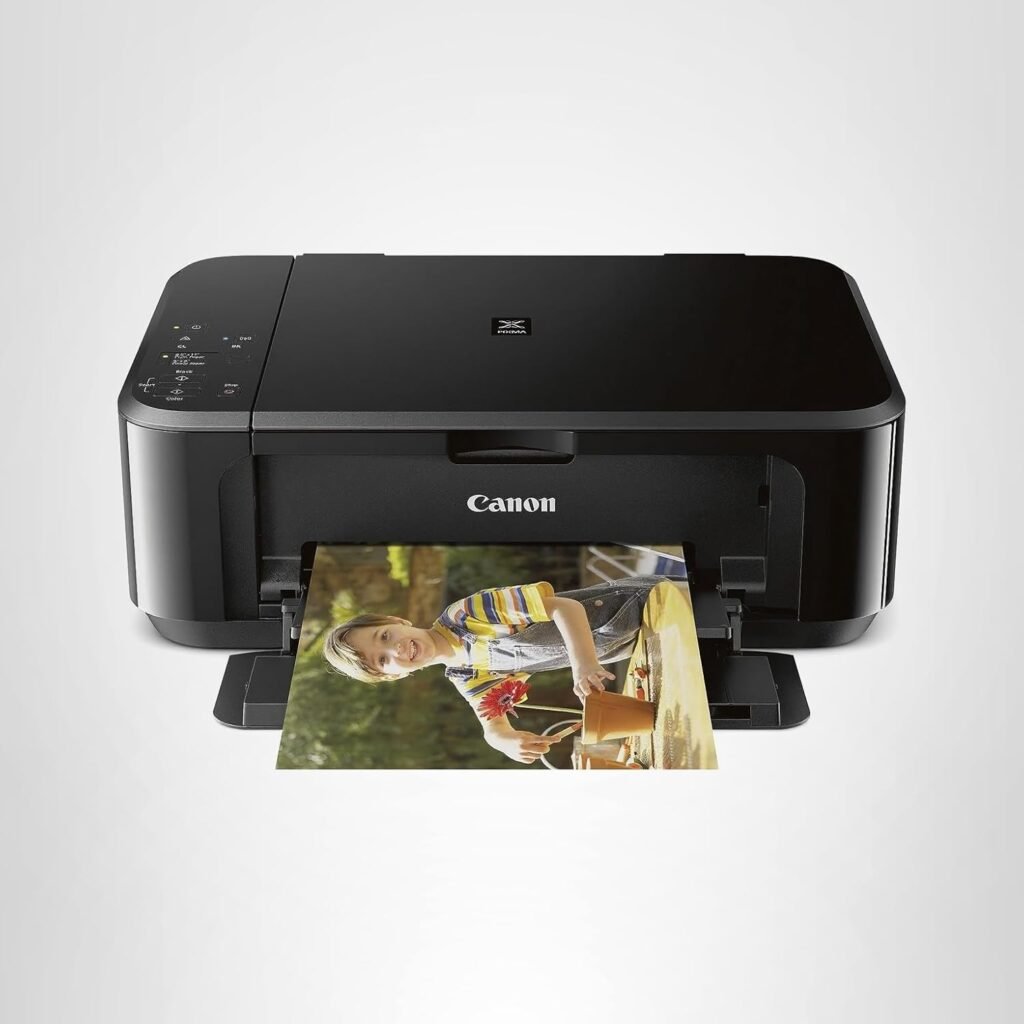
Canon Pixma MG3620 Wireless All-in-One Color Inkjet Printer
The Canon Pixma MG3620 delivers solid print quality, automatic duplex printing, and reliable wireless performance at a low price, making it a strong budget all-in-one printer for everyday home use.
-
Affordable all-in-one functionality
-
Strong photo-print quality for the price
-
Wireless printing with AirPrint, Mopria, and Canon PRINT
-
Borderless photo printing support
-
Compact, lightweight design
-
Good color output for photos and graphics
-
No automatic duplex scanning or copying
-
Slower print speeds vs office printers
-
No display screen (basic buttons only)
-
Color cartridges combine CMY (higher running cost)
-
Setup can feel tricky for some users
We selected the Canon Pixma MG3620 because it delivers a rare combination of affordability, wireless convenience, and strong everyday print quality in a compact footprint. For a budget home printer, features like auto 2-sided printing, 100-sheet paper capacity, and 9.9/5.7 ipm print speeds are impressive and give it an edge over many low-cost competitors that skip essentials to reduce price.
Another key reason is its mobile-first usability. With seamless wireless printing and scanning directly from smartphones via Canon’s PRINT app, AirPrint, or Mopria, the MG3620 fits perfectly into modern households where laptops aren’t always the primary device. Canon’s inkjet technology also produces noticeably better color and photo output compared to many budget-level models, making it a solid choice for users who want sharper images and richer colors without buying a dedicated photo printer.
Its ENERGY STAR certification, compact design, and Alexa-enabled smart ink reorder notifications also add convenience and long-term value. Overall, we picked the Canon Pixma MG3620 because it hits the sweet spot between price, print quality, and wireless functionality—making it a standout among budget all-in-one printers for home use.
The Canon Pixma MG3620 is an excellent fit for households that need an affordable, simple printer for light to moderate everyday use. It’s ideal for students who print homework, worksheets, and projects; families handling school forms, tickets, and personal documents, and casual home users who occasionally print color photos or craft materials. Its compact size makes it especially suitable for small spaces like dorm rooms, apartments, and shared desks.
Because the MG3620 supports wireless printing and scanning from mobile devices, it’s also a great choice for people who prefer using their phone or tablet instead of a computer. Those who want automatic double-sided printing without paying extra will appreciate its built-in duplex feature. However, it’s not aimed at users who need high-volume printing, advanced office functions, or ultra-fast speeds—making it best for budget-conscious homes that value convenience, wireless flexibility, and reliable everyday performance in this Canon Pixma MG3620 Review.
| Feature | Specification |
|---|---|
| Brand | Canon |
| Model | Canon Pixma MG3620 |
| Printer Type | All-in-One Wireless Inkjet Printer |
| Printing Technology | Inkjet |
| Printer Output | Color |
| Max Print Speed (Black) | Up to 9.9 ipm |
| Max Print Speed (Color) | Up to 5.7 ipm |
| Connectivity | Wireless (Wi-Fi), USB, AirPrint, Mopria, Canon PRINT |
| Mobile Printing | Canon PRINT app, AirPrint, Mopria Print Service |
| Paper Input Capacity | 100 sheets |
| Special Features | Auto 2-sided (duplex) printing, ENERGY STAR certified |
| Mobile/Cloud Compatibility | Wi-Fi, Mobile apps, Alexa ink reorder support |
| Compact Design | Space-saving footprint suitable for home desks |
| Supported Media | Plain, glossy, matte, photo paper (various sizes) |
| Color | Black |
Design & Build Quality
The Canon Pixma MG3620 has a straightforward, compact design that fits comfortably on a shelf, desk, or small home workspace without taking up much room. Its clean black exterior and minimalistic lines give it a neutral, unobtrusive look that blends easily into family rooms, offices, or dorms. While the build is mostly lightweight plastic — typical for a budget all-in-one — it feels solid for everyday handling and doesn’t wobble during normal printing tasks.
Canon keeps the layout simple and functional. The paper feed and output trays are easy to access, and the rear paper path makes loading sheets or specialty media straightforward. There’s no large control panel or complex display to clutter the front; instead, essential buttons are intuitive and clearly labeled for basic tasks like power, start, and wireless setup. Although it doesn’t have premium materials or advanced design flourishes found on higher-end models, the MG3620’s build quality suits its purpose: a reliable, easy-to-use budget all-in-one printer that’s unobtrusive in both look and operation.
Setup & Ease of Use
Setting up the Canon Pixma MG3620 is straightforward, even if you’re new to wireless printers. Right out of the box, unpacking and preparing the unit — including installing the included cartridges and loading paper into the rear tray — takes just a few minutes. Canon supplies clear printed instructions and on-screen prompts that guide you through the essentials without unnecessary confusion.
Connecting the Canon Pixma MG3620 to your home network is also simple. You can use the Canon PRINT app on your smartphone or tablet to handle the wireless setup, or connect via AirPrint and Mopria for direct printing from iOS and Android devices. Once connected, the printer maintains a stable Wi-Fi link, and everyday tasks like sending documents from your phone or computer feel intuitive. Because the control panel is minimalist with just a handful of physical buttons, most functions are accessed either through the app or your device — which keeps the physical interface uncluttered and easy to navigate.
Overall, the Pixma MG3620 delivers a hassle-free setup experience and daily usability that suits busy homes, students, and anyone who wants dependable basic printing without a steep learning curve.
Print Quality & Performance
The Canon Pixma MG3620 delivers solid print quality for a budget all-in-one, offering sharp text, vibrant colors, and better-than-expected photo output for its price range. While it isn’t built for professional graphics or high-volume jobs, its everyday performance is reliable and well-suited to home users, students, and casual photo printing.
Document Printing
For standard documents, letters, worksheets, and school assignments, the Canon Pixma MG3620 produces crisp, readable text with good edge definition. Black prints look sufficiently dark for everyday use, and even smaller fonts remain clear. It’s not as precise as a laser printer, but for general home printing, it delivers dependable results without smudging or streaking.
Photo Printing
Canon’s strength in color reproduction is clear here. The Canon Pixma MG3620 prints rich, vibrant photos with smooth gradients and good detail, especially on glossy photo paper. It supports borderless photo printing, giving users attractive full-bleed images up to letter size. While print speeds are modest and ultra-fine detail won’t match premium photo printers, the overall photo quality is excellent for a budget inkjet printer.
Graphics & Mixed Documents
School projects, craft materials, charts, invitations, and basic flyers print with balanced color accuracy and clean graphical edges. Colors appear natural rather than oversaturated, and the printer handles mixed text-and-image pages without banding. For light home graphics use, the MG3620 consistently produces visually pleasing results.
Print Speed & Efficiency
The Canon Pixma MG3620 delivers print speeds typical for a budget all-in-one inkjet. With rated speeds of up to 9.9 ipm for black and 5.7 ipm for color, it handles short document jobs and casual color prints at a steady pace, though it won’t match the rapid output of office-class machines. Single-page documents and quick print tasks move through without long waits, but larger photo or mixed jobs may take a bit longer due to the inkjet process and borderless photo routines.
In everyday use, warm-up times are modest and the overall efficiency suits home-office, student, and family workflows. The printer’s compact engine and straightforward design also help keep energy use and noise levels low during typical print bursts. For users with modest printing needs, the MG3620 balances speed and quality without unnecessary complexity or frustration.
Connectivity & Compatibility
The Canon Pixma MG3620 offers a solid set of connectivity options for everyday home and student use. It supports wireless printing over your home Wi-Fi network, making it easy to send print jobs from laptops, tablets, or smartphones without needing a physical connection. Mobile printing is even more convenient thanks to compatibility with Canon’s PRINT app, AirPrint for iOS devices, and Mopria Print Service for Android, so you can print and scan directly from your phone or tablet without extra drivers.
In addition to wireless options, the MG3620 also works with a standard USB connection for direct printing from a computer, which can be useful if Wi-Fi isn’t available or preferred. This flexibility makes the printer compatible with a wide range of devices and operating systems, including Windows, macOS, iOS, and Android. Whether you’re in a multi-device household or just want straightforward wireless setup, the MG3620 ensures you can connect and print without unnecessary hassle.
Ink & Running Costs
The Canon Pixma MG3620 uses separate PG-245 (black) and CL-246 (color) ink cartridges, which are common for many entry-level Canon inkjets. Because the color cartridge includes all three colors (cyan, magenta, and yellow) in one unit, you’ll replace the entire color cartridge even if only one color runs out—this can increase the cost per page over time compared with printers that use individual tanks for each color.
For everyday printing like documents, school assignments, and casual color pages, the running costs are reasonable for a budget model. However, frequent photo printing or heavy color jobs will deplete cartridges faster and raise overall ink expenses. Buying XL (high-yield) cartridges can help lower the cost per page, as these larger cartridges hold more ink and need less frequent replacement.
It’s also worth noting that the MG3620 doesn’t require a subscription service to function, but some users find value in services like Canon’s auto-reorder options (including Amazon Alexa integration) to ensure ink arrives before you run out. For light to moderate home use, the running cost is acceptable and typical for this class of budget all-in-one printers, though it won’t match the lower per-page cost you’d see with refillable tank systems or laser printers.
Comparison With Competitors
When you’re shopping in the best budget all-in-one printer category, the Canon Pixma MG3620 sits alongside popular entry-level models from HP and Epson. Here’s how it compares on the basics that matter: speed, paper handling, features, and overall value.
| Feature | Canon Pixma MG3620 | HP DeskJet 2827e | Epson Expression Home XP-4100 |
|---|---|---|---|
| Type | All-in-one inkjet (print / copy / scan) | All-in-one inkjet (print / copy / scan) | All-in-one inkjet (print / copy / scan) |
| Print Speed (Black) | Up to 9.9 ipm | Up to 7.5 ppm | Up to ~10 ipm |
| Print Speed (Color) | Up to 5.7 ipm | Up to 5.5 ppm | Up to ~5.0 ipm |
| Paper Capacity | 100-sheet input | 60-sheet input | 100-sheet input |
| Automatic Duplex Printing | Yes (auto 2-sided) | No (manual only) | Yes (in many regions) |
| Wireless & Mobile | Wi-Fi, mobile printing, Alexa smart reorders | Wi-Fi, Wi-Fi Direct, AirPrint, HP Smart app | Wi-Fi, Wi-Fi Direct, iPrint, AirPrint, Mopria |
| Photo Capability | Strong for casual photos; borderless up to 8.5″ × 11″ | Basic casual photos | Good for everyday photos |
| Best For | Budget users who want auto duplex + decent photos | Simple home printing with very easy app experience | Families wanting extras like LCD & robust app support |
Summary: Where the Canon Pixma MG3620 Stands Out
-
Canon Pixma MG3620 – Best if you want a budget all-in-one with auto 2-sided printing, 100-sheet capacity, and solid photo quality without spending more. Great mix of speed and features for the price.
-
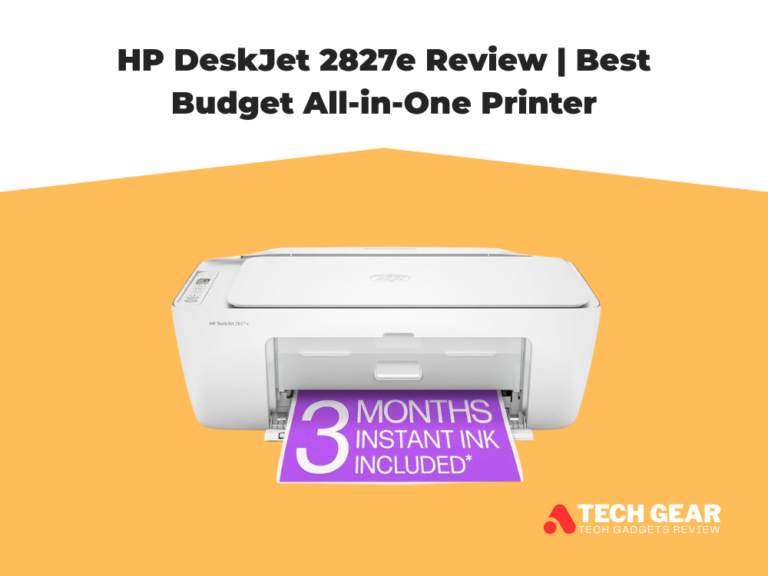
HP DeskJet 2827e – Better if you value super simple setup, HP Smart app, and only print occasionally. Ideal for students and light home use.
-
Epson XP-4100 – A good pick for families who want a few extra comforts like a small LCD screen and broad mobile compatibility, and are willing to pay a bit more (and possibly a bit more in ink over time).
If you specifically want the best budget all-in-one printer with automatic duplex and decent photo skills, the Canon Pixma MG3620 hits a very sweet spot among these three.
Where the Canon Pixma MG3620 Falls Short
The Canon Pixma MG3620 is a strong budget all-in-one, but it does have a few limitations that matter depending on your workload:
-
Not built for high-volume printing: It’s great for home and student use, but frequent large batches can feel slow and less efficient over time.
-
No touchscreen or advanced controls: The interface is basic, so most settings and workflow tweaks are easier through your computer or phone rather than on the printer itself.
-
Limited paper handling for heavier needs: While the 100-sheet tray is solid for the price, there’s no big expansion option—so it’s not ideal for busy households printing nonstop.
-
Print quality is not “photo-pro” level: Photos look good for casual use, but it won’t match dedicated photo printers in color depth, fine gradients, or premium media handling.
-
Wireless can be less “hands-off” than premium models: It works well once set up, but budget printers in this class may require occasional reconnecting or troubleshooting depending on your router and environment.
Final Verdict
The Canon Pixma MG3620 earns its place as a dependable budget all-in-one printer for everyday home use. It strikes a solid balance of features, including wireless printing, auto two-sided printing, and mobile compatibility via AirPrint, Mopria, and the Canon PRINT app. Its print speeds up to 9.9 ipm (black) and 5.7 ipm (color), along with a 100-sheet input tray, make it well suited to students, families, and casual users who regularly print documents, photos, and school projects. The inclusion of handy connectivity options and a compact design further strengthens its appeal as a versatile home printer.
That said, the MG3620 isn’t without limitations. It’s not designed for heavy workloads, and while its photo output is respectable for the price, it doesn’t match the quality of dedicated photo printers. The lack of a touchscreen and more advanced control panel may also be a downside for some. However, if your priority is a reliable, affordable all-in-one that delivers solid everyday prints and wireless convenience without a high cost, the Canon Pixma MG3620 is a smart choice in its class.