


The Garmin Dash Cam Live offers an exceptional blend of real-time video streaming, high dynamic range (HDR) recording, and user-friendly features. It’s designed to provide drivers with crystal-clear footage, whether it’s day or night, ensuring that every moment on the road is documented accurately. The live streaming feature allows users to view their drives in real time, adding an extra layer of security and convenience. This dashcam is packed with advanced functionalities that make it a top choice for both tech enthusiasts and everyday drivers.
In the modern era of driving, dashcams have become essential for enhancing road safety and providing invaluable evidence in case of accidents. Among the various options available, the Garmin Dash Cam Live stands out with its live streaming capabilities and advanced HDR technology. This comprehensive Garmin Dashcam Live review will delve into why this device is considered the best live-streaming dashcam of 2024 and the best HDR dashcam available.
Garmin Dash Cam Live Review: The Best Live Streaming Dash Cam of 2024
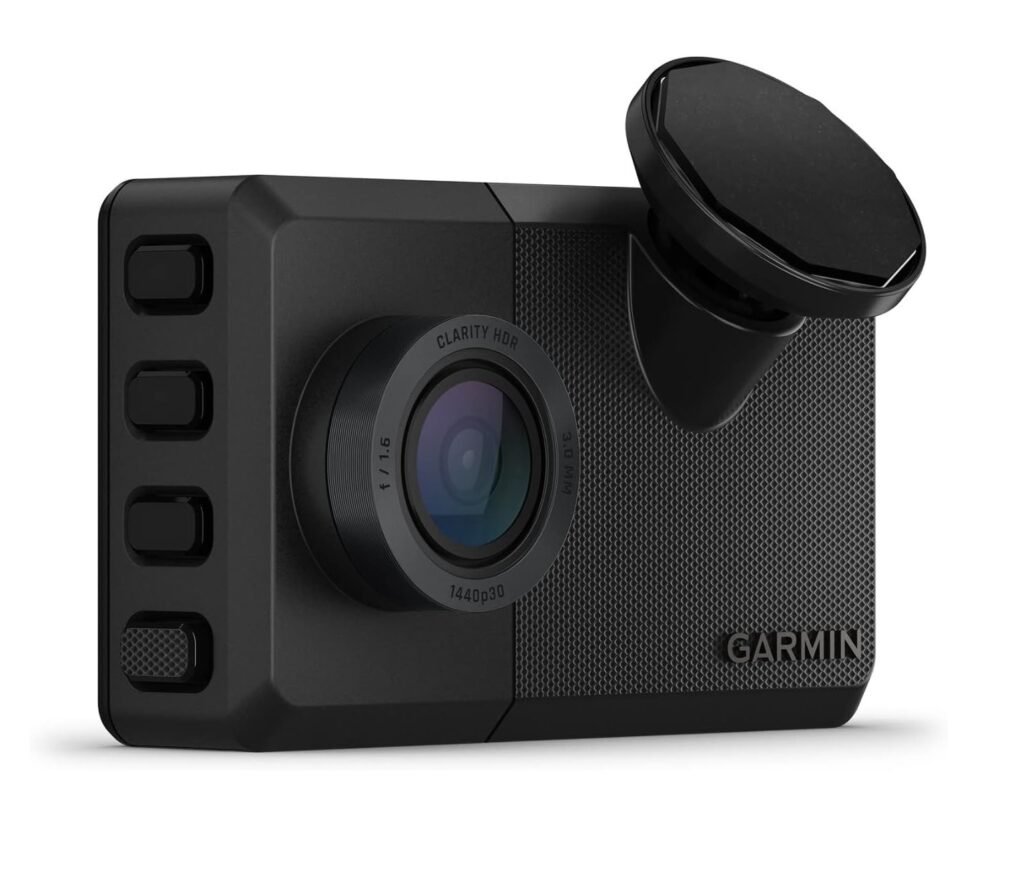
Key Features of Garmin Dash Cam Live
Buy At Amazon- Live Streaming: Real-time video streaming to your smartphone or other devices.
- HDR Recording: Enhanced high dynamic range recording for superior video quality.
- Wide-Angle Lens: 140° wide-angle lens to capture a broader view of the road.
- Voice Control: Hands-free operation with voice commands.
- Built-In GPS: Tracks your vehicle’s location and speed.
- WiFi Connectivity: Easy access to footage via a dedicated smartphone app.
- Cloud Storage: Secure online storage for your recordings.
- Loop Recording: Continuous recording by overwriting the oldest footage when the memory card is full.
- G-Sensor: Automatically locks and protects footage in the event of a collision.
- Parking Mode: Monitors your vehicle while parked and records any incidents.
- Travelapse™ Feature: Time-lapse recording for long journeys.
- Exceptional Video Quality: HDR recording delivers clear and detailed footage.
- Advanced Features: Live streaming, voice control, and cloud storage.
- User-Friendly: Easy to install and operate with a compact design and WiFi connectivity.
- Comprehensive Coverage: Wide-angle lens and Travelapse™ feature for detailed recordings.
- Safety Enhancements: G-sensor and parking mode for automatic incident recording.
- Price: Higher price point compared to other dashcams.
- Subscription Fees: Cloud storage and some advanced features require a subscription.
- App Connectivity: Some users may experience occasional connectivity issues with the app.
In this Garmin Dash Cam Live review, we will explore its key features, and delve into its detailed performance, usability, and overall value. Additionally, we will discuss the pros and cons of the device and answer some frequently asked questions to help you make an informed decision.
Detailed Overview and Performance
Live Streaming
One of the standout features of the Garmin Dash Cam Live is its live-streaming capability. This feature allows you to stream your drive in real time to your smartphone or other devices. Using the dedicated Garmin Drive™ app, you can view your journey from anywhere, providing an extra layer of security and convenience. Whether you want to check on your vehicle when it’s parked or monitor a family member’s driving, the live streaming functionality is invaluable. This feature is particularly useful for fleet managers, parents, and anyone who wants to keep an eye on their vehicle in real time.
HDR Recording
The Garmin Dash Cam Live excels in delivering high-quality video recording with its HDR technology. High dynamic range recording ensures that both bright and dark areas of the video are captured with clarity, providing a balanced and detailed image. This is particularly useful in challenging lighting conditions, such as driving at dawn, dusk, or through tunnels. The HDR capability enhances the overall video quality, making it easier to see important details like license plates and road signs, even in high-contrast situations.
Wide-Angle Lens
Equipped with a 140° wide-angle lens, the Garmin Dash Cam Live captures a broad view of the road, reducing blind spots and ensuring that more of the surroundings are included in the footage. This extensive coverage is crucial for documenting incidents that occur on the sides of your vehicle, such as lane changes or side collisions. The wide-angle lens provides a comprehensive view, enhancing the overall effectiveness of the dashcam.
Voice Control
The Garmin Dash Cam Live features voice control for hands-free operation. With simple voice commands, you can start or stop recording, take a photo, or save a video. This feature allows you to keep your hands on the wheel and your eyes on the road, enhancing safety and convenience. The voice control functionality is designed to recognize natural language commands, making it easy to use even for those who are not tech-savvy.
Built-in GPS
The built-in GPS feature adds another layer of detail to your recordings by tracking your vehicle’s location and speed. This information is seamlessly integrated into the video, providing valuable context in case of accidents or disputes. The GPS data helps accurately document the events leading up to an incident, making it easier to determine fault and provide evidence. This feature is particularly useful for fleet managers and drivers who need to keep track of their routes and driving behavior.
WiFi Connectivity
Accessing and sharing footage from the Garmin Dash Cam Live is made easy with its WiFi connectivity. You can connect the dashcam to your smartphone via the Garmin Drive™ app, allowing you to view, download, and share videos seamlessly. This feature enhances the usability of the dashcam, making it convenient to manage your recordings on the go. The app interface is user-friendly, allowing for quick access to important footage.
Cloud Storage
The Garmin Dash Cam Live offers secure cloud storage for your recordings, ensuring that your important footage is always backed up and easily accessible. With the subscription-based Vault feature, you can store your videos online and access them from any device. This adds an extra layer of security, as your recordings are protected even if the dashcam or memory card is damaged or stolen. The cloud storage feature provides peace of mind, knowing that your valuable footage is safe and secure.
Loop Recording
The loop recording feature ensures that the Garmin Dash Cam Live is always ready to capture new footage by overwriting the oldest files when the memory card is full. This continuous recording capability is essential for ensuring that you never run out of storage space. Important files are protected from being overwritten with the help of the G-sensor, which locks the footage in the event of a collision.
G-Sensor and Parking Mode
The G-sensor in the Garmin Dash Cam Live automatically detects collisions and locks the footage to prevent it from being overwritten. This is crucial for preserving evidence in the event of an accident. Additionally, the parking mode monitors your vehicle while it is parked and records any incidents that occur. The dashcam automatically starts recording if it detects any movement or impact, providing valuable evidence in case of hit-and-runs or vandalism. This feature offers peace of mind, knowing that your vehicle is under constant surveillance even when you are not around.
Travelapse™ Feature
The Travelapse™ feature allows you to capture longer drives in a condensed, time-lapse format. This is useful for documenting scenic road trips or long journeys without using excessive storage space. The time-lapse videos are smooth and detailed, providing a unique perspective on your travels. This feature is particularly popular among travel enthusiasts and vloggers who want to create engaging content for their road trips.
Compact Design
The Garmin Dash Cam Live is designed with a compact and discreet form factor, making it easy to install on your windshield without obstructing your view. Its sleek design blends seamlessly with your vehicle’s interior, ensuring that it remains inconspicuous while providing reliable recording. The compact design also makes it easy to move the dashcam between vehicles if needed, adding to its versatility.
Final Thought
The Garmin Dash Cam Live stands out as an exceptional choice for drivers seeking advanced features and high-quality video recording. Its live streaming capability, HDR recording, and user-friendly design make it a top contender in the dashcam market. The comprehensive coverage, safety enhancements, and additional functionalities like voice control and Travelapse™ feature add to its overall value. While it may come with a higher price tag and subscription fees for advanced features, the peace of mind and convenience it offers make it a worthwhile investment. For those looking for the best live streaming dashcam of 2024 and the best HDR dashcam, the Garmin Dash Cam Live is a superior option that delivers on all fronts.