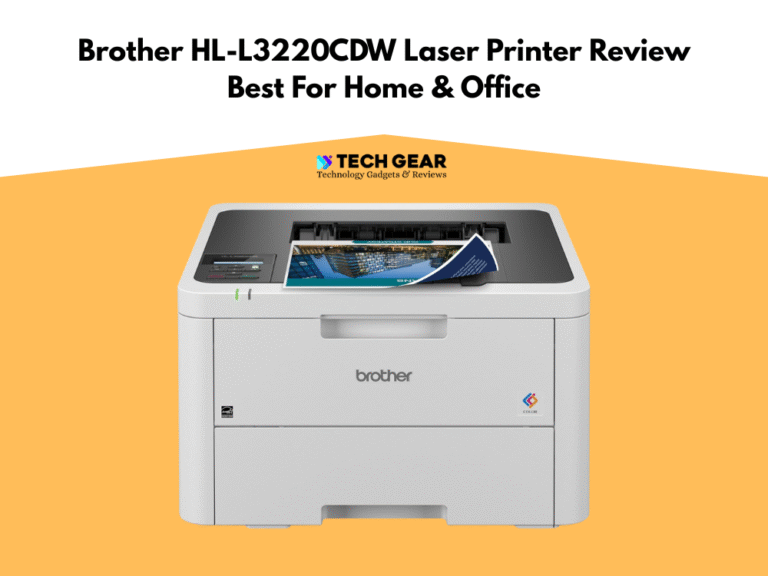
Brother HL-L8360CDW Review (2026) | Best Office Color Laser Printer
The Brother HL-L8360CDW Laser Printer is a business-class color laser printer built for offices that need fast, reliable, and high-volume color printing without the complexity of all-in-one features. In this Brother HL-L8360CDW review 2026, we’re looking at a print-only workhorse designed for teams that value speed, durability, and predictable running costs. With print speeds up to 33 ppm, automatic duplex printing, enterprise-grade security options, and a 250-sheet main tray (expandable for heavier workloads), the HL-L8360CDW Laser Printer positions itself as a strong fit for small to mid-size offices that prioritize productivity over multifunction features.
Brother also equips this model with high-yield and super-high-yield toner options—key for teams printing frequently in color—while its robust duty cycle and integrated Wi-Fi/Ethernet support make it practical for shared network environments. In this Brother HL-L8360CDW review, we’ll break down its real-world speed, color and text output quality, cost-per-page behavior, long-term reliability, and how it compares with competitors from HP, Canon, and Kyocera to determine whether the HL-L8360CDW still stands out as one of the best office color laser printers in 2026.
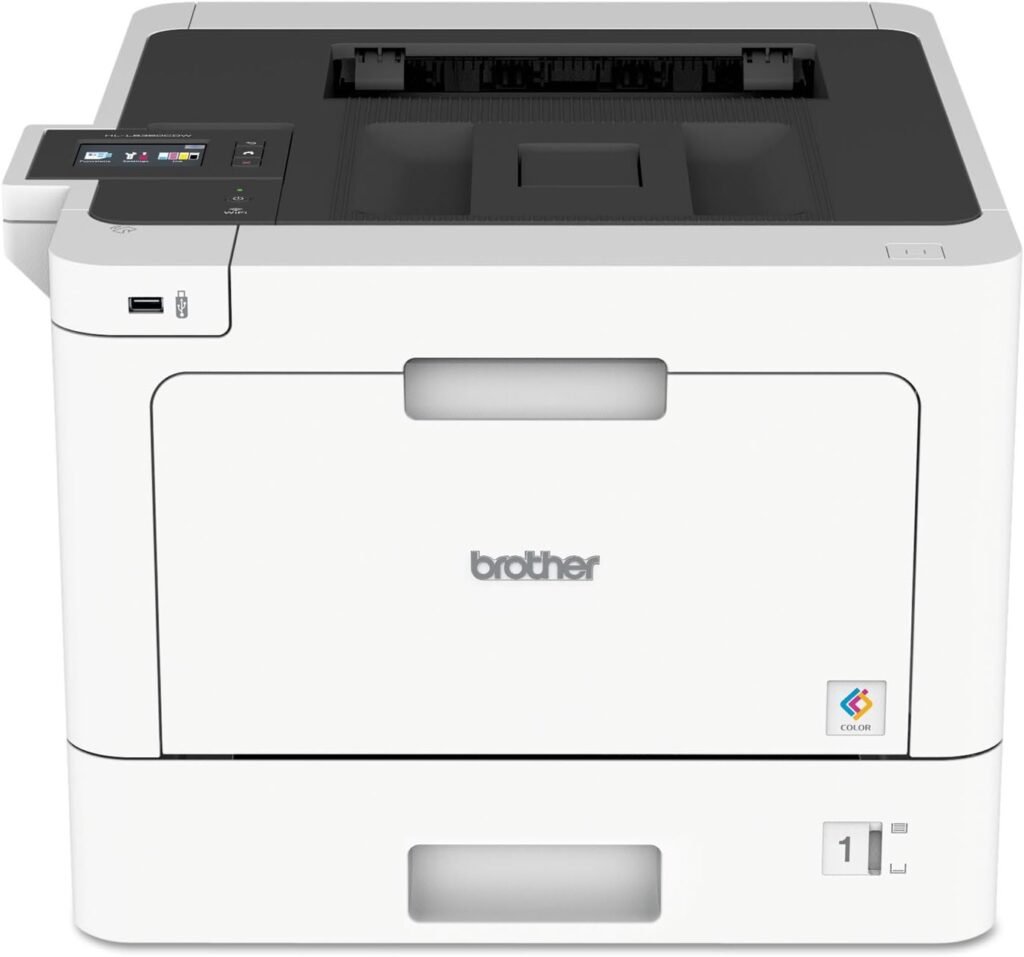
Brother Business Color Laser Printer, HL-L8360CDW
The Bottom Line
The Brother HL-L8360CDW is a fast, office-grade color laser printer built for high-volume teams: up to 33 ppm color/mono, automatic duplex, a 250-sheet main tray + 50-sheet multipurpose tray (expandable to ~1,300 sheets), 60,000-page max duty cycle with ~4,000 pages/month recommended, Wi-Fi, Wi-Fi Direct, Gigabit Ethernet, USB, and NFC + enterprise security (Secure Function Lock/LDAP). Pair it with high- or super-high-yield toner for low cost per page—just note it’s print-only (no scan/copy/fax).
- Perfect Printing Machine With Low Cost Less Maintenance
- Fast color and mono print speeds up to 33 ppm, ideal for busy office workflows.
- Sharp text quality and consistent business-grade color output for reports, charts, and presentations.
- Automatic duplex printing included as standard, reducing paper usage for two-sided jobs.
- Strong connectivity options: Wi-Fi, Ethernet, Wi-Fi Direct, and USB for flexible office placement.
- High-yield and super-high-yield toner options significantly reduce cost per page for frequent printing.
- Expandable paper capacity with optional trays for growing teams or high-volume environments.
- Robust security features including Secure Function Lock, NFC authentication, and advanced network controls.
- Print-only design means no scanning, copying, or faxing—requires a separate device for document workflows.
- Color toner costs remain higher than mono, especially for graphics-heavy printing.
- Larger physical footprint than compact color lasers; not ideal for small desks or tight spaces.
- Color accuracy is good for business use but not suitable for photo-grade or creative studio work.
- Noise level during high-speed printing may be noticeable in small office rooms.
We picked the Brother HL-L8360CDW because it delivers the balanced performance that small and mid-size offices need in 2026: fast color laser output, strong reliability, and predictable long-term operating costs. Its 33 ppm speed class keeps workflows moving smoothly, while the duplex engine and business-grade color accuracy make it suitable for daily reports, presentations, and client documents. Brother’s high-yield and super-high-yield toner options also give the HL-L8360CDW an advantage for teams that print heavily, offering lower cost per page than many competing color lasers in the same price range.
Another reason this model stands out is its durability and expandability. The build is engineered for sustained office use, and the optional paper trays let you scale beyond the standard 250-sheet capacity as your workload grows. Combined with NFC security, robust network controls, and dependable Wi-Fi/Ethernet connectivity, the HL-L8360CDW feels like a printer designed to stay in a shared environment for years. For offices that want fast, clean color output without jumping to a full multifunction device, the Brother HL-L8360CDW hits a very strong middle ground.
The Brother HL-L8360CDW is ideal for small to mid-size offices, workgroups, and home businesses that need fast, high-quality printing every day but don’t require scanning or copying in the same device. It’s especially well-suited for administrative teams, education offices, sales departments, medical and legal practices, or any environment where text-heavy documents, color charts, and professional client materials are printed regularly. Its combination of speed, reliability, and low running cost makes it a practical choice for multi-user environments where downtime isn’t acceptable.
It’s not the right fit for users who need an all-in-one solution with scanning, copying, or faxing, nor for creative professionals who require photo-grade color accuracy. Very high-volume enterprises may also want a more robust floor-standing device with advanced finishing options. But for everyday business printing with strong color performance and efficient toner use, the HL-L8360CDW Laser Printer fits exactly where most offices operate.
| Feature | Specification |
|---|---|
| Model | Brother HL-L8360CDW |
| Printer Type | Single-Function Color Laser Printer (Print Only) |
| Print Speed (Mono/Color) | Up to 33 ppm (black and color) |
| Print Resolution | Up to 2400 × 600 dpi class / Brother HQ1200 mode |
| Duplex Printing | Automatic two-sided printing (standard) |
| Processor / Memory | 800 MHz processor / 512 MB RAM |
| Standard Input Capacity | 250-sheet main tray + 50-sheet multipurpose tray |
| Optional Input Capacity | Expandable up to ~1,300 sheets with additional trays |
| Output Capacity | Up to 150 sheets (face-down) |
| Monthly Duty Cycle (Max) | Up to 60,000 pages |
| Recommended Monthly Volume | Up to 4,000 pages |
| Toner Cartridge Options | Standard, High-Yield, and Super High-Yield toner sets |
| Connectivity | Wi-Fi, Wi-Fi Direct, Gigabit Ethernet, USB 2.0 |
| Mobile Printing | AirPrint, Mopria, Brother iPrint&Scan, NFC |
| Security Features | Secure Function Lock, LDAP, Active Directory, NFC authentication |
| Supported Media Sizes | A6 to Legal, envelopes, card stock, custom sizes |
| Supported Media Weights | 60–163 g/m² (varies by tray) |
| Dimensions (W × D × H) | Approx. 441 × 486 × 313 mm |
| Weight | Approx. 21.6 kg (47.6 lbs) |
Design & Build Quality
The Brother HL-L8360CDW has a solid, business-focused build that reflects its role as a dedicated workgroup printer. The chassis feels sturdy and stable, with tight-fitting panels and a reinforced frame that prevents vibration during high-speed printing. Its footprint is larger than entry-level color lasers, but the extra size supports better airflow, more reliable color output, and smoother paper handling—important for offices printing hundreds of pages each week. The design stays practical and functional, prioritizing durability over flash, and it sits comfortably on a dedicated desk or printer shelf.
The paper handling system is well engineered for continuous office use. The 250-sheet main tray slides smoothly, the 50-sheet multipurpose tray accommodates envelopes or heavier stock, and optional add-on trays let the printer scale as workloads grow. The internal paper path keeps pages aligned for clean duplex output, and the high-yield toner bays are easily accessible from the front, making replacements quick. A simple control panel with a color touchscreen rounds out the design, offering clear navigation and sturdy buttons that hold up to daily use. Overall, the build quality of the Brother HL-L8360CDW feels dependable and office-ready, making it suitable for long-term service in shared environments.
Setup & Ease of Use (Brother HL-L8360CDW)
Setting up the Brother HL-L8360CDW is straightforward, even in a multi-user office. After unboxing, you load the toner cartridges, insert paper, plug in the power, and follow the guided setup process from the color touchscreen. The printer walks you through language selection, network connection, and basic configuration without requiring IT-level skills. Connecting over Wi-Fi, Wi-Fi Direct, or Ethernet is quick, and most PCs and mobile devices detect the printer automatically through built-in drivers or Brother’s setup utility.
Daily use is just as simple. The touchscreen interface offers clear shortcuts for print settings, toner status, security controls, and network options. Paper loading is intuitive, and the printer handles multiple media types without frequent adjustments. Toner replacement takes only a few seconds thanks to the front-access design, and Brother’s error prompts are easy to understand if a jam or misfeed occurs. In typical office use, the HL-L8360CDW Office Printer behaves like a dependable workhorse—easy enough for any team member to operate without training and consistent enough to keep office workflow running smoothly.
Print Speed & Output Quality
The Brother HL-L8360CDW Printer delivers strong real-world print performance that matches its specifications — a big plus for small offices or home businesses with frequent printing needs. Its rated speed of up to 33 ppm (mono and color) translates reliably when printing standard text documents, reports, or office forms; short jobs (few pages) start quickly, and longer runs stay consistent without noticeable slow-downs or stacking delays. Automatic duplex printing is smooth and doesn’t significantly impact speed for two-sided jobs, which makes double-sided reports or multi-page invoices efficient to produce.
Output quality is well-suited for business use — crisp, sharp text, clear edges, and stable single-pass rendering mean contracts, spreadsheets, and correspondence come out clean. Color performance is solid for charts, general graphics, and simple marketing inserts: tonal fills remain fairly uniform, and charts or logos reproduce with acceptable detail and readability. It won’t match photo-grade laser or inkjet output, but for everyday office tasks — proposals, presentations, invoices, reports — the HL-L8360CDW Laser Printer strikes a practical balance between speed and acceptable color quality.
Cost Per Page & Toner Details
The HL-L8360CDW supports various toner yields (standard, high, super-high), which gives flexibility depending on printing volume — a key advantage for offices trying to manage ongoing costs. For light-to-moderate printing (mainly mono, occasional color), standard-yield toner keeps costs reasonable per page. If your workflow includes frequent color printing — reports, brochures, marketing sheets — switching to high or super-high yield toner helps spread out the cost over more pages, reducing the per-page expense.
While color printing will always cost more than mono, the HL-L8360CDW Laser Printer keeps overall running costs competitive among color lasers in its class thanks to decent yield and efficient toner use for mixed workloads. For teams with regular printing needs, it offers a predictable balance between performance and supply cost. That makes it a practical option for offices that want color capability without committing to prohibitive ongoing expenses.
Where the Brother HL-L8360CDW Falls Short
- The Brother HL-L8360CDW is print-only — it lacks scanning, copying, and fax features. That means if your workflow regularly involves scanning or paperwork duplication, you’ll need a separate machine.
- Color printing remains more expensive than mono. Even with high-yield toner options, regular color-heavy printing (charts, marketing inserts, graphics) will add up noticeably over time.
- Color output is business-grade, not photo-grade: it works for graphics, charts, and basic marketing materials, but it’s not suitable for design studios or users needing high-fidelity color printing.
- The printer is larger and heavier than compact models, so it requires a dedicated space and isn’t ideal for tight desk setups or frequent re-locations.
Comparison: Brother HL-L8360CDW vs HP M454dw vs Canon LBP664Cdw
Choosing the right office color laser printer often comes down to balancing print speed, running cost, connectivity, and workload capacity. The Brother HL-L8360CDW Laser Printer competes directly with popular mid-range business models like the HP Color LaserJet Pro M454dw and the Canon Color imageCLASS LBP664Cdw.
In our evaluation, the Brother stands out for its lower cost per page and expandable paper capacity, while HP brings stronger color accuracy and Canon offers excellent network performance and compact design. Here’s how they compare head-to-head:
| Feature | Brother HL-L8360CDW | HP Color LaserJet Pro M454dw | Canon LBP664Cdw |
|---|---|---|---|
| Print Speed | 33 ppm (color & mono) | 28 ppm | 28 ppm |
| Duplex Printing | Automatic (standard) | Automatic | Automatic |
| Connectivity | Wi-Fi, Wi-Fi Direct, Ethernet, USB, NFC | Wi-Fi, Wi-Fi Direct, Ethernet, USB | Wi-Fi, Ethernet, USB |
| Paper Capacity | 250-sheet tray (expandable to ~1,300) | 250-sheet (no major expansion) | 250-sheet (limited expansion) |
| Recommended Monthly Volume | Up to 4,000 pages | Up to 4,000 pages | Up to 4,000 pages |
| Max Duty Cycle | 60,000 pages | 50,000 pages | 50,000 pages |
| Cost Per Page | Lower cost with high/super-high yield toner | Moderate (higher color toner costs) | Moderate |
| Color Quality | Business-grade; good for charts | Strong color accuracy, better for marketing | Very good color consistency |
| Security Features | Secure Function Lock, LDAP, NFC authentication | HP JetAdvantage Security | PIN Printing, Secure Networking |
| Size & Footprint | Larger & heavier | Compact, office-friendly | Compact, space-saving |
| Ideal For | High-volume offices, shared workgroups | Small offices needing accurate color | Offices prioritizing speed + compact size |
Comparison Summary
When comparing the Brother HL-L8360CDW with the HP Color LaserJet Pro M454dw and the Canon LBP664Cdw, the differences come down to print speed, running costs, color accuracy, and long-term scalability. The Brother model leads the group in speed, cost-efficiency, and paper capacity, making it the strongest option for teams that print heavily every day. HP, meanwhile, delivers the best color accuracy for marketing and client-facing materials, though at a higher ongoing cost. Canon offers a compact, fast, and reliable alternative that fits smaller workspaces but lacks the expansion and cost-per-page advantages of Brother.
If your office prioritizes high-volume, low-maintenance printing, the Brother HL-L8360CDW offers the best all-around value. For color-critical use cases, HP is the more precise choice, while Canon balances speed and efficiency for tight office setups.
Final Verdict
The Brother HL-L8360CDW is a strong fit for small and mid-size offices that want fast, reliable color laser output without paying for multifunction features they don’t need. In our evaluation, its 33ppm print speed, smooth duplexing, and business-ready security tools made it a dependable workhorse for everyday documents, reports, and client materials. Add support for high- and super-high-yield toner, and the HL-L8360CDW Laser Printer delivers competitive running costs for teams with steady printing demands.
It’s not the ideal choice for every environment. Because it’s a print-only device, offices that rely heavily on scanning or copying will need a separate machine. And while its color output is solid for business graphics, it’s not tuned for photo-accurate or creative work. The chassis is also larger than many compact office lasers, so it requires a dedicated space.
Still, for offices that value speed, durability, and low-maintenance operation, the Brother HL-L8360CDW in review hits a very compelling balance. If you need high-quality, no-nonsense color printing day after day, this model is easy to recommend. If your workflow demands more than printing alone, however, a multifunction laser or a color-accurate alternative will serve you better.