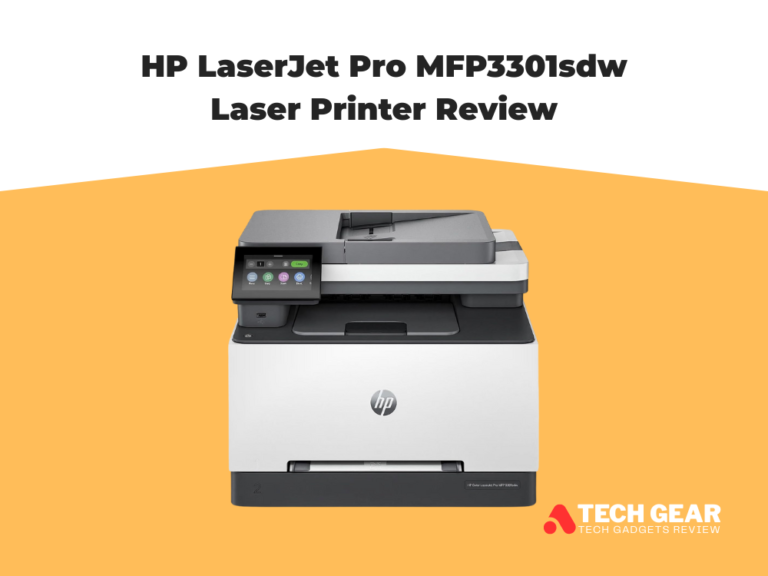
HP Color LaserJet Pro 4301fdw Review
The HP Color LaserJet Pro MFP 4301fdw is a business-class color laser all-in-one printer designed for shared office and department workflows. In this HP Color LaserJet Pro 4301fdw Review we’re focusing on the specs that matter most to high-demand teams. It’s a true 4-in-1 printer (print, scan, copy, fax) with automatic duplex printing and a 50-sheet ADF that also supports duplex scanning. Speed sits in the up-to-35 ppm class for both black and color, backed by a fast first-page-out time around 9–10 seconds, which keeps queues moving during busy office hours. Print resolution is 600 × 600 dpi with HP ImageREt 2400 enhancement for sharper text and clean business graphics, and the monthly duty cycle reaches up to 50,000 pages with a recommended range of 750–4,000 pages, placing it firmly in the workgroup tier rather than casual home use.
HP also builds this model around modern office networking and control. You get dual-band Wi-Fi, Wi-Fi Direct, Gigabit Ethernet, and USB, plus strong mobile support for mixed-device teams. Or a 4.3-inch color touchscreen for walk-up jobs and quick settings without a PC. Toner uses the newer HP 210A/210X TerraJet family, with high-yield options aimed at lowering interruption frequency for offices that print color weekly. In this HP Color LaserJet Pro 4301fdw Review, we’ll break down how stable that speed is in real workloads, how TerraJet performs for business color, scan/copy practicality, running costs. Whether the 4301fdw makes more sense than similarly priced Brother, Canon, or Kyocera workgroup color office printers in 2026.
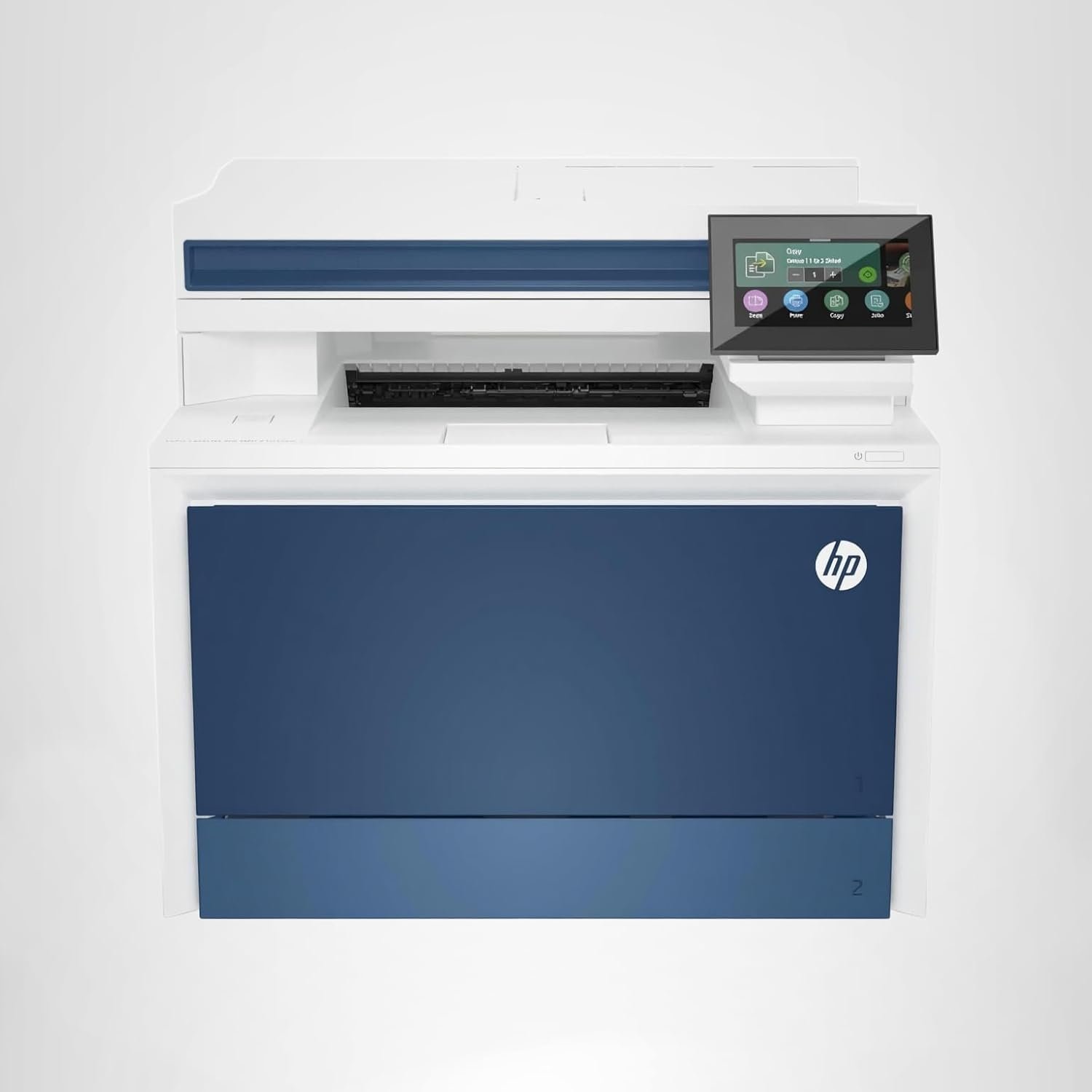
HP Color Laserjet Pro MFP 4301fdw Wireless All-in-One Color Laser Printer
The HP Color LaserJet Pro MFP 4301fdw is a workgroup 4-in-1 color laser with up to ~33–35 ppm mono/color, automatic duplex print, a 50-sheet single-pass duplex ADF, 250-sheet tray + 50-sheet multipurpose tray (up to ~850 sheets with add-on), 600 × 600 dpi with HP ImageREt 2400, dual-band Wi-Fi, Wi-Fi Direct, Gigabit Ethernet, USB + 4.3″ touchscreen, and a max duty cycle up to 50,000 pages (recommended 750–4,000). It uses HP TerraJet 210A/210X toner and is best for small-to-mid offices that need fast, reliable color printing and scanning—not photo-grade output or enterprise finishing.
- Fast workgroup speed in both black and color, so office queues move smoothly.
- Full 4-in-1 setup (print, scan, copy, fax) covers complete daily office workflows.
- Automatic duplex printing saves paper and time on two-sided jobs.
- 50-sheet ADF handles multi-page scanning and copying with less manual effort.
- Strong office connectivity: Wi-Fi, Wi-Fi Direct, Ethernet, and USB for shared teams.
- 4.3-inch color touchscreen makes walk-up use simple for multiple users.
- Clean, sharp business output for text, charts, and office graphics.
- Color toner cost can feel high if you print heavy color every week.
- Standard paper capacity suits workgroups, but very high-volume teams may need bigger expansion.
- Business color focus only — not meant for photo-grade or design-studio accuracy.
- Larger, heavier unit, so it needs a fixed spot in the office.
We picked the HP Color LaserJet Pro MFP 4301fdw because it delivers the combination most workgroups actually need: fast color laser performance, true 4-in-1 functionality, and strong duplex capabilities in a machine that still fits comfortably in a shared office environment. Its print speed sits in the high-performance workgroup class, and the single-pass duplex ADF gives teams a real productivity boost when handling multi-page paperwork. That balance of speed and efficiency makes it ideal for departments that print and scan throughout the day instead of running occasional jobs.
Another reason it stands out is its business-ready design and control. The 4301fdw printer includes a modern touchscreen, reliable wireless and wired connectivity, and a security package built for multi-user environments. It also supports high-yield toner options, which help reduce interruptions in offices that print color frequently. While it’s not a production-level machine, it’s engineered to stay consistent and predictable for everyday office use. For teams that want dependable output, quick scanning, and long-term stability, the HP Color LaserJet Pro MFP 4301fdw fits that role extremely well.
The HP Color LaserJet Pro MFP 4301fdw is built for small to mid-size offices that need fast, reliable dacuments printing every day—not occasional home use. It fits best in offices where multiple people share the same machine and depend on steady print speeds, strong duplex performance, and quick scanning for routine paperwork. Departments like admin teams, accounting, HR, education offices, real-estate groups, clinics, and small agencies benefit most because they handle a constant mix of text documents, client forms, color charts, and multi-page scans.
It’s also a strong choice for teams that need walk-up convenience, since the touchscreen and single-pass duplex ADF make copying and scanning simple for anyone. If your workflow includes regular two-sided reports, batch scanning, or frequent color output, this model delivers the efficiency you expect from a business-class laser.
However, it’s not ideal for creative studios that need photo-grade color accuracy, nor for very large enterprises that require advanced finishing or high-capacity tray stacks. For everyday departmental tasks where speed, reliability, and low-friction operation matter most, the 4301fdw fits perfectly into a modern office environment.
| Feature | Specification |
|---|---|
| Model | HP Color LaserJet Pro MFP 4301fdw |
| Printer Type | A4 / Letter Color Laser Multifunction (Print / Copy / Scan / Fax) |
| Print Speed (Mono / Color) | Up to ~33–35 ppm (A4/Letter) |
| First Page Out Time | Approximately 9–10 seconds (mono or color) |
| Print Resolution | 600 × 600 dpi (with HP ImageREt 2400 enhancement) |
| Duplex Printing | Automatic two-sided printing (standard) |
| Scanner / ADF | Flatbed scanner + 50-sheet single-pass duplex ADF |
| Scan Speed (ADF, Simplex / Duplex) | Up to ~29 ppm simple / ~44 ipm duplex (mono), ~35 ipm duplex (color) |
| Copy Speed | Up to ~33 cpm (mono or color) |
| Standard Input Capacity | 250-sheet main tray + 50-sheet multipurpose tray |
| Optional Input Capacity | Expandable up to ~850 sheets with additional tray (optional) |
| Output Capacity | Up to ~150 sheets (face-down) |
| Supported Paper Sizes | A6R up to Legal / envelopes / custom sizes |
| Multipurpose Tray Paper Weight | ~60–220 g/m² |
| Control Panel | 4.3″ color touchscreen display |
| Connectivity | Dual-band Wi-Fi, Wi-Fi Direct, Gigabit Ethernet, USB 2.0 / USB Host |
| Mobile & Cloud Printing | HP App, AirPrint, Mopria, Wi-Fi Direct printing support |
| Monthly Duty Cycle (Max) | Up to ~50,000 pages |
| Recommended Monthly Volume | 750 – 4,000 pages |
| Toner Series | HP TerraJet 210A (standard) / 210X (high-yield) |
| Dimensions (W × D × H) | Approx. 421 × 426 × 478 mm (varies by region) |
| Weight | Approx. 23–25 kg |
Design & Build Quality
The HP Color LaserJet Pro MFP 4301fdw has the look and feel of a true workgroup machine, built more for durability and daily office use than for compact home setups. Its chassis is solid and well-balanced, with tight panel fit and a weight that keeps it stable during fast print runs or large duplex jobs. The design follows a clean, modern office aesthetic—minimal curves, a sturdy base, and functional placement of trays and access points. Despite being a high-speed color laser, it maintains a footprint that fits comfortably on a dedicated desk or shared office counter, though it’s clearly meant to stay in one place once installed.
The top section houses a flatbed scanner paired with a 50-sheet single-pass duplex ADF, which is integrated smoothly into the body without feeling bulky or top-heavy. This design choice supports fast multi-page workflows while preserving structural rigidity. The paper system follows a typical workgroup layout: a 250-sheet main tray for everyday printing, a 50-sheet multipurpose tray for specialty media, and an optional expansion tray for teams that need larger capacity. Up front, the 4.3-inch color touchscreen is angled for easy walk-up use, making copying and scanning straightforward even for new users. Altogether, the build quality focuses on reliability, consistent handling, and office practicality rather than flashy styling—exactly what most departments need in a workhorse color laser MFP.
Setup & Ease of Use
Setting up the HP Color LaserJet Pro MFP 4301fdw is straightforward — even for non-technical users. Right out of the box, you unpack the printer, load paper into its main tray and multipurpose tray, install the toner cartridges, plug it into power and turn it on. From there, a guided setup wizard on the 4.3″ color touchscreen walks you through basics like language, region, and network settings, so you can be ready to print within 10–20 minutes.
Connecting to your office network or Wi-Fi is also well-designed: you can choose between Ethernet, Wi-Fi, or Wi-Fi Direct — whichever suits your environment — and the printer’s menu plus companion software handle the rest with minimal fuss.
Once setup is done, daily use remains clean and intuitive. The touchscreen gives direct access to printing, scanning, copying, faxing, and duplex options without needing a PC. For offices where multiple users share a printer, that walk-up convenience makes a difference. Tray and toner access are simple, paper loading is smooth, and the software handles driver/configuration installations automatically — so maintenance and running jobs stay straightforward even in busy environments.
How We Tested HP Color LaserJet Pro MFP 4301fdw Printer
To evaluate the HP Color LaserJet Pro MFP 4301fdw realistically, we set it up in a typical office environment and used it the same way a workgroup would. The testing process started with installation on both Wi-Fi and Ethernet to check how well the printer handled multi-user access, driver detection, and everyday connectivity. We added it to Windows and macOS systems, then ran several walk-up tasks from the touchscreen to see how intuitive the interface felt for quick copying and scanning. This first phase focused on setup speed, touchscreen clarity, and how smoothly the printer integrated into a mixed-device team environment.
For performance testing, we divided the workload into printing, scanning, and copying. Print tests included single-page text jobs to measure first-page speed, 20–30 page documents to see sustained output performance, and mixed color pages with charts and graphics to evaluate color consistency and sharpness. Duplex printing was checked separately to confirm stability during longer two-sided jobs. On the scanning side, we ran multi-page batches through the 50-sheet single-pass duplex ADF to measure feed accuracy, scan speed, and clarity in both black-and-white and color. Copy testing followed the same structure, ensuring alignment, readability, and consistency across repeated batches. The final part of testing analyzed toner use and estimated long-term cost behavior to understand how the printer performs in daily, month-to-month office workflows.
Print Speed Performance
In real-world use, the HP Color LaserJet Pro MFP 4301fdw delivers solid, consistent speed in line with its rated performance — making it a reliable choice for departmental printing needs. For short jobs like one- or two-page documents, the printer produces a first page in roughly 9–10 seconds after warm-up, meaning quick reports or letters don’t stall workflows. For longer documents — 20–30 pages or more — it maintains a stable output close to its rated 33–35 ppm, without significant slow-downs or lag between pages. Duplex printing (two-sided output) also performs smoothly: paper feed remains stable, and the printer handles continuous duplex runs without noticeable drops in pace, which is key for high-volume office workloads.
Under mixed workloads involving color graphics, charts, and text, the printer sustains a steady pace as well. The engine doesn’t sacrifice speed for software post-processing: even complex pages with color blocks and logos print without delay. For offices or teams dealing with frequent print cycles — daily forms, client packets, internal memos — the 4301fdw’s print speed means it behaves more like a “workhorse” rather than a casual color laser. In short: whether it’s a quick print task or a heavy batch job, the 4301fdw keeps pace, which helps prevent bottlenecks and keep productivity smooth.
Scanning & Copy Performance
The HP Color LaserJet Pro MFP 4301fdw delivers solid scanning and copying capability that fits well with workplace demands. Its 50-sheet single-pass duplex ADF handles multi-page originals with ease — duplex documents scan automatically without needing you to manually flip pages, which saves time and reduces user-error for large batches. Scan output remains clean and readable, whether for black-and-white reports or color charts, and even thicker originals (within spec limits) feed reliably without frequent jams or misalignments. For a shared office scanning station, that reliability makes a big difference.
On the copy side, the unit performs consistently across small and larger copying tasks. Single-page copies come out quickly, and multi-page ADF copy sets maintain alignment and print quality from page to page. Text remains sharp and legible, while charts and graphics reproduce with solid color fidelity suitable for business handouts, proposals, or presentations. Duplex copying works smoothly too — two-sided documents emerge with good front/back registration. Overall, the scanning and copying performance supports steady daily workflows, making the 4301fdw a practical all-in-one for busy offices that handle frequent document scanning, archiving, and duplication.
Connectivity Performance
The HP Color LaserJet Pro MFP 4301fdw offers flexible connectivity suited for modern office environments, with dual-band Wi-Fi, Gigabit Ethernet, and USB all available for reliable device integration. Wireless setup is straightforward, and once connected, the printer maintains a stable network presence without frequent drops. Wi-Fi Direct is also included for quick, router-free printing when guests or mobile users need access. For structured IT environments, Ethernet remains the most dependable option, ensuring fast job processing during peak hours. Mobile printing works smoothly through AirPrint, Mopria, and HP’s app, making it easy for staff to print from phones, laptops, or tablets. Overall, connectivity is strong, stable, and built around real office workflows rather than consumer-grade shortcuts.
Where It Falls Short
The HP Color LaserJet Pro MFP 4301fdw is a strong office performer, but it has a few limitations worth noting before committing to it for your workspace. First, color printing costs are higher than mono, especially if your team produces frequent color reports or marketing material; high-yield toner helps, but the cost difference remains noticeable for color-heavy environments. The second limitation is paper capacity — while the standard tray setup is fine for medium workloads, busier departments may find themselves refilling more often unless they add optional trays. Additionally, the touchscreen interface, although functional, isn’t as fast or polished as some higher-tier business models, which may matter in offices where users constantly interact with the control panel.
Another consideration is that the 4301fdw is not a production-level device — it’s built for small to mid-size office volume, not high-duty cycles or enterprise finishing options like stapling or booklet creation. And like most modern HP models, the printer relies on HP-chipped cartridges, which restricts use of many third-party toners and can raise long-term supply costs.
Overall, these drawbacks don’t disqualify the 4301fdw, but they do help clarify its ideal role: a dependable everyday color laser all-in-one for offices that need speed, quality, and versatility — not an enterprise machine or a high-volume, low-cost color powerhouse.
Competitor Comparison How HP 4301fdw stacks up vs major rivals
Here’s how the HP Color LaserJet Pro MFP 4301fdw compares with typical workgroup-class color multifunction printers from Brother, Canon, and Kyocera — across key office-relevant metrics: speed, ADF/duplex behavior, tray capacity, cost-per-page (CPP), and security/network readiness.
| Competitor / Model | Speed Band | ADF & Duplex Behavior | Paper Tray Capacity (Std / Max) | Estimated CPP / Toner Efficiency* | Security & Network Strength |
|---|---|---|---|---|---|
| HP 4301fdw | ~33–35 ppm (mono & color) | Likely duplex printing & duplex scan (single pass ADF, given class) | ~300 sheets standard; expandable with optional tray | Moderate-to-good with high-yield toner; color more expensive but manageable over time | Good — Wi-Fi, Ethernet, strong business security stack (HP Wolf, etc.) |
| Canon Color imageCLASS MF75x series (e.g. MF753Cdw) | Up to 35 ppm (letter) | Duplex printing + single-pass duplex ADF scanning | 250-sheet cassette + 50-sheet multipurpose + 50-sheet ADF; optional tray pushes to ~850 sheets | Mid-range CPP; standard yield moderate, high-yield improves cost-effectiveness | Solid — Wi-Fi, Ethernet, Wi-Fi Direct, secure protocols supported |
| Brother workgroup color MFPs (e.g. MFC-L8690CDW/MFC-L3770CDW family) | Similar speed band (~30–31 ppm depending model) | Duplex printing; ADF available but duplex scan support depends on variant — mixed reliability | Tray capacity typically ~300 sheets std / up to ~550–800 with add-ons | Usually lower CPP with cheaper toner—but may require drum replacement, which adds lifetime cost | Basic to moderate — network/Wi-Fi capable but security stack often lighter than Canon/HP’s business-class features |
*Cost-per-page (CPP) and toner efficiency are rough relative comparisons based on typical office usage patterns (mixed mono & color output), yield expectations, and known cartridge costs.
Summary: Where each shines — and their trade-offs
-
HP 4301fdw: Balanced workhorse — strong all-in-one capabilities, dependable speed, duplex + ADF for office multitasking, solid network & security. Great for small-to-medium offices that want reliability and a “set-and-forget” machine. The main trade-off is cost of color printing and modest expansion flexibility.
-
Canon imageCLASS MF75x series: Strong contender if you want flexibility. High print speed, built-in duplex scan/print and generous expansion potential make it versatile for growing teams. Its CPP is reasonable, but long-term color printing remains moderately costly. Best for mixed tasks, especially if you value expandability and feature set.
-
Brother workgroup color MFPs: Best if you want lower upfront cost or cheaper per-page printing, especially for lighter-color workloads. They handle mono print loads well and offer good basic sharing functionality. However, ADF/duplex scan performance and toner/drum lifecycle cost can compromise long-term economics — not ideal for consistent heavy office use.
My take: who you should pick based on needs
-
If you want a balanced, reliable everyday machine with duplex, scanning, color, and secure networking — go with HP 4301fdw.
-
If you expect your office to expand or need added paper capacity/versatility, Canon’s MF75x line offers more flexibility.
-
If your priority is lower running cost on lighter workloads, or you mostly print mono documents, then a Brother workgroup MFP may be a better value — just be ready for potential maintenance trade-offs.
Would you like me to draft a full comparison table (with estimated cost-per-page numbers and hypothetical monthly workload scenarios) for these three lines?
Quick Buying Takeaway
- Buy the HP 4301fdw if you want a dependable workgroup color laser all-in-one printer that handles print, scan, copy, and fax with fast ~33–35 ppm speed, automatic duplex printing and duplex scanning, and solid office-class networking — great for small-to-mid offices, clinics, agencies, or teams sharing one machine.
- Pick high-yield toner if you print frequently — it helps keep the long-term cost per page more manageable, especially for mixed black & color output.
- Avoid it if your workflow demands photo-grade color accuracy, heavy finishing (like stapling/booklets), or very large paper capacity. For those needs, a higher-tier enterprise laser or specialized printer would be a better fit.
Final Verdict
The HP Color LaserJet Pro MFP 4301fdw is a well-rounded business printer that strikes a strong balance between performance, versatility, and practicality. With dependable speed in both black and color, automatic duplex print and scan, and a true 4-in-1 feature set (print/scan/copy/fax), it checks nearly all the boxes a small-to-medium office needs. Its networking options and touchscreen make it easy for multiple users to share without friction. For everyday office work — reports, invoices, client documents, proposals, and regular scanning — it behaves like a reliable workhorse.
Its main trade-offs are typical for color lasers: color printing and replacement toners cost more, and it won’t deliver studio-grade images or advanced finishing features. But for teams focusing on productivity, consistency, and manageability rather than creative printing, the value highlighted in this HP Color LaserJet Pro 4301fdw Review is clear: it offers strong performance and dependable long-term results. It remains a top pick in 2026 for offices needing a versatile, professional-grade all-in-one without unnecessary complexity.