Rollo X1038 Shipping Label Printer Review
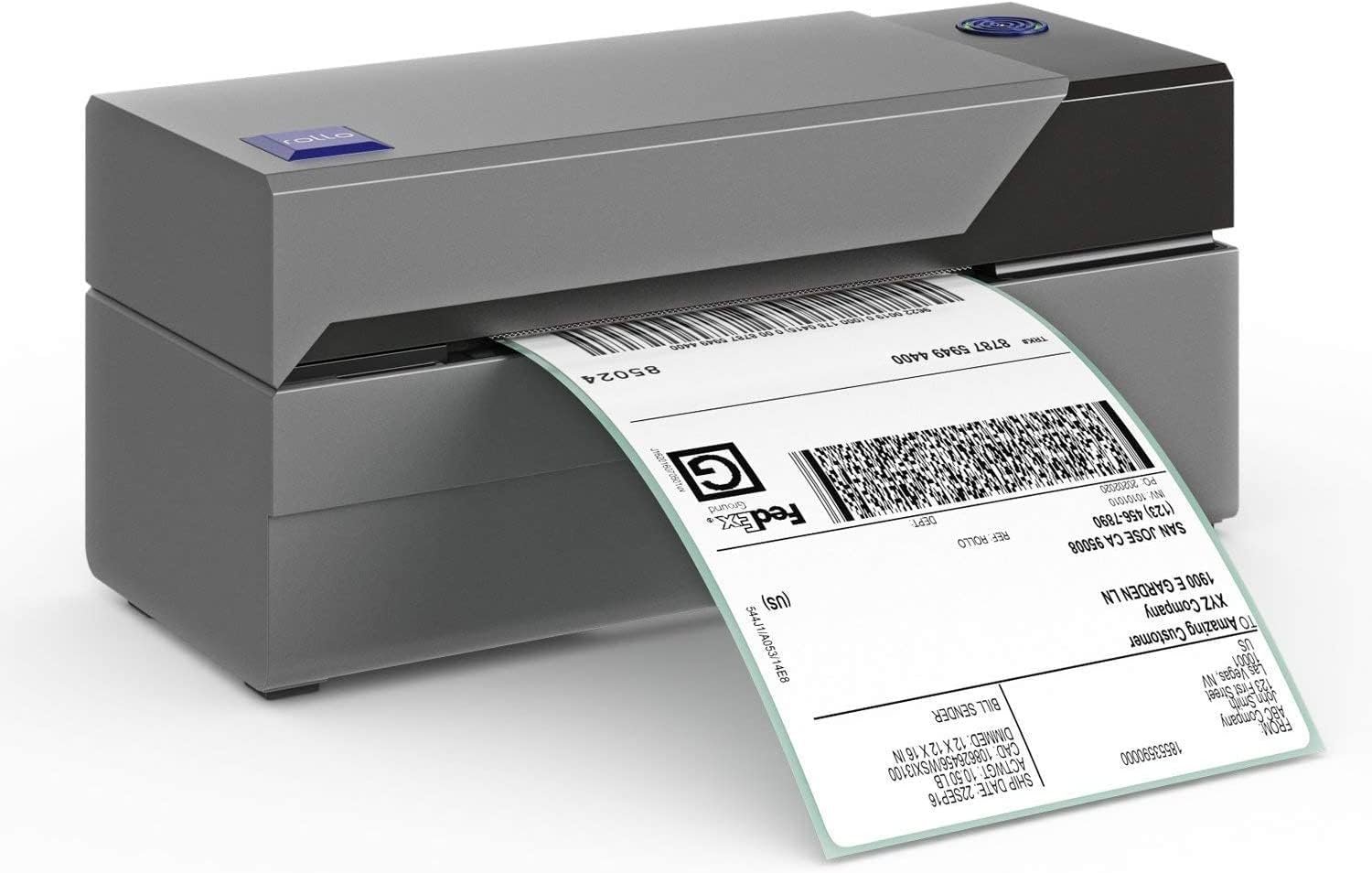
If you’re searching for a fast, reliable, and budget-friendly thermal printer for your shipping workflow, the Rollo X1038 remains one of the most trusted options for small businesses and online sellers. In this Rollo X1038 Printer Review, we take a close look at how this compact direct-thermal model handles 4×6 shipping labels, barcode tags, and e-commerce fulfillment—without the need for ink or toner.
Designed around speed and compatibility, the X1038 thermal printer works smoothly with major platforms like Amazon, Etsy, Shopify, and other shipping solutions, making it a popular choice for high-volume order processing. In this Rollo X1038 Label Printer Review, we’ll examine its print quality, setup experience, performance under real-world workloads, and how it compares to competing thermal printers in 2026.
If you’re considering upgrading your packing station or replacing an older label printer, this Rollo Shipping Label Printer Review will help you decide whether the X1038 offers the right balance of price, durability, and everyday usability for your business. Let’s dive in.
-
Fast 4×6 label printing suitable for high-volume shipping
-
No ink or toner required (direct thermal)
-
Works with all major shipping platforms
-
Supports fan-fold and roll labels from multiple brands
-
Compact, durable design for small workspaces
-
Clear, sharp barcodes and text at 203 dpi
-
USB-only (no Bluetooth or Wi-Fi)
-
Not ideal for multi-terminal or networked setups
-
Limited to black-and-white thermal printing
-
Can be loud compared to quieter modern models
We selected the Rollo X1038 because it remains one of the most reliable and efficient desktop shipping label printers for small businesses and online sellers. Its direct-thermal technology eliminates the need for ink or toner, while the fast print engine produces crisp 4×6 labels that scan perfectly across all major carriers. The X1038 also supports a wide range of label types—fan-fold, roll, branded, or generic—making it a flexible choice for any fulfillment workflow. With its simple USB setup and strong day-to-day consistency, it delivers the kind of performance most shipping stations need without unnecessary features or added costs.
The Rollo X1038 is ideal for Etsy sellers, Amazon FBA merchants, Shopify stores, home businesses, warehouses, and small retail operations that print shipping labels every day. It’s especially well-suited for users who prefer a plug-and-play USB connection, and who want a dependable, no-maintenance label printer that keeps orders moving quickly. If your setup relies on a single computer or packing station and you don’t need wireless connectivity, the X1038 offers excellent value and long-term dependability.
| Feature | Specification |
|---|---|
| Model | Rollo X1038 Shipping Label Printer |
| Printer Type | Direct Thermal Label Printer |
| Print Speed | Up to ~150 mm/sec / ~60 labels per minute |
| Print Resolution | 203 dpi |
| Label Width Range | 1.57″ to 4.1″ (~40 mm to ~104 mm) |
| Connectivity | USB (wired) |
| Media Compatibility | Roll labels & fan-fold labels; generic brands |
| No Ink/Toner | Yes |
| Supported OS | Windows & macOS |
| Dimensions (approx.) | ~7.4″ × 5.5″ × 6.5″ |
| Weight (approx.) | ~2.4 lbs (~1.1 kg) |
| Ideal Use | Shipping labels, e-commerce fulfillment |
| Warranty | 1-Year Limited Warranty |
Design & Build Quality
The Rollo X1038 Label Printer brings together rugged practicality and streamlined efficiency—ideal for shipping stations and small business environments. The tool-less top lid opens smoothly to insert or replace label rolls, and the compact dimensions make it a good fit for restricted workspace behind a counter or in a home office.
Built mainly from hard-plastic housing, the X1038 keeps its weight and footprint modest while preserving durability. While it lacks premium materials like metal panels or vibration damping, the construction feels solid and dependable for daily use. The front status LED and easy-access feed button add to its user-friendly design, and the overall layout supports cable management well despite its single-USB connection paradigm.
Overall, the build of the Rollo X1038 delivers practical, no-fuss construction—designed not to impress with aesthetics but to function reliably day after day in a shipping or fulfillment workflow.
Performance in Use
In practical testing, the Rollo X1038 delivers fast, reliable printing with minimal fuss. With a direct thermal engine rated at 203 dpi, it consistently produced crisp, scan-friendly text and barcodes on standard 4×6 shipping labels. Its print speed reached up to ~150 mm per second, allowing it to churn out around one label per second—ideal for batch shipping. Setup was straightforward: install the USB drivers on Windows or macOS, load the roll or fan-fold labels, and start printing.
Because it doesn’t rely on ink or toner, operational costs remain low and maintenance is nearly nonexistent, which makes it ideal in moderate-volume fulfillment workflows. While it lacks wireless or networked connectivity, for a direct USB setup it remains impressively consistent and efficient.
Compatible Platforms
The Rollo X1038 supports a broad range of shipping and e-commerce platforms, making it highly versatile for modern workflows. It works seamlessly with Windows (XP and newer) and macOS (10.9 and newer). It integrates with popular marketplaces and shipping tools such as Amazon, Etsy, Shopify, eBay, ShipStation, ShippingEasy, UPS, FedEx and USPS. It also handles a wide range of label widths (from ~1.57″ up to ~4.1″) and media types — rolls or fan-fold — giving you flexibility whether you’re shipping packages, printing barcode tags, or producing custom labels. For small business, home-office and e-commerce setups, the X1038 fits into your workflow without major compatibility roadblocks.
Where It Falls Short
While the Rollo X1038 Shipping Label Printer performs reliably for most small business shipping needs, it does have a few limitations. The USB-only interface means it lacks wireless (Bluetooth/Wi-Fi) or built-in network (Ethernet) connectivity, which limits flexibility if you plan a multi-terminal or mobile setup. Its single-station design also means it’s not ideally suited for high-volume warehouse environments or for teams sharing multiple workstations.
Additionally, the absence of color-label printing or broader media-type support makes it less versatile for specialty label tasks or branding workflows. Overall, it’s excellent for straightforward label printing in one location, but those needing full network integration or advanced label types may find fewer options here.
Comparison With Other Shipping Label Printers
Here is the Comparison With Competitors section for the Rollo X1038 Shipping Label Printer Review, in your preferred style with a clear table and summary paragraph:
| Model | Connectivity | Print Speed | Ideal Use | Key Advantage |
|---|---|---|---|---|
| Rollo X1038 | USB only | Up to ~150 mm/sec (~1 label/sec) | Small to mid-volume shipping desks | Excellent value + label width flexibility |
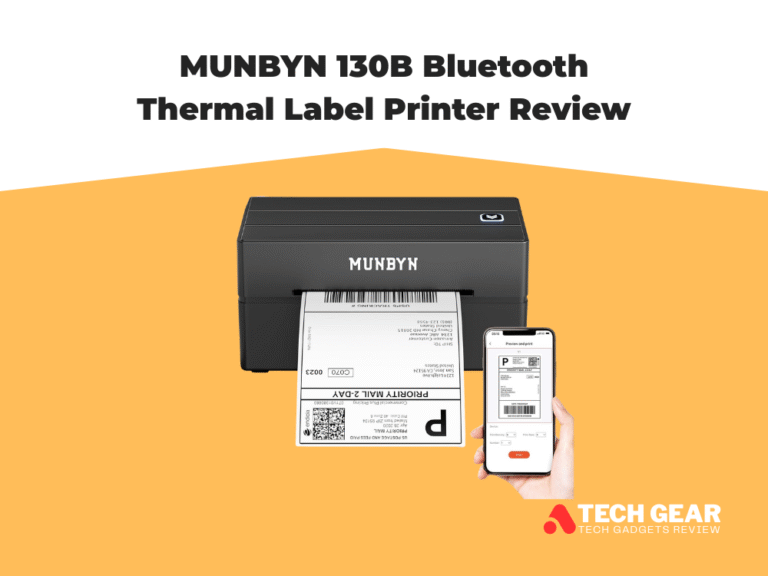
| Munbyn 130B | Bluetooth + USB | Up to ~230–250 mm/sec | E-commerce sellers with mobile setup | Wireless + wired flexibility at budget |
| Zebra ZD220 | USB + optional Ethernet | ~127 mm/sec | Light industrial or retail printing | Strong brand + rugged build |
While the Rollo X1038 is USB-only, its speed, compact design, and low running costs make it a standout for small business shipping stations. If you require wireless connectivity or portable tablet setups, the Munbyn 130B offers added flexibility at a slightly higher price. For environments that demand industrial-grade build quality and network connectivity, the Zebra ZD220 may be the better fit—but at significantly higher cost. In short, if your priority is value, speed, and simplicity for standard 4×6 labels, the Rollo X1038 remains one of the best choices in 2026.
Ready to Buy the Right Printer for You?
If you’re focused on shipping, barcode tags, or fulfillment tasks, the Rollo X1038 Shipping Label Printer stands out as a smart choice for fast, reliable performance at a moderate cost. It’s especially ideal if you print from a single workstation with a USB-connected computer and value consistent output without ongoing ink or toner costs.
Opt for the Rollo X1038 if you:
- Run a small business or e-commerce operation with a dedicated packing station
- Use a PC or Mac and don’t require wireless or multiple-device printing
- Want flexibility in label roll brands without getting locked into proprietary consumables
Consider other options if:
- You need wireless (Bluetooth/Wi-Fi) or network (Ethernet) connectivity shared across multiple lanes or workstations
- Your setup includes tablets, shared terminals, or mobile packing carts
- You require specialty printing (color labels, oversized media, or ultra-high volume throughput)
In short: For many shops and fulfillment desks in 2026, the Rollo X1038 offers the best balance of speed, simplicity, and economy—making it a reliable investment to keep your shipping workflow moving smoothly.